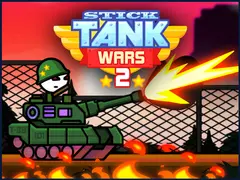
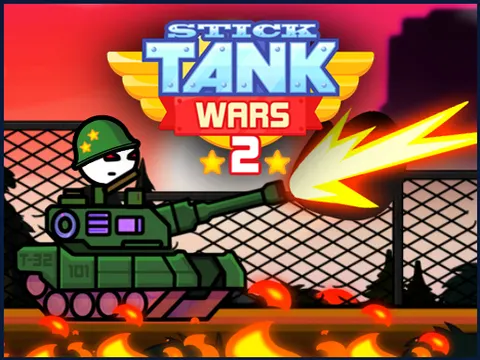
Climb into a battle tank and save the world from evil forces in Stick Tank Wars 2 unblocked. Line up each shot, let it fly and make it count before the enemy does the same to you. Launch it on Classroom 7x and you will be firing within seconds, since the whole game runs on simple mouse or touch controls.
About Stick Tank Wars 2
Stick Tank Wars 2 is all about quick, accurate shooting. Instead of juggling keyboard commands, you press and hold, drag to set up your shot, then release to fire. That simple input hides a real skill test, because the enemy is fighting back, and hesitating too long can cost you the battle. Each fight comes down to how fast you can read the situation and send a shot exactly where it needs to land.
Along the way, you collect coins that can be spent customizing your tanks, giving you a steady reason to return to the battlefield. Seeing your tank change as you play makes each victory feel more rewarding. The stick-figure style keeps the visuals clean and puts the focus squarely on aiming and timing. Since it supports both mouse and touch input, you can play comfortably on a laptop or a touchscreen device without memorizing a single key.
How to Play Stick Tank Wars 2
- Press and hold with the mouse or your finger to start lining up your tank's shot.
- Drag to adjust where your shot will go, keeping your eye on the enemy tank.
- Release to fire, and try to land your hit before the enemy can land theirs.
- Collect coins as you play to build up your savings.
- Spend your coins customizing your tank, then head back out to take on more evil forces.
Stick Tank Wars 2 Controls
| Input | Action |
|---|---|
| Click and hold | Start aiming |
| Drag | Adjust your shot |
| Release | Fire |
| Touch, drag and lift | Aim and fire on touchscreens |
Tips and Tricks
- Speed matters as much as accuracy. Lining up a good shot quickly is often better than taking too long to find a perfect one.
- Watch where a missed shot lands and adjust your next drag slightly from there instead of starting your aim from scratch.
- Pick up every coin you can, since coins are what pay for customizing your tank and keeping your progress moving.
- Stay calm under fire. Rushed, jerky drags send shots off target, so use smooth movements and release only when your aim is set.
Game Info
| Game | Stick Tank Wars 2 |
|---|---|
| Genre | Shooting, Action |
| Players | Single player |
| Works on | Chromebook, PC and Mac (keyboard recommended) |
| Price | Free, no sign-up |
Stick Tank Wars 2 FAQ
How do you shoot in Stick Tank Wars 2?
Press and hold with the mouse or your finger, drag to set up your shot, then release to fire. The whole game uses this simple hold and release system, so there is nothing complicated to learn.
What are coins used for?
Coins you collect while playing are used to customize your tanks. Grabbing as many as possible lets you change up your tank more often and makes every battle feel like progress.
What happens if you shoot too slowly?
The game rewards quick decisions. If you take too long to make the right shot, the enemy can take you out first, so practice aiming fast while still staying accurate.
Can I play Stick Tank Wars 2 on a school Chromebook?
Yes. Stick Tank Wars 2 runs in the Chrome browser on Chromebooks, Windows PCs and Macs with nothing to install. It is designed for a keyboard and mouse, so it plays best on a computer rather than a phone.
Is Stick Tank Wars 2 free to play?
Yes, Stick Tank Wars 2 is completely free on Classroom 7x. There is no download, no account and no sign-up. Press Play and the game loads right on this page.