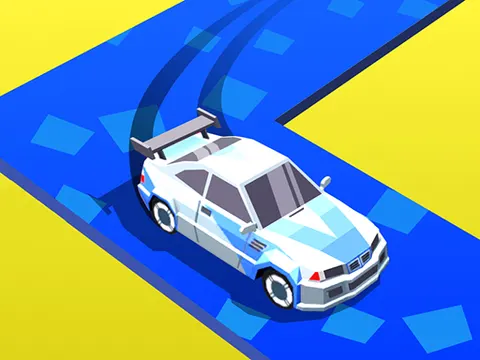
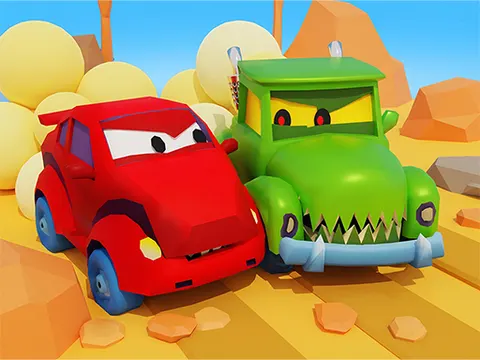
Car Eats Car 3D unblocked takes the series' famous car-chomping chaos into full 3D. Alien invaders have rolled in, and your answer is a car with teeth, bombs, and a turbo boost. Take on missions, smash every enemy in your path, and face down powerful bosses right here on Classroom 7x.
About Car Eats Car 3D
This 3D take keeps the attitude that made the Car Eats Car name stick: vehicles that literally bite their enemies. You drive into battle against alien attackers, and the goal is to wreck them before they wreck you. Missions give each run a clear target, and boss fights test everything you have learned along the way. Between smashing, biting, shooting, and dropping bombs, there are plenty of ways to take out opponents, and the action rarely slows down long enough for a breather.
Progress is where the longer-term fun comes in. As you play, you can unlock unique cars and then upgrade their stats to handle tougher battles. Equipping stronger weapons gives you more firepower for the harder fights ahead. The bright cartoon visuals keep things playful rather than gritty, so the destruction feels more like a toy-box brawl than a serious war. If you like racing games with a heavy dose of combat, Car Eats Car 3D is well worth a spin.
How to Play Car Eats Car 3D
- Press Up Arrow or W to hit the gas, and Down Arrow or S to brake.
- Steer with the Left and Right arrows or A and D to line up attacks and avoid danger.
- Drive into enemies to smash and bite them, and press Space to drop bombs on nearby targets.
- Use Left Shift or M for a turbo boost when you need to escape or ram an opponent at speed.
- Complete missions as you progress, then unlock new cars, upgrade their stats, and equip stronger weapons.
Car Eats Car 3D Controls
| Input | Action |
|---|---|
| Up Arrow / W | Gas |
| Down Arrow / S | Brake |
| Left / Right Arrows or A / D | Move left / right |
| Space | Drop bombs |
| Left Shift / M | Turbo |
Tips and Tricks
- Save your turbo for key moments, like closing the gap on an enemy or escaping when several attackers surround you.
- Focus early upgrades on one car instead of spreading them thin, so you always have a ride ready for tougher missions and bosses.
- Drop bombs when several enemies are bunched up near you, so a single blast can catch more than one target.
- Study each boss on your first attempt. Knowing when to back off and when to strike matters more than raw speed.
- Keep moving during fights. A car that sits still is an easy target, while steady motion lets you line up bites on your terms.
Game Info
| Game | Car Eats Car 3D |
|---|---|
| Genre | Racing, Action |
| Players | Single player |
| Works on | Chromebook, PC and Mac (keyboard recommended) |
| Price | Free, no sign-up |
Car Eats Car 3D FAQ
What weapons can you use in Car Eats Car 3D?
Besides ramming and biting enemies, you can drop bombs with the Space key and shoot using the weapons you equip. More powerful weapons become available as you progress, which helps a lot against tougher alien attackers and bosses.
What does the turbo do?
Turbo gives your car a burst of extra speed. Activate it with Left Shift or M to chase down fleeing enemies or get out of a dangerous spot in a hurry.
Who are you fighting against?
Your main enemies are alien invaders, along with powerful bosses that show up as you work through the missions. Defeating them is the core goal, so expect plenty of intense demolition battles along the way.
Can I play Car Eats Car 3D on a school Chromebook?
Yes. Car Eats Car 3D runs in the Chrome browser on Chromebooks, Windows PCs and Macs with nothing to install. It is designed for a keyboard and mouse, so it plays best on a computer rather than a phone.
Is Car Eats Car 3D free to play?
Yes, Car Eats Car 3D is completely free on Classroom 7x. There is no download, no account and no sign-up. Press Play and the game loads right on this page.