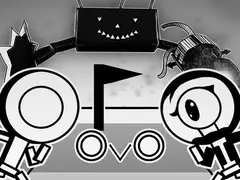
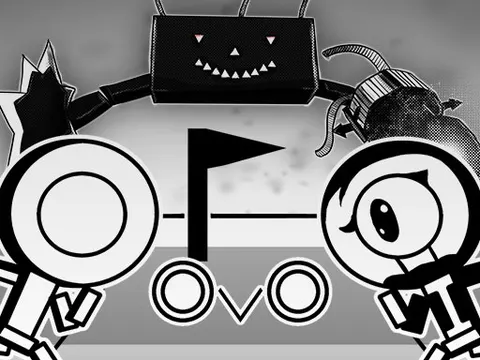
If you love platformers that reward pure speed, OvO unblocked is built for you. Your little runner has one job: reach the end of every stage as quickly as possible, using sharp jumps, quick slides and well-timed dives. Play it free on Classroom 7x, learn the move set in easy mode, then return for hard mode once your reflexes are ready.
About OvO
OvO is a 2D precision platformer from Dedra Games that cares about one thing above all: speed. Each level is a compact obstacle course packed with gaps, walls and hazards, and the fastest route is rarely the obvious one. Instead of power-ups, you rely on a set of movement tricks, including jumps, slides and dives, that chain together into smooth, flowing runs. Clearing a stage feels great, but shaving seconds off your time feels even better, which is why it is so easy to keep hitting restart.
There is more to chase than the finish line, too. Over 20 coins are tucked into hard-to-reach corners of the levels, and grabbing them takes careful routing and confident movement. Progress also unlocks a dozen skins and a set of achievements, giving you plenty of goals beyond simply clearing stages. Every level can be beaten in both easy and hard mode, so newcomers can learn the basics before facing the tougher versions. The clean, minimal art keeps your attention right where it belongs: on the run.
How to Play OvO
- Use the left and right arrow keys to run, heading for the finish point at the end of each level.
- Press the up arrow to jump over gaps and hazards, and jump off walls to reach higher ledges.
- Press the down arrow while running to slide under low obstacles and keep your speed up.
- Press down while in the air to dive quickly toward the ground when you need to drop fast.
- Collect coins along the way, then replay levels in hard mode once you have beaten them on easy.
OvO Controls
| Input | Action |
|---|---|
| Left / Right arrow keys | Run |
| Up arrow | Jump and wall jump |
| Down arrow | Slide on the ground or dive in mid-air |
Tips and Tricks
- Chain your moves instead of pausing between them. Linking jumps, slides and dives back to back keeps your momentum up and leads to much faster times.
- Spikes punish rushed inputs, so run each new level slowly once to learn the layout before you start pushing for a quick finish.
- Coins often sit off the main path. Collect them in a dedicated run so your speed attempts can focus purely on the fastest route.
- Beat each level on easy mode first. The movement skills you build there are exactly what hard mode expects you to use under pressure.
- If the default arrow-key layout feels awkward, remap the controls to a setup that suits your hands before chasing faster times.
Game Info
| Game | OvO |
|---|---|
| Developer | Dedra Games |
| Genre | Platformer, Skill |
| Players | Single player |
| Works on | Chromebook, PC and Mac (keyboard recommended) |
| Price | Free, no sign-up |
OvO FAQ
How do you slide and dive in OvO?
Press the down arrow while running on the ground to slide under obstacles. Press down while you are in the air to dive toward the ground. Combining these moves with jumps is the secret to fast, smooth runs.
Can you change the controls?
Yes. The game lets you change its key bindings, so if the default arrow keys feel uncomfortable you can switch to a layout you prefer. Setting this up before a long session can make tricky levels feel easier.
How many coins are there to collect?
More than 20 coins are hidden across the levels. Many sit away from the main route, so you will need precise jumps and slides to reach them. Collecting them is a big part of fully completing the game, alongside skins and achievements.
Can I play OvO on a school Chromebook?
Yes. OvO runs in the Chrome browser on Chromebooks, Windows PCs and Macs with nothing to install. It is designed for a keyboard and mouse, so it plays best on a computer rather than a phone.
Is OvO free to play?
Yes, OvO is completely free on Classroom 7x. There is no download, no account and no sign-up. Press Play and the game loads right on this page.