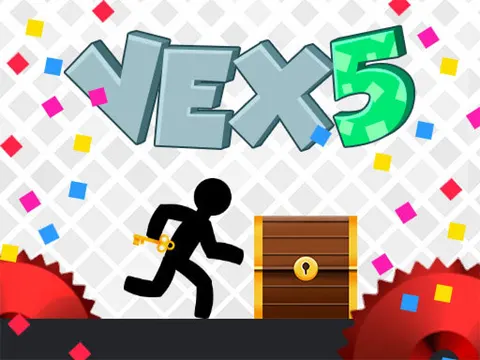
Vex 5 unblocked picks up where the earlier games left off, dropping your stick figure into a fresh run of levels packed with new traps. Every jump, slide and climb has to be timed just right, and a single mistake sends you back to try again. Load it up on Classroom 7x and see how far your reflexes can carry you.
About Vex 5
The fifth entry in Amazing Adam's popular series keeps the formula that fans love: a fast stickman, tight controls and levels designed to punish sloppy timing. What changes is the content. Vex 5 adds brand-new levels, a fresh set of traps to figure out and a list of achievements to chase. If you have already conquered the earlier games, these stages give you new patterns to learn and plenty of new ways to fail spectacularly before you finally get it right.
Movement is the heart of the game. Your character can run, jump, crouch, slide under low gaps and kick off walls to reach higher ledges. Spikes, spinning blades and moving hazards fill each stage, and the layouts often demand several of those moves in quick succession. Checkpoints break the longer stages into chunks, so progress feels steady even when one stretch takes a dozen attempts. Pressing R restarts the level instantly whenever you want a clean run.
How to Play Vex 5
- Run left and right with the arrow keys or A and D to move through the level.
- Press up or W to jump, and jump again while touching a wall to climb higher.
- Hold down or S to crouch, or press it while running to slide under low obstacles.
- Avoid spikes, blades and other traps, and reach checkpoints to save your progress mid-level.
- Press R to restart the current level whenever a run goes badly.
Vex 5 Controls
| Input | Action |
|---|---|
| Left / Right arrows or A / D | Run |
| Up arrow or W | Jump and wall jump |
| Down arrow or S | Crouch and slide |
| R | Restart the level |
Tips and Tricks
- Slide into low tunnels with momentum. Pressing down while already running carries you much farther than crouching from a standstill.
- Watch moving traps for a full cycle before committing. Most hazards follow a set pattern, and timing your run is easier once you see it repeat.
- Treat each checkpoint as a mini level. Focus only on reaching the next one rather than worrying about how far away the exit is.
- Use the R key generously while chasing achievements. A fresh restart is quicker than limping through a level after a mistake.
- Short taps on the arrow keys give you finer control on narrow platforms than holding a direction down.
Game Info
| Game | Vex 5 |
|---|---|
| Developer | Amazing Adam |
| Genre | Platformer, Skill |
| Players | Single player |
| Works on | Chromebook, PC and Mac (keyboard recommended) |
| Price | Free, no sign-up |
Vex 5 FAQ
What's new in Vex 5?
This entry brings new levels, new traps and a set of achievements to unlock. The core controls and stickman movement stay familiar, so players of earlier Vex games can jump straight in and focus on the fresh challenges.
How do you restart a level?
Press the R key at any time to restart the level you are on. It is handy when you want to retry a section cleanly or attempt a smoother run while working toward achievements.
Are there checkpoints in the levels?
Yes. Like the rest of the series, levels include checkpoints along the way. If you hit a trap after reaching one, you respawn there instead of returning to the very start of the stage.
Can I play Vex 5 on a school Chromebook?
Yes. Vex 5 runs in the Chrome browser on Chromebooks, Windows PCs and Macs with nothing to install. It is designed for a keyboard and mouse, so it plays best on a computer rather than a phone.
Is Vex 5 free to play?
Yes, Vex 5 is completely free on Classroom 7x. There is no download, no account and no sign-up. Press Play and the game loads right on this page.