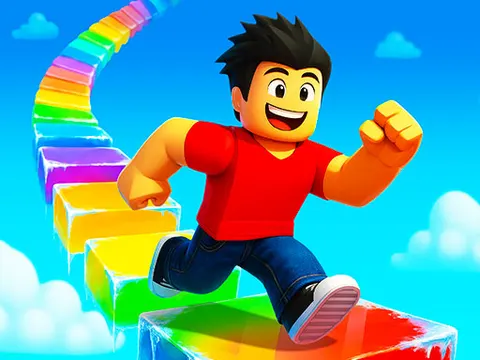
Obby Rainbow Tower unblocked is a frosty climbing race where every floor tries to knock you into the void. Sprint, jump and double jump past moving platforms, slippery ice and surprise snowstorms on your way to the top. Chase a personal best or race a friend side by side, right here on Classroom 7x.
About Obby Rainbow Tower
Despite the colorful name, this obby-style platformer is all about winter. The tower is split into floors, and each one is crammed with hazards: moving platforms that shift under your feet, icy tiles, spinning lava bars, sudden snowstorms and snowball portals that try to shove you off the edge. Every second counts because the game tracks your time, so shaving off a few moments by taking a riskier jump can be the difference between a good run and a personal record.
You can replay the tower as often as you like, which makes it perfect for short sessions where you try to beat your previous best. The real highlight is the two-player mode, where you and a friend race up the tower side by side on the same keyboard. Watching your rival slip on an icy tile while you double jump ahead is a great feeling, and close races tend to come down to who handles the final floors with the steadiest nerves.
How to Play Obby Rainbow Tower
- Choose solo mode to chase your best time, or two-player mode to race a friend.
- Move with WASD as Player 1 or the arrow keys as Player 2.
- Jump onto moving platforms and press jump again in mid-air for a double jump across bigger gaps.
- Hold your sprint key on safe stretches to save time, but slow down on icy tiles.
- Dodge spinning lava bars, snowstorms and snowball portals as you climb floor by floor to the top.
Obby Rainbow Tower Controls
| Input | Action |
|---|---|
| WASD | Player 1 move |
| Shift | Player 1 sprint |
| Space (press twice to double jump) | Player 1 jump |
| Arrow keys | Player 2 move |
| K / L (press L twice to double jump) | Player 2 sprint / jump |
| On-screen buttons | Move, sprint and jump on touch devices |
Tips and Tricks
- Save your double jump for when you really need it. Using it too early leaves you with no way to correct a short jump.
- Let go of sprint before icy tiles. Extra speed on ice makes it much harder to stop at the edge of a platform.
- Watch a spinning lava bar make a full rotation before crossing, then move right behind it as it passes.
- When snowball portals are nearby, stay toward the middle of platforms so a hit is less likely to knock you over the edge.
- Practice the floors that trip you up most in solo runs before challenging a friend to a head-to-head race.
Game Info
| Game | Obby Rainbow Tower |
|---|---|
| Genre | Platformer, 2 Player |
| Players | 1 or 2 players |
| Works on | Chromebook, PC and Mac (keyboard recommended) |
| Price | Free, no sign-up |
Obby Rainbow Tower FAQ
Can two players race in Obby Rainbow Tower?
Yes. The two-player mode lets you race a friend side by side. Player 1 uses WASD with Shift to sprint and Space to jump, while Player 2 uses the arrow keys with K to sprint and L to jump.
How do you double jump?
Press the jump button twice: Space twice for Player 1 or L twice for Player 2. The second jump happens in mid-air, giving you extra height or distance to reach a platform you would otherwise miss.
What obstacles are in the tower?
Each floor mixes several winter-themed hazards, including moving platforms, icy tiles, spinning lava bars, surprise snowstorms and snowball portals. They are all designed to knock you off course, so timing and careful footwork are essential.
Can I play Obby Rainbow Tower on a school Chromebook?
Yes. Obby Rainbow Tower runs in the Chrome browser on Chromebooks, Windows PCs and Macs with nothing to install. It is designed for a keyboard and mouse, so it plays best on a computer rather than a phone.
Is Obby Rainbow Tower free to play?
Yes, Obby Rainbow Tower is completely free on Classroom 7x. There is no download, no account and no sign-up. Press Play and the game loads right on this page.