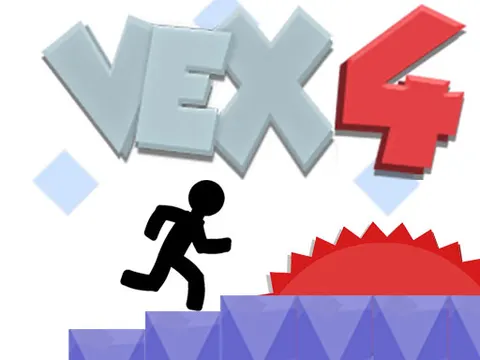
Vex 4 unblocked turns up the pace of the stickman series with longer obstacle runs and a new way to move. Along with running, jumping and sliding, you will now dive into water and swim past hazards. The game is ready to go on Classroom 7x, and a quick restart key means you can jump straight back in after every slip.
About Vex 4
The fourth entry keeps the familiar formula of precise 2D platforming but adds more variety to how you get around. Swimming joins the moveset, so some sections ask you to navigate through water as well as dodge traps on land. Levels are grouped into acts, and each one challenges you to string together quick reactions and smart routes. Because you can restart a level instantly with a single key, practicing a tough section never feels like a chore.
There is plenty to tackle once the basics click. Vex 4 includes nine acts along with nine hard modes for skilled players who want a stiffer test. On top of that, there is Vexation and the Challenge Room, extra content built for anyone who wants to push their skills even further. Whether you are new to the series or a veteran of earlier games, there is always a harder goal waiting after your last victory.
How to Play Vex 4
- Run left and right with the arrow keys or A and D to move through each act.
- Press Up or W to jump over gaps and hazards that stand in your way.
- Press Down or S to slide under low obstacles while you are running.
- In water, use the movement keys to swim and steer around dangers.
- Press R to restart the level whenever you want a clean attempt.
- Clear the acts, then take on the hard modes, Vexation and the Challenge Room.
Vex 4 Controls
| Input | Action |
|---|---|
| Left / Right arrows or A / D | Run |
| Up arrow / W | Jump |
| Down arrow / S | Slide |
| Arrow keys / WASD in water | Swim |
| R | Restart level |
Tips and Tricks
- Use the R key the moment a run goes wrong. Restarting fast keeps your rhythm going and saves time compared with limping through a ruined attempt.
- In swimming sections, make small directional taps instead of holding a key, which helps you thread narrow gaps without drifting into hazards.
- Watch each new obstacle for a moment before committing. Moving traps often follow a pattern, and spotting it first beats guessing.
- Clear the regular acts before diving into the hard modes, since the standard versions teach the movement you will need later.
- When a jump keeps failing, change your starting point. Beginning your run a step earlier or later often makes the timing click.
Game Info
| Game | Vex 4 |
|---|---|
| Developer | Amazing Adam |
| Genre | Platformer, Skill |
| Players | Single player |
| Works on | Chromebook, PC and Mac (keyboard recommended) |
| Price | Free, no sign-up |
Vex 4 FAQ
What is new in Vex 4?
Vex 4 adds swimming to the stickman's moves, so you will tackle water sections as well as classic platforming. It also comes with nine acts, nine hard modes, Vexation and the Challenge Room, giving you lots of content beyond the main levels.
How do you restart a level?
Press R at any time to restart the level you are on. It is the fastest way to reset after a mistake, so you can practice a tricky section over and over without waiting around.
Can you use WASD instead of the arrow keys?
Yes. Both WASD and the arrow keys work for moving, so pick whichever feels more comfortable. They handle running, jumping, sliding and swimming, and R is always available for a quick restart.
Can I play Vex 4 on a school Chromebook?
Yes. Vex 4 runs in the Chrome browser on Chromebooks, Windows PCs and Macs with nothing to install. It is designed for a keyboard and mouse, so it plays best on a computer rather than a phone.
Is Vex 4 free to play?
Yes, Vex 4 is completely free on Classroom 7x. There is no download, no account and no sign-up. Press Play and the game loads right on this page.