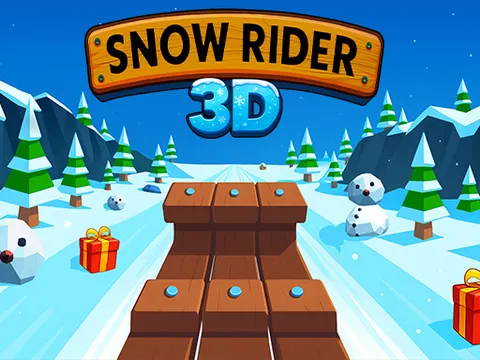
Snow Rider 3D unblocked puts you on a sled at the top of a never-ending winter hill, and your only job is to keep going. Steer left and right, hop over obstacles, and scoop up gifts along the way. On Classroom 7x it runs right in your browser, so you can squeeze in a quick run and chase a new high score.
About Snow Rider 3D
The idea behind Snow Rider 3D is simple: ride a sleigh downhill for as long as you can without crashing. The 3D view keeps the camera right behind your sled, so the slope rushes toward you and every turn feels fast. Your score climbs the farther you travel, which turns each attempt into a race against your own best distance. A run can end in a split second, so it fits nicely into short breaks, yet it is hard to put down once you start chasing a bigger number.
Gifts are the other half of the fun. You will spot them scattered along the snowy course, and grabbing them builds up a stash you can spend on new sleighs. That gives every ride a second goal beyond distance, since even a short run can move you closer to the next unlock. The controls stay friendly for beginners, with one jump button and two steering directions, so the challenge comes from timing and quick reactions rather than memorizing complicated inputs.
How to Play Snow Rider 3D
- Start a run and let your sled pick up speed as it heads down the snowy hill.
- Steer left with the Left arrow or A and right with the Right arrow or D to avoid obstacles.
- Press the Up arrow or W to jump over anything you cannot steer around in time.
- Collect the gifts scattered along the course, then spend them to purchase new sleighs.
- Keep riding as far as possible to set a new high score before you crash.
Snow Rider 3D Controls
| Input | Action |
|---|---|
| Up arrow / W | Jump |
| Left arrow / A | Steer left |
| Right arrow / D | Steer right |
Tips and Tricks
- Make small, early steering adjustments instead of big last-second swerves, because oversteering at speed often lines you up with the next obstacle.
- Use your jump for obstacles you cannot steer around in time, and keep your eyes on the path ahead rather than on your sled.
- Do not chase every gift. If grabbing one means cutting across a row of obstacles, skip it and protect the run instead.
- Look farther down the slope than feels natural. Spotting gaps early gives you time to drift into a safe line before you reach them.
- Play a few relaxed runs just to learn how quickly the sled responds, then focus on beating your best distance.
Game Info
| Game | Snow Rider 3D |
|---|---|
| Genre | Skill, Racing |
| Players | Single player |
| Works on | Chromebook, PC and Mac (keyboard recommended) |
| Price | Free, no sign-up |
Snow Rider 3D FAQ
How do you get new sleighs in Snow Rider 3D?
Collect the gifts you find along the slope during your runs. Gifts work as the game's currency, and once you have gathered enough you can use them to purchase a new sleigh. Grabbing gifts safely on every run is the fastest way to build your collection.
What are the controls?
Use the Left arrow or A to steer left, the Right arrow or D to steer right, and the Up arrow or W to jump. That is the whole control scheme, so you can focus entirely on timing and reading the slope ahead.
Does the run ever end, or is there a finish line?
The game is built around distance rather than levels. Each run lasts until you crash, and your goal is to travel as far as possible to set a high score. That makes every attempt a fresh chance to beat your previous best.
Can I play Snow Rider 3D on a school Chromebook?
Yes. Snow Rider 3D runs in the Chrome browser on Chromebooks, Windows PCs and Macs with nothing to install. It is designed for a keyboard and mouse, so it plays best on a computer rather than a phone.
Is Snow Rider 3D free to play?
Yes, Snow Rider 3D is completely free on Classroom 7x. There is no download, no account and no sign-up. Press Play and the game loads right on this page.