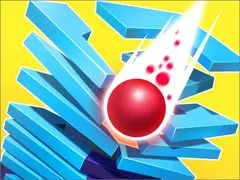
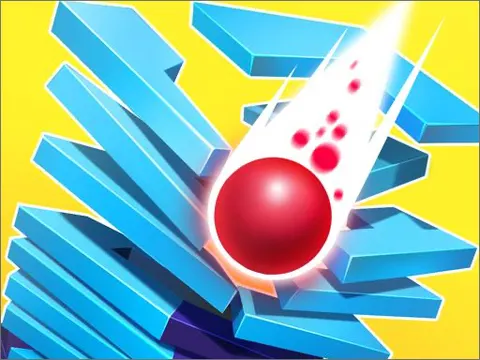
Stack Ball 2 unblocked is all about controlled destruction. Your ball starts at the top of a spinning tower of colorful platforms, and holding the mouse button sends it crashing through them layer by layer. Hit a black section, though, and your ball shatters. Jump in on Classroom 7x and see how fast you can reach the bottom.
About Stack Ball 2
The tower in front of you is a helix of revolving platforms, and your ball needs to get from the top to the end. When you hold the mouse button or keep your finger on the screen, the ball smashes downward like a brick, breaking through the colorful pieces in its path. Let go and it simply bounces in place. That on-and-off rhythm is the whole game: push hard when the path is clear and ease up when danger rotates into view.
Black platforms are the threat. Smash into one and your ball breaks apart, sending you back to start the fall all over again. There is a way around that danger, though. Keep smashing without stopping and your ball turns into a fireball, and at full speed it can blast straight through black platforms too. Stack Ball 2 constantly tempts you to stay in that powered-up state, which makes every level a fun push and pull between greed and caution.
How to Play Stack Ball 2
- Press and hold the mouse button, or touch and hold the screen, to make your ball smash downward.
- Release whenever a black section is lined up below you so the ball bounces safely instead of breaking.
- Watch the tower rotate and start smashing again as soon as colorful platforms are back under the ball.
- Keep smashing without stopping to build up your fireball, which can break through black platforms at full speed.
- Reach the bottom of the tower to clear the stack and move on to the next level.
Stack Ball 2 Controls
| Input | Action |
|---|---|
| Hold left mouse button | Smash down through platforms |
| Release mouse button | Stop smashing and bounce in place |
| Tap and hold (touch screens) | Smash down on phones and tablets |
Tips and Tricks
- Use short bursts instead of one long hold when black pieces are close together. Quick taps let you drop a few layers and stop safely.
- Look a layer or two below the ball, not just at the current platform, so you can time your release before trouble arrives.
- When a long stretch of colorful platforms opens up, hold steadily to charge your fireball and smash through the next black section with ease.
- Do not rely on the fireball too soon. Until it is fully powered up, a black platform will still shatter your ball.
Game Info
| Game | Stack Ball 2 |
|---|---|
| Genre | Arcade, Skill |
| Players | Single player |
| Works on | Chromebook, PC and Mac (keyboard recommended) |
| Price | Free, no sign-up |
Stack Ball 2 FAQ
What happens if you hit a black platform?
Your ball shatters and the attempt ends, so you have to start your fall from the beginning again. The only exception is when your ball is a fireball falling at full speed, which can break through black platforms.
How do you get the fireball in Stack Ball 2?
Keep smashing through platforms without stopping. As the ball builds up momentum it turns into a fireball, and at full power it can smash through black platforms that would normally break it.
Do you need to hold or tap to play?
Both work. Holding the mouse button or your finger keeps the ball smashing, while releasing lets it bounce. Many players mix long holds on safe stretches with quick taps when danger is close.
Can I play Stack Ball 2 on a school Chromebook?
Yes. Stack Ball 2 runs in the Chrome browser on Chromebooks, Windows PCs and Macs with nothing to install. It is designed for a keyboard and mouse, so it plays best on a computer rather than a phone.
Is Stack Ball 2 free to play?
Yes, Stack Ball 2 is completely free on Classroom 7x. There is no download, no account and no sign-up. Press Play and the game loads right on this page.