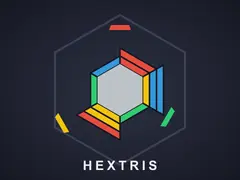

Hextris unblocked puts a small hexagon in the middle of the screen and sends colored blocks at it from every direction. You cannot move the blocks, only rotate the shape they land on. That one rule turns every turn into a small puzzle, and Classroom 7x serves the game from its own servers so it opens right in Chrome.
About Hextris
A group of high school friends, Logan Engstrom, Garrett Finucane, Noah Moroze and Michael Yang, built Hextris in 2014 and shared it as open-source code. The idea is simple to explain and hard to master. Blocks in four colors slide toward a central hexagon. Each one stacks on the side that happens to be pointing at it when it lands. Three or more touching blocks of one color disappear, and the blocks stacked behind them slide inward to close the gap.
Matches can bend around corners, because a block also touches the blocks at the same height on the two neighboring sides. Points come from the size of each clear squared, so five blocks are worth far more than three. Clear again quickly and a combo multiplier climbs while colored timer lines shrink around the edge. The speed keeps rising, and blocks start arriving in spirals, rings and mirrored pairs. The browser remembers your top three scores.
How to Play Hextris
- Press Enter or click the play button to start a round and watch blocks drift in from the screen edges.
- Rotate the hexagon with the left and right arrow keys, or A and D, so each block lands on a useful side.
- Line up three or more touching blocks of the same color in one stack or across a corner to clear them.
- Make another clear before the colored timer lines around the edge fade to push your combo multiplier higher.
- Keep every side below the outer gray hexagon, because one overflowing stack ends the whole game.
Hextris Controls
| Input | Action |
|---|---|
| Left / Right arrows or A / D | Rotate the hexagon |
| Hold Down arrow or S | Bring incoming blocks in faster |
| P or Space | Pause and resume |
| Enter | Start or restart a round |
| Click or tap the left / right half of the screen | Rotate the hexagon that way |
| Tap the pause button (touch screens) | Pause on phones and tablets |
How to Play Hextris on PC & Chromebook
On a Chromebook or laptop, Hextris plays best with the keyboard. The arrow keys turn the hexagon in quick steps, and the Down arrow pulls blocks in sooner when you want a faster pace. Click the game area once after it loads so key presses reach the game, and use P or Space whenever you need a break.
- Press Enter or click Play, then click inside the game so it receives your keys.
- Tap the left or right arrow, or A and D, to turn the hexagon one side at a time.
- Hold the Down arrow or S to speed up blocks while your stacks are low.
- Press P or Space to pause, then press it again to continue the round.
Desktop tip: Use short taps instead of holding an arrow key. Each tap moves the hexagon exactly one side, which makes it easier to land blocks where you planned.
How to Play Hextris on Mobile
Hextris works well on phones and tablets because the controls are just two tap zones. Tapping the left half of the screen turns the hexagon one way, and tapping the right half turns it the other way. The board scales to fit your screen, and your best scores are kept in the browser on that device.
- Tap the play button to start, holding the device whichever way feels comfortable.
- Tap the screen's left half or right half to turn the hexagon that way.
- Tap the pause button at any point to stop the action and rest.
- Tap the restart button after a game over to try again right away.
Mobile tip: Keep both thumbs resting near the edges of the screen. Quick taps from each side are faster than moving one finger back and forth.
Tips and Tricks
- Plan for the next two or three blocks at once. A single rotation moves all six sides, so pick the turn that suits several arrivals.
- When nothing matches, send the block to your shortest stack. Keeping all six sides low gives you more room to recover later.
- Build a pair on one side and finish it from the neighbor. A matching block at the same height next door clears the whole group.
- Hold the speed-up key only while every stack is short. It is a fast way to score early, but it backfires once the board gets tall.
- Grab quick follow-up clears while the timer lines still show. A small match that keeps the multiplier alive often beats waiting for a big one.
Game Info
| Game | Hextris |
|---|---|
| Developer | Logan Engstrom, Garrett Finucane, Noah Moroze and Michael Yang |
| Genre | Puzzle |
| Players | Single player |
| Works on | Chromebook, PC, Mac, tablet and phone |
| Price | Free, no sign-up |
| Hosting | Served from Classroom 7x's own servers |
| License | GPL-3.0 (original source, license, credits) |
Hextris FAQ
How is the score worked out?
Count the blocks in a clear, square that number, and multiply by your combo to get the points. Three blocks give 9 points and five give 25, so larger groups add up much faster than lots of small ones.
Can I play Hextris on a phone or tablet?
Yes. Tap the left half of the screen to turn the hexagon one way and the right half to turn it the other way. The pause and restart buttons work with a tap, too.
Are my scores saved?
The browser keeps your top three scores, plus any game you leave in the middle of a round. Both stay on the same device and browser unless you clear your site data.