
Five kicks each, one goal, and a keeper trying to read your mind. Penalty Kick Showdown unblocked turns the tense end of a soccer match into a quick retro duel you can finish in a few minutes. Classroom 7x hosts the game on its own servers, so it runs in Chrome on a Chromebook with nothing to install and no sign-up.
About Penalty Kick Showdown
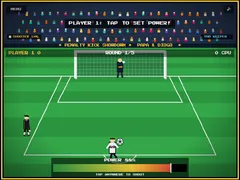
This game started life as PaDi Shooter 89, a first project made together by Carlos Sardo and his son Diogo. The chiptune music, the cheering crowd and the chunky pixel players are all drawn and generated in code. Each match is a best-of-five shoot-out. You take a penalty, then you stand in goal for the other side's kick, and the roles keep swapping until every shot is taken. If the score is level after five rounds, sudden death decides it.
Before kickoff you type names and choose a team for each side, from national sides to made-up clubs whose colors show on the shirts. Playing alone, you set the CPU to Easy, Normal or Hard. A tougher CPU keeper guesses your shot more often, and a tougher CPU shooter kicks harder. Two people can also share one device and pass it back and forth. Match results go onto a leaderboard that is saved in your browser.
How to Play Penalty Kick Showdown
- Pick One Player or Two Players, enter names, choose teams and, when playing solo, set the CPU level.
- When you shoot, tap or click one of the nine glowing zones in the goal to choose your target.
- Watch the power bar swing, then click, tap or press Space to lock it and strike the ball.
- As keeper, choose a zone to dive toward, and do it before the shooter settles on a target.
- Keep trading shots for five rounds; if the teams are tied, sudden death continues until one side leads.
Penalty Kick Showdown Controls
| Input | Action |
|---|---|
| Click / tap a goal zone | Choose a shot target or a dive zone |
| Space / Enter, click or tap | Lock the power bar and kick |
| Space / Enter, click or tap | Continue after a goal, save or miss |
| M or note button | Mute or unmute the sound |
| Menu button (top left) | Leave the match and return to the menu |
How to Play Penalty Kick Showdown on PC & Chromebook
On a laptop or Chromebook, you can play the whole shoot-out with just the mouse, or mix in the keyboard. Clicking picks your target or dive zone, and Space or Enter locks the power bar. The sound starts after your first click, and the M key mutes it if you are in a quiet classroom. Two friends can share one keyboard and mouse by taking turns.
- Choose the number of players, type names, pick teams and set the CPU level if you play alone.
- Click one of the nine glowing zones to choose where your kick should go.
- Press Space or Enter, or click again, to stop the power bar near the top.
- On defense, click the zone you want to cover before the shot, then press Space to continue.
Desktop tip: Keep a finger resting on Space. Timing the power bar is easier with a key press than with a second mouse click.
How to Play Penalty Kick Showdown on Mobile
This shoot-out works well on phones and tablets because every action is a tap. You tap a zone to aim or dive, then tap anywhere to stop the power bar. Two players can pass one phone back and forth, taking turns as shooter and keeper. The music and crowd noise begin after your first tap, and a note button in the top corner mutes them.
- Hold your phone sideways so the goal and all nine zones are easy to reach.
- Tap a zone in the goal to choose your shot, then tap again to lock the power bar.
- In goal, tap a zone to dive toward it, making your pick before the shooter does.
Mobile tip: When playing with a friend on one phone, hand the device over face down so the next player cannot see your choice.
Tips and Tricks
- Stop the power bar as high as you can. Power never makes a shot go wide, and hard kicks are tougher to save from a nearby zone.
- Aim for the middle row when you want a safe goal attempt, since center zones almost never miss the target.
- Try the top row against the CPU keeper. It dives high less often than it dives to the middle or bottom rows.
- In two-player games, the keeper should hide the screen or ask the shooter to look away while choosing a dive zone.
- Treat the top corners as a gamble. They are the hardest spots to reach, but they also go off target most often.
Game Info
| Game | Penalty Kick Showdown |
|---|---|
| Developer | Carlos Sardo & Diogo Sardo |
| Genre | Sports, 2 Player |
| Players | 1 or 2 players |
| Works on | Chromebook, PC, Mac, tablet and phone |
| Price | Free, no sign-up |
| Hosting | Served from Classroom 7x's own servers |
| License | MIT (original source, license, credits) |
Penalty Kick Showdown FAQ
Does a correct dive always stop the ball?
Yes. A shot on target is always stopped when the keeper chose that exact zone. Diving into a neighboring zone works only some of the time, and harder kicks make that less likely.
What decides whether a shot misses?
Only the zone you aim for. Middle zones rarely go wide, side zones a bit more often, and the two top corners are the riskiest. The power you choose never causes a miss.
Where are my match results kept?
Results are added to a leaderboard stored in your browser on this device. You can clear the list with a button if you want a fresh start, and clearing your browser data will also remove it.