
Pocket Pool unblocked is a solo billiards game where your only rival is your own shot count. You break a full rack, then try to clear the table in as few strokes as possible. It runs straight from Classroom 7x in Chrome, so there is nothing to install and no account to make before your first break.
About Pocket Pool
Frank Force made this game with his LittleJS engine, and the ball physics come from Box2D. That pairing gives the table a real feel. Balls glance off each other at believable angles, roll to a stop at a natural pace and rebound from the cushions the way you expect. There are no stripes or solids, no called pockets and no special black ball. Every numbered ball is fair game on every shot, so the whole challenge comes down to angles, speed and planning.
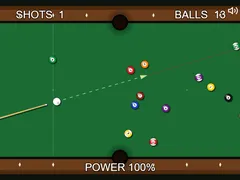
Three counters run along the top of the screen: your shots so far, your best cleared table and the balls still in play. Your best is the lowest stroke count for a full clear, and it is saved in your browser. Sinking the cue ball gives you ball in hand, which lets you place it on any open spot. That scratch does not add a penalty stroke, but the shot you wasted still counts against your total.
How to Play Pocket Pool
- Press Play to see the rack set up at the far end, with the cue ball waiting near you.
- Move the pointer to aim, and notice that moving it farther from the cue ball adds more power.
- Check the power percentage at the bottom and the straight sight line before you commit to the shot.
- Click to strike, then hold the right mouse button if you want the rolling balls to settle faster.
- After a scratch, slide the cue ball to a clear spot and click to place it.
- Sink all fifteen balls to finish, then press R to rack up and try for a lower count.
Pocket Pool Controls
| Input | Action |
|---|---|
| Mouse pointer | Aim; distance from the cue ball sets power |
| Left click | Shoot |
| Mouse wheel | Fine-tune shot power |
| Hold right mouse button | Fast-forward rolling balls |
| R | Start a new rack |
| Esc or menu icon | Pause |
| Drag behind the cue ball, then lift (touch) | Aim, set power and shoot |
| Drag and lift after a scratch (touch) | Place the cue ball |
How to Play Pocket Pool on PC & Chromebook
On a Chromebook or laptop, Pocket Pool is easiest with a mouse, though a trackpad works too. The pointer handles aiming and power together, the wheel lets you nudge power up or down, and the right button speeds up slow rolls. Keyboard use is light: R starts a new rack and Esc pauses. Try fullscreen so the table and the guide line are as large as possible.
- Press Play and let the rack appear at the far end of the table.
- Point the mouse where the cue ball should travel, moving away from it for more power.
- Scroll the wheel to fine-tune power, then left-click to shoot.
- Hold the right button while balls coast, and press R when you want a new rack.
Desktop tip: Fine power changes are tricky on a trackpad, so use the two-finger scroll gesture to adjust power instead of sliding the pointer back and forth.
How to Play Pocket Pool on Mobile
Pocket Pool plays well on phones and tablets because the cue works like a slingshot under your finger. You press near the cue ball, pull back to build power and let go to shoot. When you hold a phone upright, the table rotates to fill the tall screen, so the balls stay a comfortable size. Pausing and new racks sit behind the menu icon.
- Tap Play and wait for the rack to appear on the table.
- Press and drag behind the cue ball, pulling farther back for a harder shot.
- Lift your finger to strike, and watch the balls settle.
- After a scratch, drag the cue ball to a clear spot and lift to place it.
Mobile tip: Pull back slowly and watch the power number. Quick flicks tend to fire much harder than you planned.
Tips and Tricks
- Open with a full-power break. Scattering the pack wide can drop a ball or two right away, and every free ball lowers your final count.
- The red sight line only goes straight. It never shows bank shots, so picture the bounce angle yourself before you shoot off a rail.
- Before each shot, decide where you want the cue ball to stop. A soft stroke often leaves a better next shot than a hard one.
- When a ball sits in a pocket mouth, tap it gently. A light touch drops it without sending the cue ball in afterward.
- Treat a scratch as a reset. With ball in hand, set up the straightest, shortest pot on the table rather than a tricky one.
Game Info
| Game | Pocket Pool |
|---|---|
| Developer | Frank Force |
| Genre | Sports |
| Players | Single player |
| Works on | Chromebook, PC, Mac, tablet and phone |
| Price | Free, no sign-up |
| Hosting | Served from Classroom 7x's own servers |
| License | MIT (original source, license, credits) |
Pocket Pool FAQ
Do I have to pocket the balls in order?
No. There are no groups and no called pockets. Any ball can drop into any pocket at any time, and the table is finished as soon as the remaining-ball counter at the top reaches zero.
Is there a penalty for scratching?
No extra stroke is added. Once the balls stop, put the cue ball down anywhere open. If a red ghost ball shows, that spot sits too near a rail, a pocket or another ball.
Can I play Pocket Pool on a phone?
Yes. On a touchscreen the cue acts like a slingshot. Drag back from the cue ball, pull farther for more power, and lift your finger to shoot. On a tall screen the table turns sideways to stay large.