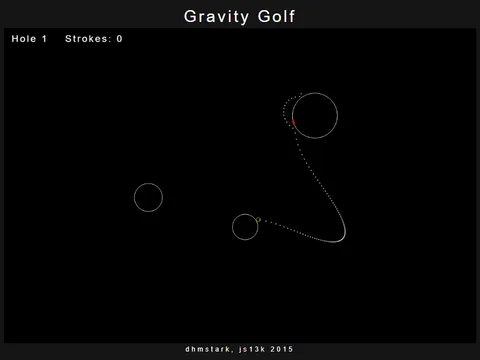
Gravity Golf unblocked swaps grass and sand for planets and open space. Every world pulls on the ball, so your shots bend and bounce in curves. Your target is a small red marker sitting on one planet's surface, and fewer strokes is better. It loads from Classroom 7x's own servers in Chrome, with no download or account needed.
About Gravity Golf
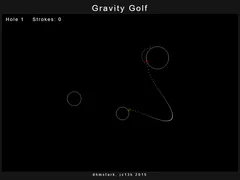
Gravity Golf was made by eschatonic for the js13k contest in 2015. The look is minimal, with the planets, the ball and the predicted path all drawn as simple lines. Each hole is created at random. The first has three planets, and every hole after it adds one more, so the space between you and the marker keeps getting busier. Larger planets pull harder, which bends a passing ball more sharply.
The best part is the preview. Holding the button shows a dotted line with the whole route of the shot, gravity bends and bounces included, up to the point where the ball would stop. That turns every hole into a puzzle about reading curves. The ball loses speed with each bounce and only needs to touch the red marker once to finish. A ball lost in deep space returns to its last spot, but the stroke still counts.
How to Play Gravity Golf
- Wait for the ball to settle on a planet, and look for its outline to turn yellow.
- Hold the button down at any spot on the field, and slide the pointer toward where the shot should go.
- Pull the pointer farther from the ball to add power, and the dotted line will show where the shot is headed.
- Let go of the button to take the shot, which adds one to the stroke counter in the corner.
- Touch the red marker to finish the hole and move to a new layout with one more planet.
Gravity Golf Controls
| Input | Action |
|---|---|
| Press, hold and move the mouse | Aim and set power |
| Release the mouse button | Take the shot |
| Touch, drag and lift (touch) | Aim and shoot on tablets and phones |
How to Play Gravity Golf on PC & Chromebook
Gravity Golf is best on a Chromebook or laptop with a mouse. Aiming is a single press-and-hold motion, and a mouse makes small adjustments to the dotted path easy. Trackpads work as well, though holding the click while moving takes a little practice. The ball and marker are small, so a larger screen or fullscreen mode makes each hole easier to read.
- Wait until the ball outline turns yellow.
- Press and hold the mouse button anywhere on the field.
- Move the pointer to aim and set power using the dotted path.
- Release to shoot and keep an eye on your stroke count.
Desktop tip: Go fullscreen before you start. The ball and red marker are drawn small, and the extra size makes the dotted path much easier to follow.
How to Play Gravity Golf on Mobile
Gravity Golf supports touch, so you can aim by dragging and shoot by lifting your finger. Phones can run it, though the ball and red marker look tiny there, and your finger can cover part of the dotted path. A tablet is a much better fit. If you use a phone, hold it sideways and switch to fullscreen to make everything larger.
- Turn your device sideways and open fullscreen.
- Wait for the ball outline to turn yellow.
- Touch and drag to aim, watching the dotted path.
- Lift your finger to shoot.
Mobile tip: Aim with a fingertip or stylus rather than a thumb, so less of the tiny ball and path is hidden under your hand.
Tips and Tricks
- Before letting go, sweep the pointer slowly in a small circle. Tiny changes can swing the predicted path from a near miss to a clean hit.
- Do not fear bounces. The preview includes them, and a soft shot that skips off a close planet often rolls right onto the marker.
- Soft shots are easier to manage than powerful ones, which can swing around a large planet and end up somewhere you did not expect.
- Check which side of its planet the red marker sits on, and plan a path that lands on that side instead of the far one.
- While the ball outline is still white, it has not stopped yet. Wait for yellow, since presses before then are ignored.
Game Info
| Game | Gravity Golf |
|---|---|
| Developer | eschatonic |
| Genre | Sports |
| Players | Single player |
| Works on | Chromebook, PC and Mac (touch screens work, mouse is more precise) |
| Price | Free, no sign-up |
| Hosting | Served from Classroom 7x's own servers |
| License | MIT (original source, license, credits) |
Gravity Golf FAQ
Why won't the game let me shoot?
You can only aim when the ball is resting on a planet. Its outline turns yellow when it is ready. If the ball is in the air or still bouncing, its outline remains white and pressing has no effect.
What if my ball flies off into space?
A ball that flies far beyond the screen edge, or stays in the air for 20 seconds, is returned to where you hit it from. That stroke is still added to your count for the hole.
Is there a set number of holes?
There is no fixed course. Each hole is built at random, starting with three planets, and every new hole adds another one. Your stroke counter goes back to zero at the start of each new hole.