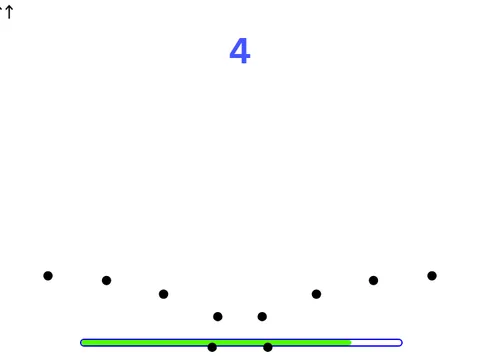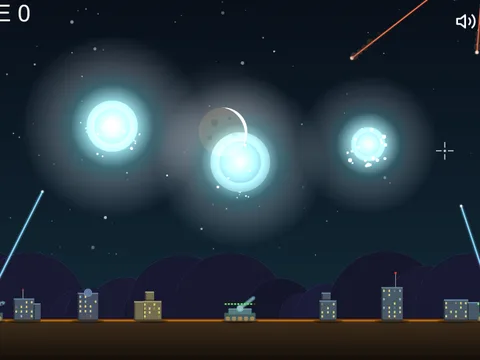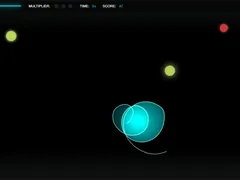

Coil unblocked is a reflex game built around one thing: a glowing line that trails behind your pointer. Blue orbs pop up across a dark playing field, and you catch each one by crossing your line over itself to form a loop around it. There is no clicking during a run. This copy runs from Classroom 7x's own servers, so you can open it in Chrome without downloading anything.
About Coil
Hakim El Hattab built Coil and shared it as open-source code. The whole game comes down to movement. Your trail has a fixed length, so older parts fade away behind you as you move. When the line crosses over itself, the space inside flashes, and any blue orb trapped there is captured. Catching two or more orbs with one loop earns a bonus, which rewards you for spotting orbs that sit close together.
Each blue orb only lives for a few seconds, and it flickers in a yellow-green color just before popping. A burst orb drains 30 energy and resets your multiplier, and red bombs cost the same energy if you loop them. Steady catches raise the multiplier one step at a time, up to x4. As the run goes on, the screen holds more orbs at the same time, and once the energy bar in the upper left corner is empty, it is over.
How to Play Coil
- Click Start Game, then move your mouse around the field to lead the glowing trail behind your pointer.
- Circle a blue orb so your trail crosses itself, which traps the orb inside the loop and captures it.
- Catch orbs that are turning yellow-green first, since those are about to burst and drain your energy.
- Keep red bombs outside your loops and let them fade, because trapping one costs energy and resets your multiplier.
- Keep catching orbs without mistakes to raise your multiplier toward x4 and stay alive as long as you can.
Coil Controls
| Input | Action |
|---|---|
| Move the mouse | Steer the glowing trail (no clicking needed) |
| Drag a finger (touch screens) | Steer the trail on phones and tablets |
| Click or tap Start Game | Begin or restart a run |
| Click or tap Disable grid effects? | Disable the background visuals when play feels laggy |
How to Play Coil on PC & Chromebook
Coil was made for a mouse, and that is still the best way to play it on a laptop or Chromebook. You never need to click during a run, just move the pointer smoothly around the field. A real mouse feels more precise than a touchpad, but a touchpad works too if you keep your finger moving. Fullscreen gives you more room to draw.
- Click Start Game and keep the pointer inside the dark playing field.
- Move the mouse in small circles around blue orbs to trap them in loops.
- Steer around red bombs and give them time to fade away.
- Click Disable grid effects? if that warning appears and the game feels slow.
Desktop tip: If you use a touchpad, slow down a little. Smooth, steady circles close more reliably than fast, jerky swipes that cross the line in the wrong spot.
How to Play Coil on Mobile
Coil works on phones and tablets because the whole game is one moving line. As you slide a finger across the screen, the trail follows it, offset slightly upward so your fingertip does not block the view. The playing field scales down to fit your screen, which makes the orbs smaller on a phone. A tablet or a sideways phone gives you the best view.
- Turn your device sideways to get the widest playing field.
- Tap Start Game, then keep your finger on the screen.
- Drag in small circles around blue orbs to capture them.
- Steer around red orbs and wait for them to fade before circling nearby.
Mobile tip: Use your index finger instead of your thumb. It gives you better reach across the screen and makes small, round loops easier to draw.
Tips and Tricks
- Small, tight circles work best. Because the trail is short, a quick loop closes far sooner than a wide sweep does.
- When two blue orbs sit close together, wrap one loop around both. You save time and earn the multi-catch bonus at once.
- Glance inside every loop before you close it. A single red bomb caught by accident can wipe out a hard-earned x4 multiplier.
- Hover near the middle of the field between catches. From the center, you can reach any corner quickly when a new orb appears.
- Ignore red bombs and let them expire. They fade out on their own and only hurt you if you trap them inside a loop.
Game Info
| Game | Coil |
|---|---|
| Developer | Hakim El Hattab |
| Genre | Skill, Arcade |
| Players | Single player |
| Works on | Chromebook, PC, Mac, tablet and phone |
| Price | Free, no sign-up |
| Hosting | Served from Classroom 7x's own servers |
| License | MIT (original source, license, credits) |
Coil FAQ
What ends a run in Coil?
Your run is over once the energy bar in the upper left corner is empty. You lose 30 energy for every orb that bursts and every bomb you loop, but a catch restores only a small amount, so mistakes pile up quickly.
How does the multiplier work?
Each catch fills part of the next step, and five in a row without a mistake bump the multiplier up one level, with x4 as the cap. Letting an orb burst or looping a bomb sends it back down to x1.
Can I play Coil on a tablet?
Yes. You steer by sliding a finger, and the game draws the line a bit higher than your fingertip so your hand never covers it. Since the field scales down to your screen, turning the device sideways gives you the most room.