Infinite Cars unblocked is a one-finger dodging game on a road that never ends. Your car drives itself forward, and all you do is slide it left and right to stay out of trouble. It runs from Classroom 7x's own servers, so it starts in Chrome with no download and no sign-up, and a single run takes only a minute or two.
About Infinite Cars
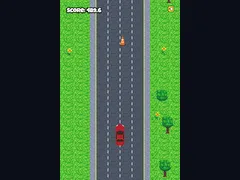
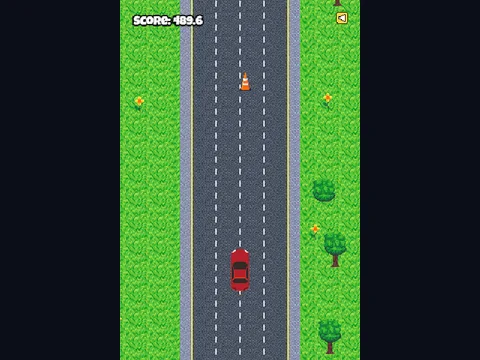
Takane Ichinose created Infinite Cars and drew all of its pixel art, from the trees and flowers to the traffic light, and also made its sound effects. The setup is simple. Your red car rolls up a highway at a steady pace, and you cannot speed up or slow down. Your only control is where the car sits across the road. You can move anywhere between the two edges, but not out onto the grass.
There are three kinds of hazards. Orange cones never leave their lanes. Slow cars move ahead of you at a lower speed, so you gain on them, while fast cars come from behind and speed past. The computer drivers dodge cones and one another too, which means an open gap can close fast. Hitting anything ends the run in an explosion. Your score is the distance you travel, your best result is saved in your browser, and a speaker icon turns off the sound.
How to Play Infinite Cars
- Click or tap anywhere on the title screen to start a new run.
- Wait for the traffic light to clear, and your car begins rolling forward.
- Press and hold on the red car, then drag it left or right.
- Slip past cones, slow cars ahead and fast cars coming up from behind.
- After a crash, check your high score and tap once to try again.
Infinite Cars Controls
| Input | Action |
|---|---|
| Click anywhere / tap anywhere | Begin a run, or try again after crashing |
| Drag the red car (mouse) | Steer the car from side to side |
| Drag the red car (touch) | Move the car with one finger |
| Speaker icon | Mute or unmute sound |
How to Play Infinite Cars on PC & Chromebook
Infinite Cars uses the mouse or trackpad on a computer. Instead of pressing keys, you grab the red car itself and drag it across the road. A mouse is easiest because you can hold the button and slide smoothly. On a Chromebook trackpad, press down and keep your finger moving without lifting. The tall game window sits neatly in the middle of a laptop screen.
- Click anywhere on the title screen to begin.
- When the light clears, press on the red car and hold the button.
- Drag left and right to dodge cones and traffic.
- After a crash, click once to start a new run.
Desktop tip: Keep the mouse button held for the whole run. If you release it, the car stops following you until you grab it again.
How to Play Infinite Cars on Mobile
Infinite Cars was designed for one finger, which makes it one of the easiest games to play on a phone. With the phone held upright, press the red car and slide your finger left or right across the road. You have no buttons to learn. Your best distance is remembered in the browser, so you can try to beat it later.
- Hold your phone upright and tap the screen to start.
- Place your finger on the red car once the light clears.
- Slide your finger sideways to steer around cones and cars.
- Tap once after a crash to try again.
Mobile tip: Try a fingertip from your other hand instead of your thumb. A thumb tends to cover more of the road ahead.
Tips and Tricks
- Watch the slow cars for swerves. When one spots a cone ahead, it changes lanes, and the gap you were aiming for may close.
- Stay near the center of the road when you can. From there, both edges are a short drag away if a fast car appears behind you.
- Keep your finger or cursor pressed on the car. Letting go and grabbing it again wastes a moment you may not have.
- Use small, calm moves. A short nudge clears most cones, while a big swing can carry you straight into the next lane's traffic.
- Glance at the bottom of the screen now and then. Fast cars appear from behind, and spotting them early gives you time to move.
Game Info
| Game | Infinite Cars |
|---|---|
| Developer | Takane Ichinose |
| Genre | Racing, Skill |
| Players | Single player |
| Works on | Chromebook, PC, Mac, tablet and phone |
| Price | Free, no sign-up |
| Hosting | Served from Classroom 7x's own servers |
| License | GPL-3.0 (original source, license, credits) |
Infinite Cars FAQ
Can I change my speed?
No. The car always rolls forward at one steady pace. All you control is where it sits across the road, which means every escape is a sideways move into a safer spot.
Where did that car behind me come from?
Part of the traffic is quicker than you. Those cars begin below your car and then speed by, so check the lane behind you, not just the road ahead.
How is my score measured?
Your score is how far you have traveled since the light turned green. After a crash, the game checks it against your best and saves whichever number is higher in your browser.