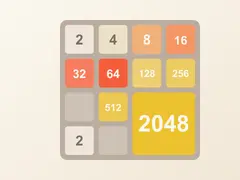

Sixteen squares and a handful of numbers are all you get in 2048 unblocked, yet a single round can keep you thinking for a long time. Each move shoves every tile at once, and equal numbers fuse together. Classroom 7x serves this copy from its own servers, so it opens in Chrome on a Chromebook with no download or account.
About 2048
Gabriele Cirulli released 2048 in 2014 as a free, open-source web game, and this is his original code with only small cleanups. The board is a 4x4 grid that starts with two tiles. When you choose a direction, everything slides that way until it hits a wall or another tile. Two tiles with the same value that collide become one tile worth their sum, and that new value is added to your score.
After every move that changes the board, a fresh tile drops into a random empty square. It is usually a 2 and sometimes a 4. A tile created by a merge cannot merge again during the same move, which matters more than it sounds. Building the 2048 tile counts as a win, but a Keep going button lets you push for bigger numbers. Your browser keeps both the game in progress and your best score.
How to Play 2048
- Pick a direction using H J K L, W A S D or the arrow keys, and all tiles slide that way.
- Watch for equal numbers bumping together, because they join into one tile and add its value to your score.
- Check the empty square where a new 2 or 4 appeared before you decide on your next slide.
- Grow your tiles step by step, from small pairs up to 128, 256 and beyond, until a 2048 tile shows up.
- Press R or the New Game button whenever you want a clean board and a fresh start.
2048 Controls
| Input | Action |
|---|---|
| Arrow keys | Slide every tile up, down, left or right |
| H / J / K / L or W / A / S / D | Other key sets for sliding tiles |
| R | Start a new game |
| Click Keep going | Continue playing after you reach 2048 |
| Swipe (touch screens) | Slide the tiles on a phone or tablet |
| Tap New Game / Keep going | Restart or continue on touch screens |
How to Play 2048 on PC & Chromebook
On a Chromebook or laptop, 2048 is a keyboard game. Three different key sets slide the tiles: the H J K L row, W A S D, or the arrow keys. Click the board once after it loads so the page itself does not scroll when you press an arrow. The R key starts a new game instantly, which is handy when you want to try a different corner strategy.
- Open the game and click once on the board so your key presses go to it.
- Use H J K L, W A S D or the arrow keys to slide the tiles.
- Merge equal numbers and keep your biggest tile in one corner.
- Press R for a new board, or click Keep going after you reach 2048.
Desktop tip: Rest your fingers on just one key set for the whole game. Mixing arrows and letters halfway through is an easy way to slide the wrong way.
How to Play 2048 on Mobile
2048 plays nicely on phones and tablets because the whole game is built around four directions. Swipe across the board and every tile follows your finger. There are no tiny on-screen buttons to hunt for during play. Holding the phone upright gives the grid the most room, and your board is saved in the browser if you need to put the phone away.
- Open 2048 and hold your phone in portrait mode.
- Swipe up, down, left or right across the grid to slide the tiles.
- Tap Keep going after a win if you want to chase larger tiles.
- Tap New Game when you are ready for a fresh board.
Mobile tip: Start each swipe in the middle of the board and drag in a straight line. Short diagonal flicks are easy for the game to misread.
Tips and Tricks
- Choose a home corner, such as the bottom right, and treat any move that drags your largest tile away from it as a last resort.
- Fill your home row completely. A full edge row cannot slide sideways by accident, so the big tile in the corner stays locked in place.
- Line up tiles in falling order beside your corner tile, like 128, 64, 32, so one merge can trigger the next one down the row.
- Deal with stray 2s quickly. A small tile wedged between large ones can jam a whole row and leave you short on moves.
- Before each slide, picture which squares will be empty afterward. Avoid moves that open a gap right next to your home corner.
Game Info
| Game | 2048 |
|---|---|
| Developer | Gabriele Cirulli |
| Genre | Puzzle |
| Players | Single player |
| Works on | Chromebook, PC, Mac, tablet and phone |
| Price | Free, no sign-up |
| Hosting | Served from Classroom 7x's own servers |
| License | MIT (original source, license, credits) |
2048 FAQ
How is my score in 2048 counted?
Each time two tiles merge, the value of the new tile is added to your score. Joining two 32s into a 64 earns 64 points, so bigger merges late in a game add up quickly.
Can a tile merge twice in one move?
No. A tile made by a merge stays as it is until your next move. For example, a row of 2, 2, 4 becomes 4, 4 after one slide, not 8. You need a second slide to combine them.
What happens if I close the tab in the middle of a game?
Your browser stores your best score along with the board you were playing. Return later using that same browser on that device, and the game continues from where you left off.