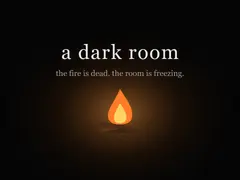

A Dark Room unblocked opens on a black screen with one button and almost no explanation. Each click reveals a little more of a quiet, strange story told entirely in text. Classroom 7x hosts the game on its own servers, so it opens in Chrome on a Chromebook with no download and no account to create. It is a slow-burning game that rewards patience.
About A Dark Room
Michael Townsend of Doublespeak Games released A Dark Room as open-source software, and many contributors have helped since. This copy is not affiliated with them. The game begins with a cold room and a fire you must light and keep fed with wood. Soon a stranger arrives, a forest path opens, and huts start to appear. Villagers take jobs such as gatherer, hunter and tanner, and each job turns one resource into another, so the settlement slowly runs on its own.
Later, a compass from the trading post lets you leave on foot and explore a ruined world shown on a text map. Every step uses food and water, so trips need careful packing. Our version is a silent, text-based game, because the music and sound files were removed. Progress saves to your browser automatically, and a save button gives you a code you can copy and import later. A hyper mode doubles the game speed, and a lights-off option switches to a dark theme.
How to Play A Dark Room
- Click the button to light the fire, then stoke it regularly so the room stays warm.
- Wait for the stranger to recover, then gather wood in the forest and build traps, carts and huts.
- Give villagers jobs and watch the income numbers so no resource runs out.
- Trade fur, scales and teeth at the trading post until you can buy a compass.
- Pack cured meat, water and weapons on the Dusty Path, then explore the map and return home safely.
A Dark Room Controls
| Input | Action |
|---|---|
| Mouse click | Press action buttons such as stoke, gather, build and trade |
| Left / Right arrows or A / D | Switch between locations |
| Click a location name | Jump to that location |
| Arrow keys / W A S D | Walk on the world map, and steer the ship near the end |
| Click the map | Step toward the side you clicked |
| Click hyper. / lights off. / save. / restart. | Double speed, dark theme, save code, start over |
How to Play A Dark Room on PC & Chromebook
A Dark Room is built for a mouse and keyboard, which makes a Chromebook or laptop a natural fit. Nearly every action is a button you click, from stoking the fire to buying supplies. The keyboard matters more later, when you walk across the world map. Because the game is quiet and made of text, it suits short sessions between other work.
- Click the fire button to begin, then stoke the fire whenever it starts to fade.
- Use the location names at the top, or Left and Right, to switch between the room and the forest.
- Click build and trade buttons as new resources become available.
- On the world map, move with the arrow keys or W, A, S, D.
Desktop tip: Click save. now and then and keep the code somewhere safe. It is an easy backup if your browser data ever gets cleared.
How to Play A Dark Room on Mobile
A Dark Room is not set up for phones or tablets, so we list it as a computer game. The layout expects a mouse and a wide screen, and the world map uses keyboard keys for walking. For the smoothest play, open it on a Chromebook, laptop or desktop computer. Your progress there saves in that browser, so you can return anytime.
- Open Classroom 7x on a Chromebook, laptop or desktop.
- Load A Dark Room in Chrome and click the button to light the fire.
- Use the save. button if you want a code to move your game to another computer.
Mobile tip: If you only have a phone right now, try one of our touch-friendly puzzle games and come back to the village on a computer.
Tips and Tricks
- Stoke the fire often in the first minutes. The stranger only recovers while the room is warm, and she is the one who unlocks building.
- Hold on to scales and teeth. Spending them early delays your first trip out, because a compass needs 400 fur plus 20 scales and 10 teeth.
- Check the income numbers for each resource. If wood or meat starts falling, move a villager to gathering or hunting before stores run dry.
- Carry extra water when you explore. You drink on every step but only eat every second step, so water usually runs out first.
- Turn on hyper mode when you are just waiting for stores to fill. It speeds up most timers and saves real time.
Game Info
| Game | A Dark Room |
|---|---|
| Developer | Michael Townsend (Doublespeak Games) and contributors |
| Genre | Adventure, Clicker & Idle |
| Players | Single player |
| Works on | Chromebook, PC and Mac (keyboard required) |
| Price | Free, no sign-up |
| Hosting | Served from Classroom 7x's own servers |
| License | MPL-2.0 (original source, license, credits) |
A Dark Room FAQ
Why is there no sound in this version?
The original music and sound effects were removed from our copy, so A Dark Room runs as a silent, text-based game. The story, events and rules are unchanged, and nothing in the gameplay depends on hearing audio.
Will I lose my village if I close the tab?
No. The game saves to your browser as you play. For an extra backup, click save. in the corner to get a text code that you can import later, even on another computer.
What happens if I die out on the map?
You wake back up in the room. Whatever you were carrying is lost, along with that trip's map progress, but your village, workers and stored supplies stay just as you left them.