Warden's Duty unblocked turns dungeon crawling into a careful puzzle about spending resources. Every prison cell holds a creature or a surprise, and you decide how to deal with each one. It loads from Classroom 7x's own servers, so you can play in Chrome with no download or account, and it is turn based, so there is no rush.
About Warden's Duty
Warden's Duty is a 2015 entry in the Seven Day Roguelike Challenge, made by Ondřej Žára. You are the warden of an overcrowded prison full of goblins, rats, dragons and other creatures. Instead of walking around a map, you move between cells on a grid, and each cell is a decision. Usually you can fight up close, cast a magic missile or shoot with a bow. Melee costs health, magic costs mana, and a bow shot uses arrows.
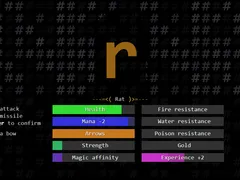
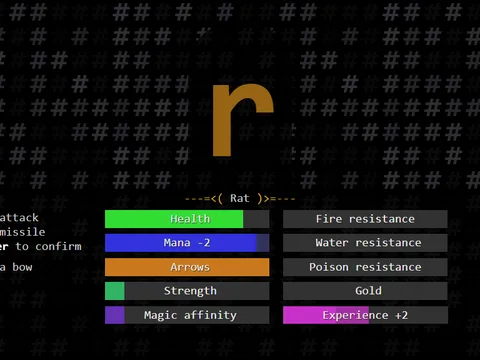
Before you commit, colored bars show exactly how an action will change your health, mana, arrows, gold and experience. Kills give experience, and leveling up raises your stats and fully restores you. Not every cell holds a monster. You may also find treasure chests, traps, magic pools and shopkeepers. Clear a floor and you head down to a bigger one. The game ends when no remaining cell offers an action you can afford.
How to Play Warden's Duty
- Press Enter on the title screen to begin your first floor of cells.
- Step from one cell to the next using W, A, S, D, H, J, K, L or the arrow keys.
- Press a number key to preview an action and read the colored bars.
- Press Enter to commit to the action you picked and clear the cell.
- Empty every cell on the floor to go down to the next one.
Warden's Duty Controls
| Input | Action |
|---|---|
| Enter | Start the game, confirm an action, play again |
| W A S D / H J K L / Arrow keys | Move to a neighboring cell |
| 1 to 9 | Choose an action in the current cell |
How to Play Warden's Duty on PC & Chromebook
Warden's Duty is played with the keyboard only, which makes a Chromebook or laptop the perfect setup. Use W, A, S, D, H, J, K, L or the arrow keys to travel between cells, choose an action with a number key, and press Enter to confirm it. Because it is turn based, there is no timer, so you can study each choice as long as you like.
- Press Enter on the title screen to start.
- Use the arrow keys or W, A, S, D to step into a cell.
- Press a number key to preview an action, then read the bars.
- Press Enter to commit, then move on to the next cell.
Desktop tip: Use the small map in the corner to plan which cells to tackle first, keeping your best resources for the hardest creatures.
How to Play Warden's Duty on Mobile
Every move and choice in Warden's Duty uses a key, and the game offers no mouse or touch input, so it cannot be played on a phone or tablet. To take on the prison, open Classroom 7x on a Chromebook, laptop or desktop with a keyboard. The game is turn based, so it works well in short sessions on a school computer.
- Switch to a computer with a keyboard, such as a Chromebook.
- Open Warden's Duty in Chrome.
- Press Enter to begin and use the number keys to choose actions.
Mobile tip: On a phone right now? Bookmark the page and come back on a computer, since the game needs real keys to play.
Tips and Tricks
- Check all the choices a cell offers before you hit Enter. Since the preview shows exact costs, melee is not always the cheapest option.
- Look over the whole floor first. Save mana and arrows for the toughest creatures, and spend health on weaker ones.
- Leveling up restores you completely, so taking an expensive fight when your experience bar is nearly full can pay off.
- Hold on to some gold. Shops on certain floors sell arrows, potions and training, and you will want them later.
- Chests can be trapped and magic pools are a gamble. Choosing Ignore still clears the cell, so skip them when you are running low.
Game Info
| Game | Warden's Duty |
|---|---|
| Developer | Ondřej Žára |
| Genre | Adventure |
| Players | Single player |
| Works on | Chromebook, PC and Mac (keyboard required) |
| Price | Free, no sign-up |
| Hosting | Served from Classroom 7x's own servers |
| License | ISC (original source, license, credits) |
Warden's Duty FAQ
Why is one of my actions grayed out?
An action is locked when it would drop your health to zero or when it costs more mana, arrows or gold than you are holding. After a level up or a shopping trip, it may open up again.
How do I restore health and mana?
Each time you gain a level, your health and mana return to full. You can also buy health potions and mana scrolls at shops. Drinking from a magic pool is a gamble, because it may raise your stats or lower them.
When does a run end?
The run is over when every uncleared cell left on your floor needs more than you can pay. At that point, a results screen lists the depth you reached and the gold you had with you.