Can't Get Back unblocked is an odd, moody top-down game where the world forgets every place you leave. You hunt for numbered generators, turn them on in order and fend off dark squares that slide toward you. Classroom 7x hosts it on its own servers, and you will need a real keyboard to play it well.
About Can't Get Back
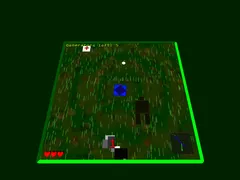
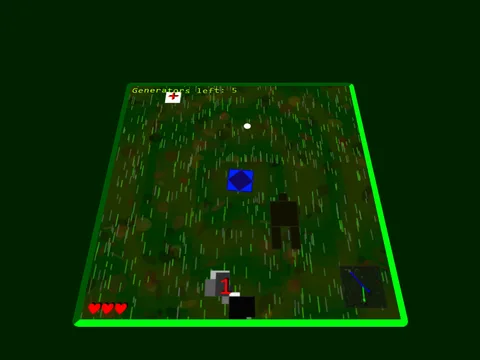
Kipkat made Can't Get Back as a 2019 js13k contest entry, with all of its graphics and audio produced by code. You control a spinning shape on a tilted, glowing board of grass that keeps scrolling. The title is a real rule. Anything that drifts far enough off the board is deleted for good, including generators you skipped. If you pass the number you need, you will have to wait for another one to show up.
Generators must be activated in order, starting at 1. Each one you switch on also heals one heart. Black squares with red outlines chase you. If one touches you, you lose a heart and get flung across the board. Your shots do not destroy them. They curve toward the nearest square and knock it back. Clearing a level shifts the colors, speeds up the music, adds a heart and puts one more generator on the list.
How to Play Can't Get Back
- At the title screen, press Space, then let the short story scroll past.
- Move with the arrow keys and check the counter to see how many generators remain.
- Walk up to the generator with the next number and press E to switch it on.
- Use W, A, S and D to shoot, pushing any squares that come near back away from you.
- Press E on pickups like medkits and speed boosts when you need them.
- Finish every generator to climb a level, or press Space to retry after losing all your hearts.
Can't Get Back Controls
| Input | Action |
|---|---|
| Space | Start the game or restart after dying |
| Arrow keys | Move |
| W / A / S / D | Shoot up, left, down or right |
| E | Use a generator or pickup |
| M | Mute the music after the current loop |
| L | Low-detail mode for slower devices |
How to Play Can't Get Back on PC & Chromebook
Can't Get Back is a keyboard game through and through, so a Chromebook or laptop is the right fit. One hand handles movement on the arrow keys, while the other fires with W, A, S and D and reaches E to use things. If the game runs slowly on an older device, press L to switch to low detail. M mutes the music once its current loop ends.
- Press Space on the title screen to begin.
- Move with the arrow keys and watch the radar for generators.
- Press E beside the right numbered generator or a pickup.
- Shoot squares away with W, A, S and D.
Desktop tip: Click on the game once before pressing Space, so your key presses go to the game instead of scrolling the page.
How to Play Can't Get Back on Mobile
Can't Get Back does not support touch screens. Moving, shooting and using generators all need keyboard keys, and the screen shows no buttons to tap. On a phone or tablet the game may load, but you will not be able to control it. Open it on a Chromebook, laptop or desktop computer with a keyboard instead.
- Open Classroom 7x on a Chromebook, laptop or desktop computer.
- Find Can't Get Back and press Play.
- Use the arrow keys to move and W, A, S and D to shoot.
- If you only have a tablet, connect a keyboard first.
Mobile tip: Want something to play on your phone right now? Pick a touch-friendly game on Classroom 7x and save this one for your Chromebook.
Tips and Tricks
- Check the radar box in the lower corner often. Green dots are generators, red dots are squares and blue dots are pickups.
- Stay near a generator once you find the number you need. If it scrolls too far away, it is deleted and you must wait for another.
- Hold off on using the medkit, a white box marked with a red cross, until you are low on hearts, since it restores every one.
- The dark statue helps when squares surround you. For roughly eight seconds after using it, you cannot be hurt and squares bounce off you.
- Grab the blue SPD block for a quick burst of speed when squares box you in, and collect green hearts for extra health.
Game Info
| Game | Can't Get Back |
|---|---|
| Developer | Kipkat |
| Genre | Adventure, Shooting |
| Players | Single player |
| Works on | Chromebook, PC and Mac (keyboard required) |
| Price | Free, no sign-up |
| Hosting | Served from Classroom 7x's own servers |
| License | MIT (original source, license, credits) |
Can't Get Back FAQ
Why does it say Can't activate?
Generators only work in number order. You can switch on only the one numbered one higher than your last, so a generator marked 3 stays off until you have already powered 1 and 2.
Can my shots destroy the squares?
No. Each shot curves toward the nearest square and pushes it away. A square is only gone once it is shoved off the edge of the board, so your shots are for defense, not for kills.
Is there a last level?
No. Every level adds one more generator, an extra heart, new colors and faster music. The goal is simply to climb as high as you can before your hearts run out.