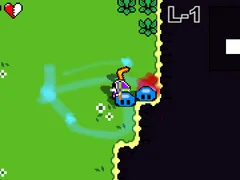
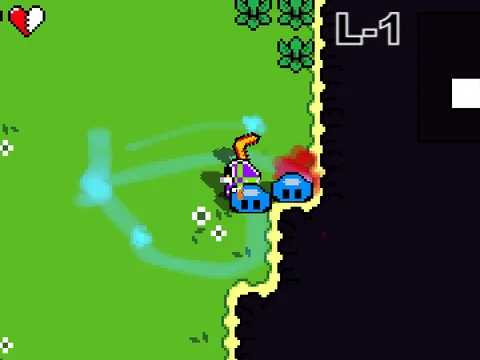
Throw it, dodge, and catch it on the way back. Bounce Back unblocked is a top-down adventure that gives you a single weapon, a boomerang, so timing your throws matters as much as aiming them. Classroom 7x hosts the game on its own servers, which lets it run in Chrome on a Chromebook with no download and no sign-up.
About Bounce Back
Frank Force built Bounce Back for the 2019 js13k contest, which required the compressed game to stay under 13 kilobytes. Even so, it holds pixel-art tiles, music and sound effects made in code, and ten levels that are built fresh each run. Rocks, bushes and sand patches land in new spots every time. On each level the goal is to defeat every enemy. A portal leading deeper appears once the last one is gone.
You start on a small island with three hearts. Enemies include slimes that split, hopping beasts and shield carriers that block throws from the front. Each touch from an enemy costs half a heart. Smashing bushes and rocks can drop coins and hearts, and your coins stay saved in your browser even after a game over. In shops you can buy hearts, more heart containers and additional boomerangs. A boss waits on level 10, and beating it wins the game.
How to Play Bounce Back
- Walk into the swirling portal on the starting island to drop into the first level.
- Aim with the mouse crosshair and click to throw your boomerang, then touch it to catch it as it returns.
- Pick up a boomerang that lands on the ground, since you cannot throw again without one in hand.
- Press Space or Shift to dash, which keeps you safe from damage while you move.
- Defeat every enemy on the level, then step into the new portal to go deeper toward the boss.
Bounce Back Controls
| Input | Action |
|---|---|
| W A S D | Move |
| Mouse | Aim the crosshair |
| Left click | Throw the boomerang |
| Space / Shift | Dash (no damage while dashing) |
| Esc | Restart after a game over or a win |
How to Play Bounce Back on PC & Chromebook
Bounce Back is made for a keyboard and mouse, which makes a laptop or Chromebook the right fit. Your left hand moves with W, A, S and D and dashes with Space or Shift. Your right hand aims the crosshair and clicks to throw. Click into the game once after it loads so the keys go to your hero instead of the page.
- Click inside the game, then walk into the portal on the island.
- Move with W, A, S and D while you aim with the mouse.
- Click to throw, then move to catch the boomerang as it flies back.
- Press Space or Shift to dash out of trouble, and Esc to restart after a run ends.
Desktop tip: Keep your thumb on Space while you play. A quick dash at the right moment saves more hearts than any shop item.
How to Play Bounce Back on Mobile
Bounce Back does not have touch controls, so it will not play on a phone or tablet. You need a keyboard to move and dash and a mouse or trackpad to aim and throw. A school Chromebook or a laptop is a great fit for it. If you are on your phone right now, save the page and come back on a computer.
- Open this page on a Chromebook, laptop or desktop computer.
- Use W, A, S and D to move and the mouse to aim and throw.
- Try one of the touch-friendly games on Classroom 7x while you are on your phone.
Mobile tip: A trackpad works, but a plugged-in mouse makes aiming throws much easier.
Tips and Tricks
- Save your dash for real danger. It makes you safe while moving, but it needs about three seconds to recharge before you can use it again.
- Lure slimes onto sand, then dash across it. Sand slows everyone, but a dash ignores the slowdown and leaves enemies stuck behind.
- Back away after defeating a big slime. It splits into two smaller ones that can quickly surround you.
- Circle around shield carriers before throwing. A boomerang that hits the shield bounces back without doing any damage.
- Keep the yellow boomerang if you like collecting loot. It carries coins and hearts back to you, while the blue one hits harder but cannot.
Game Info
| Game | Bounce Back |
|---|---|
| Developer | Frank Force |
| Genre | Adventure |
| Players | Single player |
| Works on | Chromebook, PC and Mac (keyboard required) |
| Price | Free, no sign-up |
| Hosting | Served from Classroom 7x's own servers |
| License | GPL-2.0 (original source, license, credits) |
Bounce Back FAQ
Do I lose my coins when I die?
No. Your browser keeps your coins, so a game over sends you back to the starting island with the same total in hand. Spend them at the island shop before you head down again.
Do I always have to start from level 1?
No. After you make it to level 2 or beyond, a second portal shows up on the starting island. Taking it drops you straight into the deepest level you have reached, which saves a lot of time.
Why are some enemies hard to see?
After level 4, some enemies can be invisible or extra large. Watch the minimap and look for shadows moving across the grass so you can spot them before they reach you.