
Free Throw Frenzy unblocked gives you sixty seconds, a steady supply of basketballs and a hoop that refuses to sit still. Drag, aim and let go to sink as many shots as you can before the buzzer. It loads straight from Classroom 7x, so there is nothing to install and no account needed to start shooting.
About Free Throw Frenzy
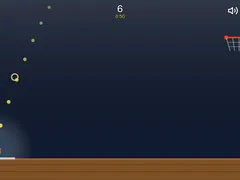
Frank Force built this quick shooting game, first called Free Throw, with his LittleJS engine. You shoot from a fixed spot on the left side of a dim gym toward a hoop and backboard on the right. The hoop slides from side to side, and as the clock runs down it moves farther and faster. A dotted line shows the start of each throw's path but stops before the rim, so your eye has to judge the rest.
Scoring rewards clean shooting. Shots that hit the rim or backboard on the way in are worth 2 points, while a swish that stays clear of both scores 3. Make three in a row and you catch fire, which adds 1 point to every basket until a ball misses. A fresh ball appears right after each throw, so you can shoot again while the last one is still flying. Your best score shows on the title screen and stays saved in your browser.
How to Play Free Throw Frenzy
- Be ready before you hit Play, because the 60-second clock starts the moment you do.
- Hold down on the ball, then drag toward the spot where you want it to go.
- Drag farther for a harder throw, then release the button to shoot.
- Lead the moving hoop: aim for the place it will reach by the time the ball gets there, rather than its current spot.
- Keep shooting until the buzzer, since balls still in the air can still count.
Free Throw Frenzy Controls
| Input | Action |
|---|---|
| Click and drag the ball | Aim and set power |
| Release the mouse button | Shoot |
| Touch and drag the ball | Aim and set power on a touch screen |
| Lift your finger | Shoot on a touch screen |
| Esc / menu icon | Pause the game |
How to Play Free Throw Frenzy on PC & Chromebook
Free Throw Frenzy uses only the mouse or trackpad, which makes it easy on a Chromebook. To shoot, press on the ball, drag toward your target and release. Longer drags mean stronger throws. A mouse gives a bit more precision than a trackpad, but both work fine once you settle on a comfortable drag length.
- Click Play and the one-minute timer starts.
- Hold the ball and drag toward the hoop while you watch the dotted arc.
- Release the button to shoot, then grab the next ball right away.
- Press Esc if you need to pause in the middle of a round.
Desktop tip: On a trackpad, press down and slide in one smooth motion. Lifting your finger partway through releases the shot early.
How to Play Free Throw Frenzy on Mobile
Free Throw Frenzy works well on phones and tablets, since the controls are just a drag and a release. The court is wide, so the game asks you to turn your device sideways if you hold it upright. Once it is in landscape, touch the ball, slide your finger toward the hoop and lift to shoot.
- Turn your phone or tablet sideways, then tap Play.
- Touch the ball and drag toward the hoop to aim.
- Lift your finger to shoot, and keep going until the buzzer.
- Tap the menu icon in the top right to pause.
Mobile tip: Use your index finger instead of your thumb if you can. It covers more of the screen in one drag and makes strong shots easier.
Tips and Tricks
- Throw high, looping arcs. A ball dropping steeply into the rim goes in more often than a flat shot that bounces off the front.
- Build your hot streak in the opening seconds while the hoop moves slowly, so the on-fire bonus is running when shots get harder.
- Once a drag length reaches the rim, repeat it and only change the angle. Changing both at once makes misses hard to correct.
- Do not pause to admire a good shot. A new ball is ready instantly, and every extra throw is another chance at points.
- A tiny drag cancels the throw, so pull back a clear distance before you let go.
Game Info
| Game | Free Throw Frenzy |
|---|---|
| Developer | Frank Force |
| Genre | Sports |
| Players | Single player |
| Works on | Chromebook, PC, Mac, tablet and phone |
| Price | Free, no sign-up |
| Hosting | Served from Classroom 7x's own servers |
| License | MIT (original source, license, credits) |
Free Throw Frenzy FAQ
What counts as a swish?
A swish is a basket that drops in without touching the rim or the backboard. It is worth 3 points instead of 2, and a big SWISH banner flashes on screen when you hit one.
What does being on fire do?
After three baskets in a row, each basket gives 1 extra point. The bonus ends as soon as a ball falls off the screen without going in, and your streak starts again from zero.
Do shots count after time runs out?
Yes. A ball that is still in the air at the buzzer completes its flight, and if it goes through the hoop, those points count before your final score appears.