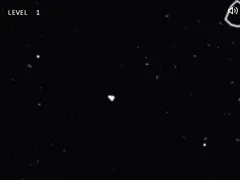

Rock Blaster unblocked puts you in a tiny triangle ship surrounded by tumbling rocks. Each shot cracks a rock into smaller, quicker pieces, and saucers drop in now and then to make things worse. Classroom 7x hosts the game on its own servers, so it opens in Chrome on a school Chromebook with no download or sign-up.
About Rock Blaster
This is a retro space shooter drawn in glowing vector lines. Frank Force built it for his open-source LittleJS Arcade collection. Your ship keeps sliding after you stop thrusting, so movement takes some care. Rocks, shots and your ship all wrap around the screen. Whatever exits through the right edge comes back in from the left, and the top and bottom edges are linked the same way. That turns the whole screen into a loop, and danger can arrive from any side.
Large rocks pay 20 points, medium ones 50 and small ones 100. Two kinds of saucers show up from time to time. The big one sprays shots in random directions and is worth 200, while the small one aims at you and is worth 1,000. You begin with three ships and earn another every 10,000 points. Wave one starts with four large rocks, and every new wave brings one more than the last.
How to Play Rock Blaster
- Click PLAY and wait a moment while your ship blinks, since it cannot be hurt during that short start.
- Point the nose at a rock by turning with A and D or the left and right arrow keys.
- Fire with Space or Z, and remember that only five of your shots can be on screen at once.
- Tap the Up arrow or W for short bursts of thrust, because the ship keeps drifting afterward.
- Press Left Shift or X to jump through hyperspace when a crash looks certain.
- Clear every rock and saucer on screen to start the next, larger wave.
Rock Blaster Controls
| Input | Action |
|---|---|
| Left / Right arrows or A / D | Rotate the ship |
| Up arrow or W | Thrust forward |
| Space or Z | Fire |
| Left Shift or X | Hyperspace jump |
| Esc | Pause |
| On-screen stick (touch) | Rotate the ship |
| Round buttons (touch) | Thrust (bottom), fire (left or right), hyperspace (top) |
How to Play Rock Blaster on PC & Chromebook
Rock Blaster feels best on a keyboard, where you can turn, thrust and fire at the same time. Many players keep one hand on the arrows and the other near Space. If you prefer, A, D and W cover steering and thrust, while Z fires and X jumps. Esc pauses whenever you need a break, and the OPTIONS menu has a volume slider.
- Click PLAY with the mouse to start the first wave.
- Rotate with the arrow keys or A and D, and thrust with Up or W.
- Fire at rocks with Space or Z, breaking large ones into smaller pieces.
- Press Left Shift or X for hyperspace, or Esc to pause.
Desktop tip: Pick one hand position and stick to it. Switching between the arrow keys and WASD in the same run leads to missed turns.
How to Play Rock Blaster on Mobile
Rock Blaster includes full touch controls, so it works on phones and tablets. A virtual stick appears on the left side for turning. Thrust, firing and hyperspace each get their own round button, and all four sit on the right. Hold your device sideways, since the game is laid out for a wide screen. The glow effect is off by default on touch devices to keep play smooth.
- Turn your device sideways and tap PLAY.
- Push the stick left or right to rotate the ship.
- Press the bottom button to thrust and a side button to fire.
- Tap the top button for a hyperspace jump when you are cornered.
Mobile tip: Rest your thumbs on the screen between moves so you do not have to look down to find the buttons.
Tips and Tricks
- Split one large rock and clean up its pieces before breaking the next one. That keeps the number of fast fragments on screen manageable.
- Stay near the middle and let rocks come to you. Flying around at high speed makes it hard to stop before a collision.
- Keep an eye on all four edges. A rock leaving one side comes back on the opposite side, sometimes right next to you.
- Hunt the small saucer quickly. It is worth 1,000 points, and the higher your score climbs, the more accurate its shots become.
- Hyperspace drops you at a random spot, which can be close to a rock. Treat it as a last escape, not a regular move.
Game Info
| Game | Rock Blaster |
|---|---|
| Developer | Frank Force |
| Genre | Shooting, Arcade |
| Players | Single player |
| Works on | Chromebook, PC, Mac, tablet and phone |
| Price | Free, no sign-up |
| Hosting | Served from Classroom 7x's own servers |
| License | MIT (original source, license, credits) |
Rock Blaster FAQ
How do I get more ships?
You earn a bonus ship every 10,000 points. A chime plays and the lives counter goes up by one. You start the game with three ships, and the run ends when you crash with none left.
Do saucer shots break rocks?
Yes, saucer shots can smash rocks too, but you get no points when that happens. Only your own shots score. Saucer shots also cost you a ship if they hit you, so keep moving.
Can I play Rock Blaster on a tablet?
Yes. On touch screens, you turn the ship with a stick on the left side, while round buttons on the right handle thrust, firing and the hyperspace jump. The glow effect starts off on touch screens, and you can turn it on in OPTIONS.