Golden Apple Snake unblocked gives the old grid-and-tail game a few fresh twists. Each red apple makes your snake longer and faster, and a rare golden fruit pays a big bonus when you get there before it vanishes. A race mode against a computer snake is included too. Play it on Classroom 7x in Chrome, with nothing to install.
About Golden Apple Snake
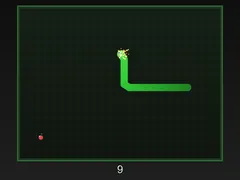
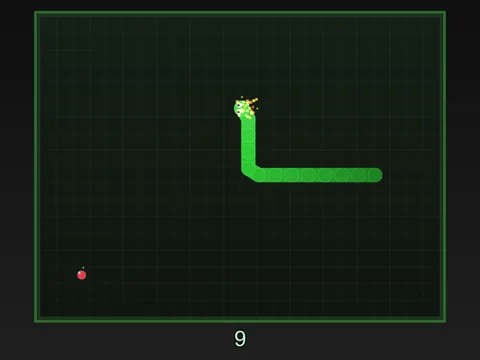
Frank Force made this cheerful version for his LittleJS Arcade. The snake has big googly eyes and slides around a 24 by 18 grid with a wall all the way around. In the normal mode, each apple adds a point and one more segment, and each point also speeds the snake up a little. The speed stops climbing at 20 points, when the snake is moving roughly twice as fast as it did at the start.
Once you have 5 points, eating an apple can sometimes make a golden fruit pop up. It gives 5 points and two segments but disappears after 6 seconds, and a shrinking ring counts down the time. VERSUS mode is its own race. A pink computer snake begins across the board, two apples are out at the same time, and whoever eats 10 first wins. Both your best score and your VERSUS wins are saved.
How to Play Golden Apple Snake
- Pick PLAY for the classic score run or VERSUS to race against the computer snake.
- Steer with the arrow keys or W, A, S and D, turning toward the nearest red apple.
- Eat apples to grow longer, and remember the snake cannot turn straight back into itself.
- Once you have 5 points, watch for golden fruit and decide quickly whether it is safe to reach.
- Avoid the outer wall and your own body, since touching either one ends the run.
Golden Apple Snake Controls
| Input | Action |
|---|---|
| Arrow keys or W / A / S / D | Steer the snake |
| Esc | Pause |
| Click PLAY or VERSUS | Choose a mode |
| On-screen direction pad (touch) | Steer on phones and tablets |
How to Play Golden Apple Snake on PC & Chromebook
Golden Apple Snake runs smoothly on any Chromebook or laptop, and the keyboard gives you the quickest turns. Use the arrow keys or W, A, S and D, whichever feels better. You only need the mouse to pick a mode from the title menu. Press Esc to pause in the middle of a run. A computer-controlled demo plays quietly behind the menu while you choose.
- Click PLAY for a solo run or VERSUS to race the computer.
- Steer with the arrow keys or W, A, S and D.
- Eat red apples to grow, and grab golden fruit when it is close.
- Press Esc to pause, and steer clear of walls and your own tail.
Desktop tip: Turn a moment early rather than late. As your score climbs the snake moves faster, and late turns are what usually end a run.
How to Play Golden Apple Snake on Mobile
Golden Apple Snake comes with touch controls, so phones and tablets work fine. Once you touch the screen for the first time, a direction pad pops up in the bottom right corner. Use its up, down, left and right arrows to turn the snake. Because the grid is wide, holding your phone sideways gives you the best view.
- Turn your phone sideways and tap PLAY or VERSUS.
- Touch the screen once so the direction pad appears in the corner.
- Press the pad's arrows to steer toward the apples.
- Keep away from the wall and your own body.
Mobile tip: Rest your thumb on the center of the pad between turns. Short presses from the middle are faster than reaching in from the edge.
Tips and Tricks
- While your snake is short, travel along the walls. That keeps the middle of the board open for later, when you need room to turn.
- Before chasing an apple into a corner, plan how you will get back out. Corners are easy to enter and easy to get trapped in.
- Let a golden fruit go if it is far away. It vanishes after six seconds, and rushed turns cause most crashes.
- The square your tail just left is safe on the next step, unless you just ate. Following your own tail is a reliable escape route.
- In VERSUS, steer across the computer snake's route. It goes for apples it can reach safely, so blocking its path forces a detour.
Game Info
| Game | Golden Apple Snake |
|---|---|
| Developer | Frank Force |
| Genre | Arcade |
| Players | Single player |
| Works on | Chromebook, PC, Mac, tablet and phone |
| Price | Free, no sign-up |
| Hosting | Served from Classroom 7x's own servers |
| License | MIT (original source, license, credits) |
Golden Apple Snake FAQ
When does the golden fruit appear?
Golden fruit only appears once you reach 5 points. From then on, every red apple gives roughly a 20 percent chance of bringing one out. It stays for six seconds and blinks right before it vanishes.
How do you win VERSUS mode?
You win by eating 10 apples before the computer snake does, or by making it hit a wall or a body. When both heads enter one square at the exact same moment, the round is a draw.
Can I play Golden Apple Snake on a phone?
Yes. A single touch on the screen brings up a direction pad in the bottom right corner, and its arrows turn the snake. Turning your phone sideways gives the wide grid the most room.