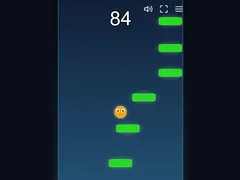
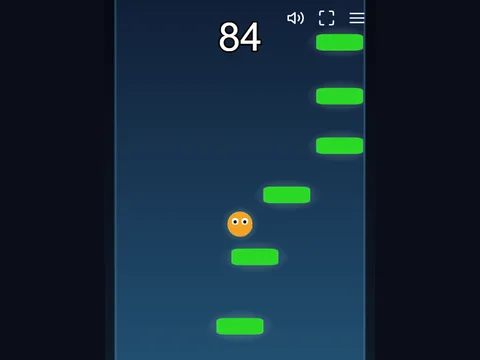
There is no jump button in this climber. The little orange ball bounces by itself, and your only job is to steer it onto the next ledge. Sky Hop unblocked is quick to learn and hard to put down. Classroom 7x hosts it on its own servers, so it opens in Chrome on a Chromebook with no download and no sign-up.
About Sky Hop
Sky Hop is part of LittleJS Arcade, a set of small open-source games by Frank Force. Its star is a round orange ball with big eyes, and it hops every time it comes down onto a platform from above. Platforms let you pass up through them from below, so you never bump your head. Since the screen scrolls only upward, missing a landing usually drops you out of view. Your score equals ten times the highest point you reach.
The lower part of the climb uses only solid green platforms. A bit higher, brown platforms show up that crumble after one bounce, and then blue ones that slide sideways and turn at the walls. These tricky types become more common the higher you go. Springs marked with a yellow arrow launch you far above a normal hop. Your best score is saved, and you can unlock two medals: one for riding a spring and one for scoring 1,000.
How to Play Sky Hop
- After you hit Play, the ball starts out on a safe platform near the bottom, bouncing in place.
- Steer left or right so the ball comes down on top of a platform above you.
- Let go of the direction a little early, because the ball keeps drifting after you release the key.
- Slip off one side of the screen to appear on the other side when that is the quicker route.
- Keep climbing until you miss a landing and fall below the view, then try to beat your best score.
Sky Hop Controls
| Input | Action |
|---|---|
| Left / Right arrows or A / D | Steer the ball |
| Enter (twice) or click Play | Start a climb |
| Esc | Pause the game |
| Touch stick (lower left) | Drag left or right to steer on a touch screen |
| Gamepad | Steer with a connected controller |
How to Play Sky Hop on PC & Chromebook
Sky Hop needs just two keys on a laptop or Chromebook. You steer the ball as it bounces upward with A and D or the Left and Right arrows. Because the play area is tall and narrow, it sits neatly in the middle of a wide screen. From the Options menu you can adjust the volume, turn off screen shake or reset your best score.
- Click Play, or press Enter twice to highlight and select it.
- Hold Left or Right to move toward the next platform above you.
- Release a moment before you are over the ledge so the ball slows in time.
- Press Esc whenever you want to pause or open the options.
Desktop tip: Rest two fingers on A and D or on the arrow keys before you start, so your first steer happens right away.
How to Play Sky Hop on Mobile
Sky Hop suits phones well, since its tall, narrow climb matches a phone held upright. A round stick shows up when your finger lands on the lower left area of the screen. Slide it left or right to guide the ball while it keeps bouncing by itself. Everything else, from starting a run to pausing, takes a simple tap.
- Hold your phone upright and tap Play.
- Touch near the lower left corner to bring up the steering stick.
- Drag the stick left or right in short moves to land on each platform.
Mobile tip: Keep your thumb on the stick the whole time. Lifting it and placing it again can make you miss a landing.
Tips and Tricks
- Brown platforms are only a quick step. One bounce breaks them, so you should already be steering to your next landing spot as you touch one.
- Aim for where a blue platform will be when you come down, not where it is now. They move at a steady pace.
- Use the screen wrap. If the next ledge is near the far wall, slipping through the closer wall is often faster.
- Go out of your way for springs. One spring launch gains more height than several normal bounces in a row.
- Make small taps instead of long holds. The ball builds speed slowly and slides afterward, so gentle steering lands more often.
Game Info
| Game | Sky Hop |
|---|---|
| Developer | Frank Force |
| Genre | Skill, Arcade |
| Players | Single player |
| Works on | Chromebook, PC, Mac, tablet and phone |
| Price | Free, no sign-up |
| Hosting | Served from Classroom 7x's own servers |
| License | MIT (original source, license, credits) |
Sky Hop FAQ
How do I jump?
You do not need to. The ball bounces automatically each time it lands on top of a platform. You only steer left and right to keep a platform underneath it as it comes back down.
What do the platform colors mean?
Green ones are solid and never move. Blue platforms slide sideways and reverse at the walls. Brown ones crumble after a single bounce. A yellow arrow marks a spring that sends you much higher.
Can a gap ever be too big to reach?
No. The space between platforms is always smaller than the height of a normal bounce, so every next step can be reached if you steer well and land on it at the right moment.