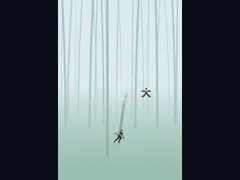
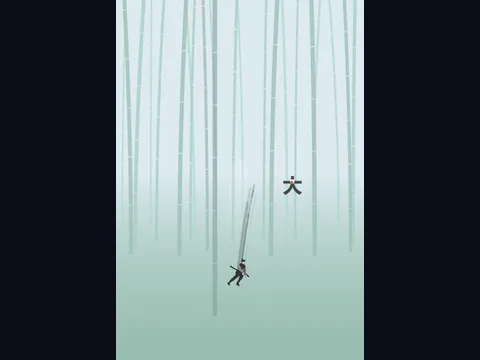
Stolen Sword unblocked is an action game you can play with just one finger. A swordsman is chasing the thief who stole his blade, and there is no jump button at all. You pull back like a slingshot, aim and let go to fly at the enemies ahead. It loads from Classroom 7x in Chrome, with no sign-up and nothing to download.
About Stolen Sword
Ian Chiao made Stolen Sword for the js13kGames contest in 2020. Every tree, cliff, enemy and sound comes from code rather than image files, which kept the whole game tiny. The control scheme is simple. You press anywhere, drag in the opposite direction of where you want to go and release. While you hold, time almost freezes and a dotted arc shows your flight path, so every strike can be planned calmly.
Standing on the ground gives you two dashes. Each enemy you hit refunds at least one, so a clean chain of strikes lets you stay airborne for a long time. Some enemies shoot rings of red squares, some carry a guard that bounces you away, and some heal. You can survive one hit, but taking a second one restarts the current wave. The story spans four stages, and your progress is saved.
How to Play Stolen Sword
- When the title fades in, click or tap once, then watch your swordsman run onto the screen.
- Press anywhere and drag away from the enemy you want to hit, like pulling back a slingshot.
- Check the dotted arc while time is slowed, and adjust until it crosses your target.
- Release to dash and slash, then aim your next dash before you start to fall.
- Land on a platform or splash into water to get your dashes back.
- Click through the short story captions between stages to keep the chase going.
Stolen Sword Controls
| Input | Action |
|---|---|
| Click or tap | Start the game and continue past story captions |
| Press and drag (mouse) | Aim a dash while time slows |
| Release the mouse button | Dash and slash |
| Touch, drag and lift (touch) | Aim and dash on phones and tablets |
How to Play Stolen Sword on PC & Chromebook
Stolen Sword needs only a mouse or trackpad, which makes it easy to play on a school Chromebook. Every move is the same motion: press, drag back and release. A mouse gives the most precise aim, but trackpad dragging works fine once you get used to it. The playfield is tall and narrow, so fullscreen mode helps it fill more of a wide display.
- Click the screen once the title appears to begin.
- Press and hold, then drag away from the target you want to hit.
- Line up the dotted arc while time slows down.
- Release to dash, and click to read the story captions.
Desktop tip: On a trackpad, keep the button pressed for the whole drag. Letting go early fires the dash before your aim is ready.
How to Play Stolen Sword on Mobile
Stolen Sword was designed around a single finger, so it feels natural on a phone. You touch the screen, drag away from your target and lift to launch. Time slows while your finger is down, so there is no rush to aim. The tall, narrow playfield matches a phone held upright, which leaves your thumb free to reach any part of the screen.
- Hold your phone upright and tap once the title appears.
- Touch and drag away from the enemy you want to hit.
- Watch the dotted arc and adjust your drag while time is slowed.
- Lift your finger to dash and slash through the target.
Mobile tip: Start each drag near the middle of the screen. That leaves room to pull in any direction without your finger running off the edge.
Tips and Tricks
- Short pulls give gentle dashes that are easier to control near the ground. Save long pulls for when you need to cover a big gap.
- Before you release, find your next target. Each hit gives back a dash, so a planned chain keeps you airborne and safe.
- Hold your aim to slow time and study incoming red shots. There is no rush while your finger or mouse button stays down.
- Guarded enemies knock you back. Pick an angle of attack that will not bounce you into fire or into another foe.
- In the lake stages, dropping into the water refills your dashes. Use it as a safe reset when you are running low.
Game Info
| Game | Stolen Sword |
|---|---|
| Developer | Ian Chiao |
| Genre | Action, Skill |
| Players | Single player |
| Works on | Chromebook, PC, Mac, tablet and phone |
| Price | Free, no sign-up |
| Hosting | Served from Classroom 7x's own servers |
| License | MIT (original source, license, credits) |
Stolen Sword FAQ
How many dashes do I get?
You start with two whenever you are on the ground. Each enemy you hit leaves you with at least one dash, and landing on a platform or falling into water fills them back up.
What happens when I get hit?
Part of your outfit turns red after the first hit to warn you. Taking another hit ends the attempt. You then restart from the beginning of that same wave of enemies, not from the start of the whole stage.
Do I lose my progress if I close the page?
No. The game saves your current stage and wave in your browser, so you can pick up where you stopped. Clearing your browser data or switching to another browser will reset that progress.