

Top Learning Games to Play First
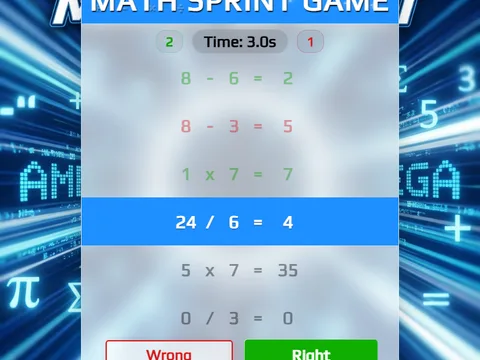
- Math Sprint Game: Fast true-or-false math rounds with a half-second penalty for mistakes. Pick 10 questions for a warm-up or 99 for a real test of focus.
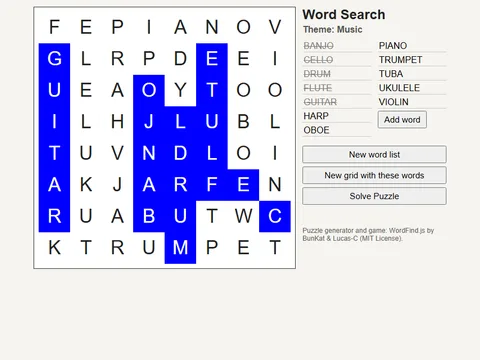
- Word Search: Twelve words hide in the grid in any of eight directions, and you can enter your own list to turn class vocabulary into a puzzle.
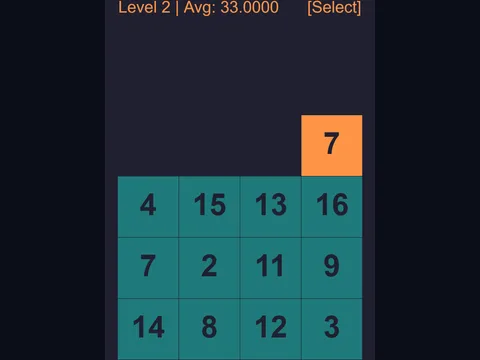
- Factors Game: Steer a number downward, dividing by factors and adding everything else. Landing on exactly 1 takes careful thinking about division.
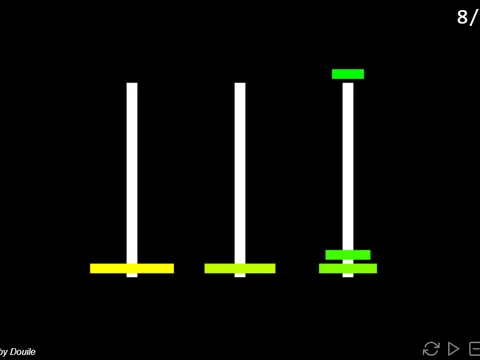
- Tower of Hanoi: The classic ring-moving puzzle with an adjustable number of rings and a self-solving mode that shows the pattern step by step.
- Typer Defense: Press each letter's key before it reaches the core. A simple, steady way to practice keyboard skills on a Chromebook or laptop.
- Sudoku Flow: Choose from five difficulty levels, take pencil notes and ask for a hint one step at a time. A good fit for students who are learning to reason with numbers.
Math Practice
Math Sprint Game shows quick equations one at a time, and your job is to decide quickly whether each one is true or false. Every mistake adds a half-second penalty, so speed only helps if you stay accurate. Rounds come in 10, 25, 50 or 99 questions. Factors Game is slower and more thoughtful. You steer a number down through a grid. Squares holding one of its factors divide it, all other squares add to it, and you win by ending on exactly 1. It is a hands-on way to practice division and spot factors quickly.
Typing and Word Skills
In Typer Defense, single letters float in from the left and right edges toward a red core, and typing the matching key destroys a letter before it can reach the middle. It is a simple way to practice finding keys quickly, and a Case sensitive button adds capital letters with Shift for an extra challenge. Word Search hides a dozen words in a grid, reading in any of eight directions. Teachers will like that you can type in your own words to make a fresh puzzle, so this week's spelling or science terms can become a quick review game.
Logic Puzzles in the Classroom
In Tower of Hanoi, the whole stack of colored rings has to travel from the left peg over to the right peg. You can move only one ring at a time, and a larger ring may never rest on a smaller one. You can add or remove rings to change the difficulty, and a play button lets the puzzle solve itself so students can watch the pattern. It is a natural lead-in to talking about recursion. Sudoku Flow has five difficulty levels, pencil notes and step-by-step hints, which helps students who are new to sudoku learn to explain why a number belongs in a square.
Learning Games on School Chromebooks and Tablets
On PC & Chromebook
School Chromebooks are a great match for this category. Typer Defense needs a physical keyboard, and Sudoku Flow lets you type numbers 1 to 9, press N for notes and H for a hint. Factors Game moves with the arrow keys, and Tower of Hanoi uses Space or Enter to pick up and drop rings. Math Sprint Game and Word Search are played by clicking and dragging, so a touchpad is all you need for those two.
On Phones & Tablets
Five of the six learning games work well on phones and tablets. In Math Sprint Game you tap Right or Wrong, and in Word Search you slide your finger from the first letter of a word to the last. Factors Game uses swipes, and Sudoku Flow and Tower of Hanoi are played with taps. Typer Defense does not work on touch screens, since it depends on real key presses, so use a Chromebook or laptop for it.
Learning Games FAQ
Are these games useful for teachers?
Yes. Math Sprint Game works as a quick warm-up, and Word Search lets you enter your own vocabulary words to build a custom puzzle. Tower of Hanoi can lead into a talk about patterns and recursion. All of them run in a browser tab, so students can open them on school Chromebooks.
Which learning game helps with typing?
Typer Defense is the typing game. Letters move toward a core in the middle of the screen, and you press each matching key to stop them. Turn on case sensitive mode to practice capital letters with Shift. It needs a physical keyboard, so it does not work on phones.
Do students need accounts?
No. The games load from Classroom 7x's own servers rather than a third-party game site, so there is nothing to install and no sign-up. Students open a game and start playing. Math Sprint Game also has a Share Score button if you want students to report their results.
Can students play these on a tablet?
Most of them, yes. Math Sprint Game, Factors Game, Sudoku Flow, Tower of Hanoi and Word Search all work with touch on phones and tablets. Typer Defense is the exception, because it needs a real keyboard to type the letters.