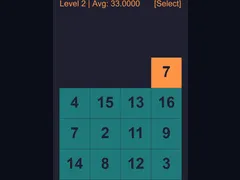
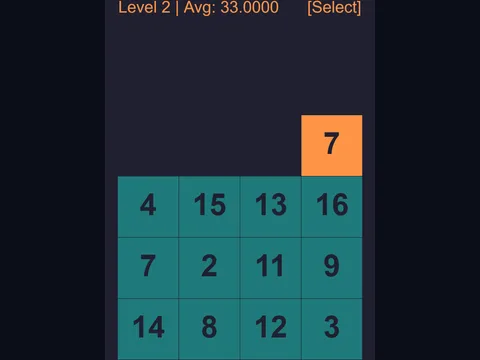
Factors Game unblocked is a short math puzzle that turns division into a path-finding challenge. Your number slides down a grid of tiles, shrinking on factors and growing on everything else. The aim is to finish on exactly 1 before you run out of rows. Classroom 7x hosts it directly, so it opens in Chrome with no download or sign-up.
About Factors Game
Michael P. Nitowski made Factors Game as an open-source project. Each level shows a 4x4 grid filled with tiles numbered 1 to 16. Your starting number matches the level number, so level 12 starts you at 12. Every move drops you one row lower. If the tile below divides your number evenly, you get the result. If it does not, the tile's value is added instead. With only four rows, every choice counts.
There are 256 levels, and the math gets trickier as the starting numbers grow. Ending on exactly 1 is rated ACE!, other results below 10 get LOW!, and larger ones get High. Finishing any level unlocks the next one, no matter how you did. The number at the top of the board is your average result across all finished levels. Replaying a level keeps your better run, so going back can lower your average.
How to Play Factors Game
- Look at your number in the colored square above the grid and study the four rows of tiles.
- Press Left or Right, or A and D, to line your number up with a column.
- Press Down or S to drop into the next row and see whether you divide or add.
- Keep dropping until you reach 1 or run out of rows, then read your grade.
- Press Up or W to restart the level whenever your path starts going badly.
Factors Game Controls
| Input | Action |
|---|---|
| A / D, H / L or Left / Right arrows | Move your number sideways |
| Down arrow, S or J | Drop into the next row |
| Up arrow, W or K | Before your first move: restart the level or go to level select |
| Click [Select] | Open level select during play |
| Click < RETRY or NEXT > | Retry or go on after a result |
| Swipe left, right, down or up (touch) | Move, drop or restart |
How to Play Factors Game on PC & Chromebook
On a Chromebook or laptop, Factors Game is quickest with the keyboard. The arrow keys move and drop your number, and the Up arrow restarts a level. If you like other layouts, W, A, S and D work too, and so do H, J, K and L. You can also click and drag on the board. The grid is small and tall, so it fits any screen easily.
- Open the game and read your starting number above the grid.
- Press Left or Right to pick a column.
- Press Down to drop and see the new total.
- After the result, press Left to retry or Right for the next level.
Desktop tip: Keep scrap paper nearby for the bigger levels. Jotting down a quick list of factors helps you spot the best column faster.
How to Play Factors Game on Mobile
Factors Game is fully playable on phones and tablets because every action is a swipe. Swipe left or right to move your number, swipe down to drop into the next row and swipe up to restart. Result screens and level select use big buttons that are easy to tap. The board is tall, so holding your phone upright fits it best.
- Hold your phone upright and open the game.
- Swipe left or right to line up with a column.
- Swipe down to drop your number into the next row.
- Tap NEXT or RETRY on the result screen.
Mobile tip: Make each swipe short and clearly in one direction. A slanted swipe might drop your number when you meant to slide it sideways.
Tips and Tricks
- Plan your whole route before the first drop. Adding a small number now can turn your total into something that divides cleanly later.
- Landing on the 1 tile changes nothing, since dividing by 1 keeps your number the same. It is handy for passing a row when no other tile below helps.
- Break numbers into prime factors. Holding 14, a hop onto 2 cuts it to 7, and a 7 tile right below then ends the level at once.
- Restarting costs nothing. If your number climbs high in the first row or two, try a completely different path.
- Revisit old levels graded High. Turning one into an ACE! lowers your overall average, since only your best run on each level counts.
Game Info
| Game | Factors Game |
|---|---|
| Developer | Michael P. Nitowski |
| Genre | Learning, Puzzle |
| Players | Single player |
| Works on | Chromebook, PC, Mac, tablet and phone |
| Price | Free, no sign-up |
| Hosting | Served from Classroom 7x's own servers |
| License | MIT (original source, license, credits) |
Factors Game FAQ
Why did my number get bigger?
A tile only divides when it is a factor, meaning it goes into your number evenly. Otherwise its value is added. If you hold 9 and land on 6, you get 15, because 6 does not divide 9 evenly.
Do I need to reach 1 to unlock the next level?
No. Finishing a level in any way unlocks the next one. Reaching 1 earns an ACE! grade, though, and better results lower the average shown at the top, which works as your overall score.
Is Factors Game good for math practice?
Yes. Every move asks whether one number divides another, so you practice factors, divisibility and mental math. Planning several rows ahead also builds problem-solving skills, and the levels get harder as the numbers grow.