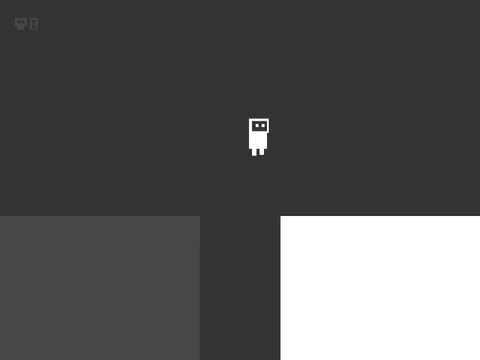
Black Hole Square unblocked is a small, quiet logic game with one clear aim: leave nothing on the board except black holes. Every tap counts, and the move limit leaves almost no room for waste. You can play it from Classroom 7x in Chrome, with no download and no account, and each puzzle takes only a few minutes.
About Black Hole Square
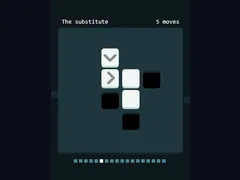
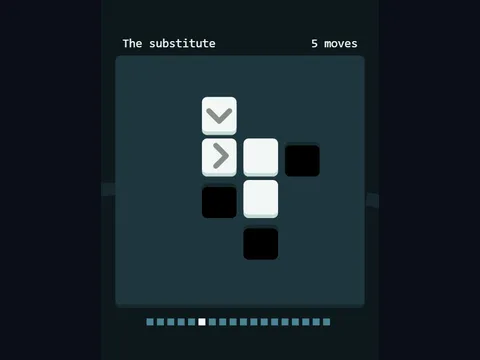
Quinten Clause created Black Hole Square for the js13k contest in 2021, where every entry had to fit inside 13 kilobytes. Each puzzle sits on a 6 by 6 board with a few white tiles and one or more black holes. The game barely explains itself, so figuring out what each tile does is part of the challenge. There are 18 named puzzles, and the last few are noticeably harder than the opening ones.
Arrow tiles do most of the work. When you tap one, it moves one step the way it points and shoves every square in its path along with it. A square shoved into a black hole disappears. You cannot tap the plain white tiles, so the only way to move them is to push them. X tiles vanish when you tap them, and neutron stars turn into new black holes. Taps that change nothing do not cost a move. Your solved puzzles are saved in the browser and marked in a progress row.
How to Play Black Hole Square
- To reach the first puzzle, move past the opening screens by swiping left or dragging left with the mouse.
- Check the move counter in the top right corner before you tap anything.
- Tap an arrow tile to push it and the tiles in front of it one step.
- Tap X tiles to remove them and neutron stars to turn them into black holes.
- Clear every square except the black holes to move on to the next puzzle.
Black Hole Square Controls
| Input | Action |
|---|---|
| Click or tap a tile | Collapse a neutron star, pop an X tile or push a row |
| Drag or swipe left | Go to the next screen |
| Drag or swipe right | Start the puzzle over, or return to the previous screen if you have not moved yet |
| Sideways trackpad scroll | Works like a swipe |
| Click or tap a progress square | Jump to any puzzle |
How to Play Black Hole Square on PC & Chromebook
On a computer, Black Hole Square uses only the mouse or trackpad. Click a tile to act on it. To change screens, drag left or right across the board, or use a sideways two-finger scroll on a trackpad: left moves forward and right resets. The board is tall and narrow, so it sits neatly in the middle of a laptop screen with plenty of space around it.
- Drag left across the opening screens to reach the first puzzle.
- Click arrow tiles, X tiles and neutron stars to change the board.
- Drag right across the board to reset a puzzle that went wrong.
- Click a square in the progress row to jump to any puzzle.
Desktop tip: Sideways trackpad scrolling counts as a swipe, so avoid brushing the trackpad and resetting a puzzle you were close to solving.
How to Play Black Hole Square on Mobile
Black Hole Square fits a phone almost perfectly. The board is tall, and you only ever tap or swipe sideways, so you can play it with one hand while holding the phone upright. The progress row under the board lets you jump to any puzzle with a tap. It makes a good pick for a short break, since each board needs only a few moves.
- Hold your phone upright and swipe left past the welcome screens.
- Tap tiles to push, pop or collapse them.
- Swipe right to reset the current puzzle.
- Tap a square in the progress row to jump to another puzzle.
Mobile tip: Swipe slowly and fully across the board. A short flick in the wrong direction can reset a board you meant to keep.
Tips and Tricks
- Count how many squares must vanish before you start. Many boards give you exactly the number of taps you need, so plan the whole solution first.
- Line tiles up in front of an arrow before pushing. One push can then move several squares toward a hole with a single tap.
- Never leave a plain white tile where no arrow can reach it. It cannot be tapped, so it would be stuck on the board.
- X tiles can also be pushed into a hole. If an arrow is already moving that row, you save a separate tap.
- Collapse neutron stars where a row is heading. A new black hole in the right spot can swallow several squares in a row.
Game Info
| Game | Black Hole Square |
|---|---|
| Developer | Quinten Clause |
| Genre | Puzzle |
| Players | Single player |
| Works on | Chromebook, PC, Mac, tablet and phone |
| Price | Free, no sign-up |
| Hosting | Served from Classroom 7x's own servers |
| License | MIT (original source, license, credits) |
Black Hole Square FAQ
What happens if I fail a puzzle?
The game tells you what went wrong, for example that you ran out of moves or got stuck, and then reloads the same puzzle from the start. A swipe to the right also resets the board whenever you choose.
Does a tap that moves nothing use up a move?
No. A move is only used up if your tap changes something on the board. If an arrow is aimed at the edge and has no space to go, tapping it just plays a short sound, and your move count stays the same.
How many puzzles are there?
There are 18 puzzles in total, and an ending message appears after the last one. When you come back later, the progress row under the board still shows which puzzles you have solved.