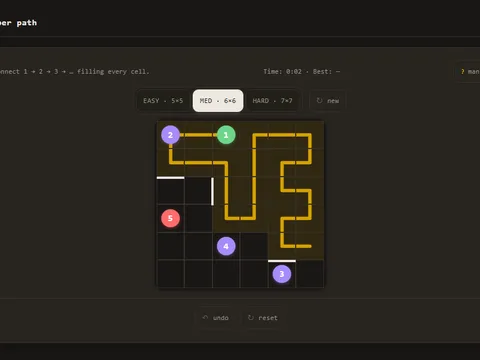
Every switch on this board affects its neighbors too, so one careless press can turn three lights back on. Light Switch Grid unblocked is a short logic puzzle about planning rather than speed. Classroom 7x hosts it on its own servers, which means it opens in Chrome on a Chromebook with no download and no sign-up.
About Light Switch Grid
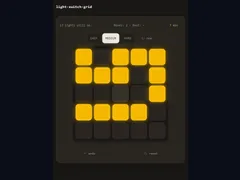
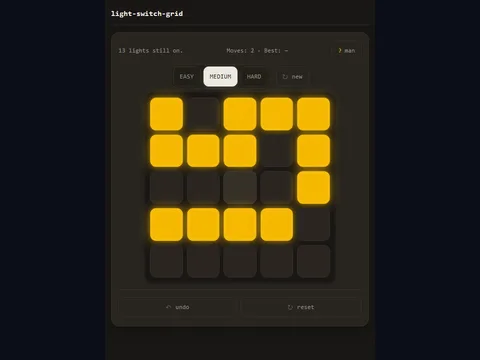
This puzzle comes from Tejas Wavde's open-source set of small browser games, and its plain look is inspired by the screens of old computer terminals. The board is a 5x5 grid of amber lights. Pressing a cell switches it and the four cells touching its sides, above, below, left and right. Diagonal cells stay the same, and edge cells simply have fewer neighbors. Your goal is to switch off every light on the board.
Easy, Medium and Hard each open on a daily puzzle that changes with the date, and the new button gives you a random board whenever you want one. Every puzzle can be solved, because the game makes each one by pressing some random cells on a board where every light is off. A counter tracks your moves, and your lowest count for each level is saved in your browser as your Best. You can read the rules on a built-in help screen.
How to Play Light Switch Grid
- Pick Easy, Medium or Hard, or press new to load a random board at the current level.
- Click or tap a cell to flip it along with the cells directly above, below, left and right of it.
- Watch the status line, which counts how many lights are still switched on.
- Use undo to take back your last press, or reset to return to the starting pattern.
- Turn off the last light to finish the puzzle and see how many moves you used.
Light Switch Grid Controls
| Input | Action |
|---|---|
| Click / tap a cell | Flip that light and its side neighbors |
| undo button | Take back the last press |
| reset button | Return to the starting pattern |
| Easy / Medium / Hard / new | Change difficulty or load a random puzzle |
| ? man button | Open the help page |
| Esc / Q | Exit the help screen |
How to Play Light Switch Grid on PC & Chromebook
Light Switch Grid is a quiet puzzle that works well on any laptop, desktop or Chromebook. Everything happens with mouse clicks: pressing cells, picking a level, undoing and resetting. The board is tall rather than wide, so it sits neatly in the center of the screen. The help page explains the rules, and Esc or Q closes it again.
- Choose Easy, Medium or Hard at the top of the game.
- Click a lit cell or a neighbor to start flipping lights.
- Check the status line and move counter after every click.
- Click undo or reset when a plan goes wrong, then try again.
Desktop tip: Before clicking, picture which five cells will change. Planning two or three presses ahead saves a lot of moves.
How to Play Light Switch Grid on Mobile
This puzzle is a natural fit for phones and tablets. The cells are large buttons that are easy to hit with a thumb, and the layout is tall, just like a phone held upright. Every control, from choosing a level to undoing a press, is a simple tap. The daily boards make it a nice quick puzzle to solve on the go.
- Hold your phone upright so the full board and buttons fit on screen.
- Tap Easy, Medium or Hard to pick a level.
- Tap cells to flip lights until the whole board is dark.
Mobile tip: Tap firmly in the middle of each cell. A tap near an edge can land on the wrong square.
Tips and Tricks
- Work from the top down. For each lit cell in a row, press the cell right below it, then move to the next row.
- When only the bottom row is lit, use its pattern to work out which cells to press in the top row, then sweep down again.
- Avoid pressing the same cell twice. The second press cancels the first and only adds to your move count.
- Remember that the order of your presses does not matter. Only the set of cells you press decides the final board.
- Use reset instead of a long string of undos. It brings back the exact starting board and sets your move count to zero.
Game Info
| Game | Light Switch Grid |
|---|---|
| Developer | Tejas Wavde |
| Genre | Puzzle |
| Players | Single player |
| Works on | Chromebook, PC, Mac, tablet and phone |
| Price | Free, no sign-up |
| Hosting | Served from Classroom 7x's own servers |
| License | MIT (original source, license, credits) |
Light Switch Grid FAQ
Is every puzzle solvable?
Yes. Every board is created by pressing a few random cells on an all-dark grid, so repeating those exact presses turns it off again. Easy uses 3 presses, Medium uses 6 and Hard uses 10.
Why do I see the same puzzle every time today?
The first board at each level is based on today's date. You get the same puzzle all day, and a different one tomorrow. For a random board in place of the daily one, press new at any time.
What does Best mean?
Best is the fewest moves you have used to solve a board, kept apart for Easy, Medium and Hard. Your browser stores these numbers, and it also remembers which difficulty you chose most recently.