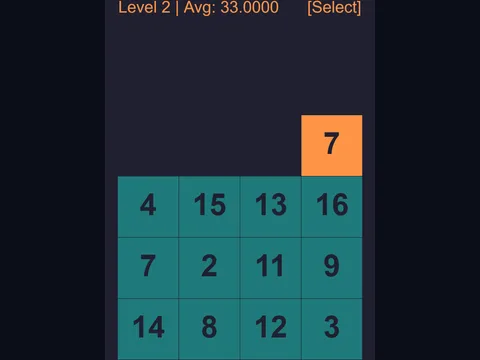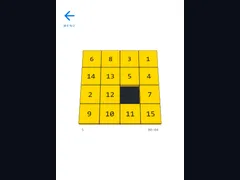
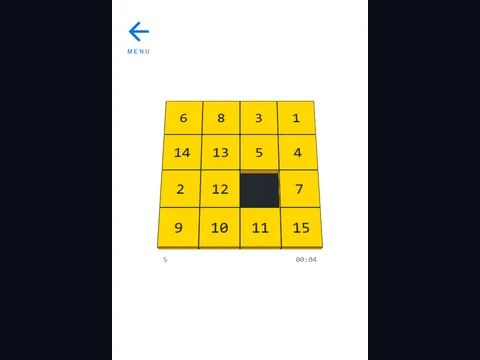
Fifteen Slide unblocked brings back the classic sliding number puzzle with chunky 3D blocks. One empty space is all you get, so every move shuffles the board a little. Play it right on Classroom 7x in Chrome, with no download and no account, and see how few moves you need to put everything back in order.
About Fifteen Slide
Alexander Bazhanov created this version, first called 15 Puzzle Game, and shared it as open-source code. The frame holds fifteen yellow numbered blocks and one gap. Only a block touching the gap from above, below or the side can move, and diagonal moves are not allowed. Your goal is to put the numbers in order, reading 1 to 15 across the rows, with the empty space finishing in the bottom right corner.
When you press Play, a 3, 2, 1 countdown runs while the game scrambles a solved board with 200 random legal slides. That means every puzzle can be solved. A timer and a move counter run under the board. When you finish, you can type a nickname and save your result to a high score list in your browser. The list ranks by fewest moves and also shows your time. On a computer, dragging the board tilts it in 3D.
How to Play Fifteen Slide
- Hit Play, then wait through a short countdown as the blocks get scrambled.
- Click or tap a block next to the gap to slide it into the space.
- Use the arrow keys if you prefer, and the block beside the gap slides over.
- Arrange the blocks so the rows read 1 to 4, 5 to 8, 9 to 12, and 13 to 15.
- Type a nickname and save your moves and time to the scoreboard.
Fifteen Slide Controls
| Input | Action |
|---|---|
| Click a block next to the gap | Slide it into the gap |
| Arrow keys | Slide the neighboring block in the arrow's direction |
| Click and drag the board | Tilt the 3D view |
| Tap a block (touch) | Slide it on a touch screen |
| Play / Scores | Start a game or open the scoreboard |
| Menu arrow | Return to the menu |
How to Play Fifteen Slide on PC & Chromebook
On a Chromebook or laptop, Fifteen Slide gives you two ways to move. Click any block beside the gap, or use the arrow keys to push the neighboring block into the space. Many players find the arrow keys faster once they get used to them. Dragging over the board with the mouse button held down tilts the 3D view, too.
- Click Play and wait for the countdown to finish.
- Click a block next to the gap, or press an arrow key, to slide it.
- Drag across the board with the mouse if you want a different viewing angle.
- Type a nickname after you solve it and click Save.
Desktop tip: With arrow keys, the block moves in the arrow's direction. Pressing Left slides the block on the right side of the gap to the left.
How to Play Fifteen Slide on Mobile
Fifteen Slide is easy to play on a phone or tablet. Just tap any block that touches the empty space and it slides over. Holding your phone upright works best, because the layout stretches to use the full height of a tall screen. The 3D tilt is a mouse feature, but the puzzle itself plays exactly the same with taps, including the scoreboard.
- Hold your phone upright and tap Play.
- Tap a block next to the gap to slide it.
- Keep going until the numbers read 1 to 15 in order.
- Type a nickname and tap Save to add your result.
Mobile tip: Tap the middle of a block. Taps on a block that cannot move simply do nothing, which can break your rhythm.
Tips and Tricks
- Finish the top row first, then leave it alone. Locking rows in place shrinks the puzzle into a smaller, easier one.
- The last block in a row, such as 4 or 8, rarely slides straight in. Park it just below its spot, then rotate it in with its neighbor.
- Solve the bottom two rows column by column, pairing 9 with 13 and 10 with 14, so you do not undo earlier work.
- Cycling the gap around a 2 by 2 square rotates three blocks. Use this small loop to nudge one block without wrecking the rest.
- The scoreboard ranks by fewest moves, not speed. Take a moment to plan, since a calm solve can beat a rushed one.
Game Info
| Game | Fifteen Slide |
|---|---|
| Developer | Alexander Bazhanov |
| Genre | Puzzle |
| Players | Single player |
| Works on | Chromebook, PC, Mac, tablet and phone |
| Price | Free, no sign-up |
| Hosting | Served from Classroom 7x's own servers |
| License | MIT (original source, license, credits) |
Fifteen Slide FAQ
Is every Fifteen Slide puzzle solvable?
Yes. The game builds each puzzle by making 200 random legal moves from a solved board. Because the scramble uses real moves, it can always be worked back to the finished order.
How does the scoreboard rank results?
Results are sorted by the fewest moves, and each entry also shows how long you took. If you leave the nickname box empty, your result is saved under the name Anonymous.
Why does the board look tilted?
The blocks are drawn as small 3D cubes with some perspective. On a computer, you can rotate the board to a better viewing angle by dragging over it with the mouse button held down.