Logic Mines unblocked is a mine-clearing grid puzzle with an unusual twist. Nothing is buried when the board first appears. A built-in solver places the mines during play, and lucky guesses get punished. If you really have no safe move left, though, a guess will turn out fine. Classroom 7x hosts it, so it runs in Chrome without installing anything.
About Logic Mines
Paweł Marczewski created this puzzle, first released as Kaboom, as open-source code. Open a square and its number tells you how many mines touch it among its eight neighbors. To win, you must reveal all of the safe squares. The opening click can never hit a mine, and from then on the numbers are your only guide. Flags help you mark squares you are sure about, and question marks let you note the ones you still have doubts about.
The twist is in how risky clicks are handled. Suppose you open an uncertain square when a square that is provably safe exists somewhere else. The solver will turn your pick into a mine. But when the edge of the open area has no safe square at all, every edge square that might be empty really is empty. After a loss, markers show which squares you could have proven. Boards can go up to 30 by 30.
How to Play Logic Mines
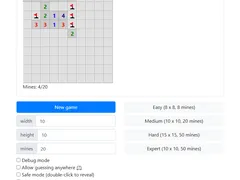
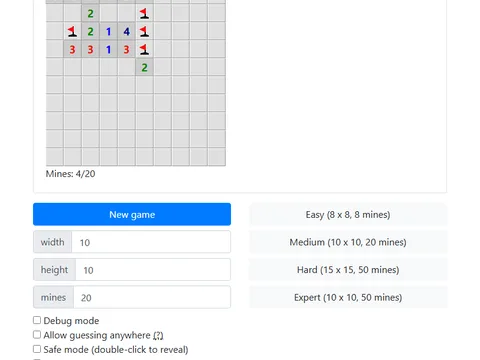
- Pick Easy, Medium, Hard or Expert below the board, or set your own size and mine count, then press New game.
- Click or tap any square to start the round. Your very first click is always safe.
- Read the numbers to work out which squares must be safe and which must hide mines.
- Right-click, or press and hold on touch screens, to flag the squares you know are mines.
- Only guess when no square can be proven safe, and keep going until only mines remain covered.
Logic Mines Controls
| Input | Action |
|---|---|
| Left-click or tap | Reveal a square |
| Right-click | Cycle flag, question mark, blank |
| Press and hold (touch screens) | Cycle flag, question mark, blank |
| Double-click or middle-click a number | Open all its neighbors once its mines are flagged |
| New game button | Start a new board |
How to Play Logic Mines on PC & Chromebook
Logic Mines is easiest with a mouse on a laptop or Chromebook. Left-click to reveal a square and right-click to flag it. Once a number has all its mines flagged, double-click or middle-click it to open the rest of its neighbors at once. A touchpad also works, as long as you know how to right-click on it.
- Choose a preset or set your own width, height and mine count, then click New game.
- Left-click a square to reveal it and read the number underneath.
- Right-click squares you know are mines to place a flag.
- Double-click a fully flagged number to open its remaining neighbors.
Desktop tip: On a Chromebook touchpad, a two-finger tap acts as a right-click. That is the quickest way to place flags without plugging in a mouse.
How to Play Logic Mines on Mobile
Logic Mines works on phones and tablets. Tap a square to open it, and press and hold for about half a second to place a flag. Holding again changes the flag to a question mark, and a third hold clears it. Small screens make the squares tiny, so a smaller board or safe mode makes play much more comfortable.
- Pick Easy or Medium at first, since smaller boards are easier to manage on a phone.
- Tap a square to reveal it.
- Press and hold a square for half a second to flag it.
- Turn on safe mode so a square needs a double tap before it opens.
Mobile tip: Use the hint button instead of guessing when you feel stuck. On a small screen, it saves you from risky taps and tells you whether a safe square still exists.
Tips and Tricks
- Scan the whole edge of the open area before any risky click. A guess only works when there is no provably safe square left anywhere.
- Flag mines as soon as you are sure. The double-click shortcut on a number only opens its neighbors once the right flags are in place.
- Press the hint button when you are stuck. It tells you if a safe square exists, if you must guess, or if one of your flags is wrong.
- Turn on countdown mode for crowded boards. In that mode, a number counts only the mines around it that you have not flagged yet, which makes many patterns simpler.
- Switch on safe mode if you play on a small screen. With it on, you must double-click to open a square, so one accidental tap will not end your round.
Game Info
| Game | Logic Mines |
|---|---|
| Developer | Paweł Marczewski |
| Genre | Puzzle |
| Players | Single player |
| Works on | Chromebook, PC, Mac, tablet and phone |
| Price | Free, no sign-up |
| Hosting | Served from Classroom 7x's own servers |
| License | MIT (original source, license, credits) |
Logic Mines FAQ
Why did I lose on what looked like a 50/50 guess?
The board has no fixed mine layout. When you click a maybe-mine square even though a safe one exists elsewhere, the game puts a mine there. Find the square you can prove is safe and open that first.
Can I undo a losing move?
Yes. Press Undo after a loss to reverse the move that ended the round, and then keep playing. It is a good way to learn which clue you missed.
Are guesses far from the open area protected?
Not by default. Only guesses next to the revealed numbers are covered by the safe-guess rule. If you want that protection everywhere, tick the Allow guessing anywhere option before you play.