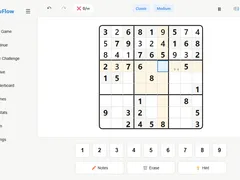

Every row, column and box needs the digits 1 to 9, and each one only once. Sudoku Flow unblocked turns that classic logic challenge into a calm, tidy workspace with notes, hints and lessons. You can play it on Classroom 7x right in Chrome, so there is no app to install and no account to create before your first puzzle.
About Sudoku Flow
Sudoku Flow was built by Bharani Kumar S and shared as open-source code. Each puzzle comes from a generator that removes numbers only while the grid still has exactly one solution, so careful logic always works. You can choose Easy, Medium, Hard, Expert or Insane, or use the Custom slider to set the clue count yourself. Easy boards hand you plenty of starting digits, while Insane gives you barely enough to begin.
Modes change the feel of a session. Classic is the standard game, Zen is relaxed, Infinite rolls straight into a new grid after each solve, and the Daily Challenge gives everyone one puzzle per date. Hardcore ends on your third mistake, and Timed Rush gives you ten minutes. Your score begins at 2,000 and drops for mistakes, hints and time. A Learn section explains named techniques, and six color themes let you change the look.
How to Play Sudoku Flow
- Open New Game, then choose a difficulty and a mode before the grid appears.
- Select an empty cell with a click or tap, then fill it using the 1 to 9 keys or the number pad.
- Make sure each digit appears once per row, once per column and once inside each 3x3 box.
- Switch on Notes with N when you want to jot small candidate numbers in a cell.
- Ask for a hint with H if you get stuck, keeping in mind that hints cost points and time.
Sudoku Flow Controls
| Input | Action |
|---|---|
| Arrow keys or click | Move to or select a cell |
| 1 to 9 | Enter a digit in the selected cell |
| Backspace / Delete | Clear the selected cell |
| N | Turn pencil notes on or off |
| H | Get a hint |
| Ctrl+Z / Ctrl+Y | Undo or redo |
| P | Pause the game |
| ? | Show the full list of shortcuts |
| Tap a cell, then the number pad | Play on touch screens, using the Notes, Erase and Hint buttons |
How to Play Sudoku Flow on PC & Chromebook
Sudoku Flow is at its best on a Chromebook or laptop, where the keyboard shortcuts save a lot of clicking. Arrow keys move around the grid, number keys fill cells, and single letters handle notes, hints and pausing. The wide board fits comfortably beside the number pad and tool buttons. Press the question mark key at any time to see every shortcut in one list.
- Open the game and choose New Game, then pick a difficulty and mode.
- Use the arrow keys to move between cells and type 1 to 9 to fill them.
- Press N for notes, H for a hint, and Ctrl+Z to undo a slip.
- Press P to pause if you need to step away from the timer.
Desktop tip: Keep one hand on the number row and the other on the arrow keys. You will solve faster than by clicking each cell.
How to Play Sudoku Flow on Mobile
On a phone or tablet, Sudoku Flow switches naturally to taps. Touch a cell to select it, then press a digit on the on-screen number pad. The Notes, Erase and Hint buttons sit right beside the pad, so you never need a keyboard. Your grid, notes and timer are saved in the browser, which makes it easy to finish a puzzle later.
- Open Sudoku Flow and start a new puzzle from the menu.
- Tap an empty cell, then tap a number on the pad below.
- Tap Notes before entering digits you are not sure about yet.
- Tap Hint or Erase whenever you need help or want to fix a cell.
Mobile tip: If the cells feel tiny, turn your phone sideways so the board gets more room, or save the Expert and Insane grids for a tablet.
Tips and Tricks
- Begin with the most crowded row, column or box. When only one or two cells are empty, the missing digits are often obvious.
- Pick a single digit and track it across all nine boxes. Seeing where a 4 cannot go often shows where it must go.
- Click any filled cell to highlight every matching digit on the board. It makes gaps in rows and boxes much easier to spot.
- On Expert and Insane grids, fill in notes early. Pairs of candidates sharing two cells can rule out numbers elsewhere.
- Set the hint level to 1 in Settings if you want a nudge toward the right area without being handed the answer.
Game Info
| Game | Sudoku Flow |
|---|---|
| Developer | Bharani Kumar S |
| Genre | Puzzle, Learning |
| Players | Single player |
| Works on | Chromebook, PC, Mac, tablet and phone |
| Price | Free, no sign-up |
| Hosting | Served from Classroom 7x's own servers |
| License | MIT (original source, license, credits) |
Sudoku Flow FAQ
Which mode should I start with?
Classic on Easy or Medium is a good first choice. Once you feel confident, try Zen for a slower pace, Infinite for back-to-back puzzles, or Hardcore if you want each mistake to really count.
Do hints have a cost?
Yes. Each hint takes 50 points off your score, and by default it also adds 30 seconds to your time. You can choose between three hint levels in Settings, from a gentle pointer to a filled-in cell.
Can I learn new solving methods here?
Yes. The Learn section has lessons on techniques including naked pairs, hidden singles, pointing pairs, Swordfish and X-Wing. Reading one before you try a harder puzzle can make stuck moments much shorter.