Is 7 x 6 really 43? Math Sprint Game unblocked asks you that kind of question again and again, as quickly as you can answer. You do not type any numbers. You just decide if each equation is right or wrong. It runs on Classroom 7x in your Chrome browser, which makes it a handy warm-up before a math class.
About Math Sprint Game
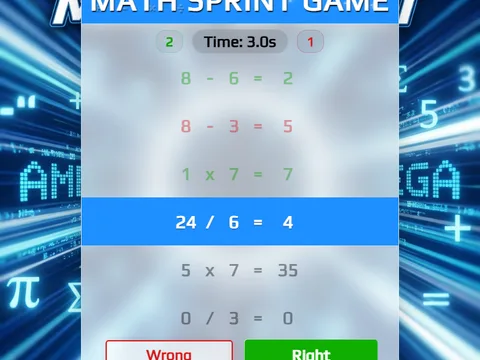
Amey Thakur and Mega Satish built this game as a college project focused on clear interface design, then released the code under an open-source license. The screen is kept simple on purpose, with one equation in a blue bar and two large buttons below it. Every problem combines small numbers with one of four operations, so the real test is speed and focus, not hard math. You can also see upcoming equations underneath and read ahead.
Before a round, you choose how long it will be: 10, 25, 50 or 99 questions. A short countdown with beeps plays, and the timer starts when you give your first answer. Wrong equations are only slightly off, usually by one or two, which makes them easy to miss. Each wrong call adds half a second to your final time. The menu keeps a best time for every round length, and a Share Score button saves a picture of your result.
How to Play Math Sprint Game
- On the opening screen, decide how long your round is: 10, 25, 50 or 99 questions.
- Press Start Round and wait for the 3, 2, 1 countdown to finish.
- Read the equation in the blue bar and decide if the answer shown is correct.
- Press Right if the math checks out, or Wrong if the answer is off.
- Finish every question, then look at your base time, penalty and final time on the results screen.
Math Sprint Game Controls
| Input | Action |
|---|---|
| Click a question count | Set the round length to 10, 25, 50 or 99 questions |
| Start Round button | Begin the countdown |
| Right / Wrong buttons | Judge the highlighted equation |
| Play Again / Share Score | Go back to the menu, or save a picture of your result |
| Tap (touch screens) | Use the same buttons with your finger |
How to Play Math Sprint Game on PC & Chromebook
Math Sprint Game is played entirely with the mouse or touchpad on a Chromebook or laptop. There are no keyboard shortcuts for answers, so keep your pointer near the Right and Wrong buttons for quick clicks. The layout is narrow and tall, which leaves plenty of room on a wide screen. Your best time for each round length is saved in your browser.
- Open the game and click the number of questions you want.
- Click Start Round and watch the countdown.
- Click Right or Wrong for each equation in the blue bar.
- Review your times, then click Play Again to try to beat them.
Desktop tip: Park your pointer between the two answer buttons. Moving only a short distance each time saves a surprising amount of time.
How to Play Math Sprint Game on Mobile
This game is very comfortable on a phone. The layout shrinks to fit a narrow screen, and the two big answer buttons sit near the bottom where your thumbs can reach. Every action is a simple tap, from choosing a round to starting the countdown. Hold the phone upright and use both thumbs, one for Right and one for Wrong.
- Open Math Sprint Game and hold your phone in portrait mode.
- Tap a round length, then tap Start Round.
- Tap Right or Wrong for each equation as it reaches the blue bar.
Mobile tip: Keep your left thumb over one button and your right thumb over the other, so you never have to move a finger across the screen.
Tips and Tricks
- Look at the last digit of each answer first. Wrong answers are only one or two away, so the ones place often gives them away.
- Slow down a little on problems with zero in them. Equations like 8 x 0 or 5 - 0 are easy to misjudge when you are rushing.
- Check division by multiplying backward. For 30 / 5 = 6, ask yourself whether 5 times 6 makes 30.
- Do not freeze on a tricky line. A wrong answer costs half a second, but a long pause can cost you even more time.
- Glance at the next equation while your finger is still moving. Reading ahead keeps your rhythm smooth on longer rounds.
Game Info
| Game | Math Sprint Game |
|---|---|
| Developer | Amey Thakur & Mega Satish |
| Genre | Learning, Casual |
| Players | Single player |
| Works on | Chromebook, PC, Mac, tablet and phone |
| Price | Free, no sign-up |
| Hosting | Served from Classroom 7x's own servers |
| License | MIT (original source, license, credits) |
Math Sprint Game FAQ
Is a lower final time better?
Yes. Your final time is how long you took plus half a second for every wrong answer. The smaller that number, the better you did, and a new low replaces your saved best.
Which round length should I pick first?
Start with 10 questions to learn the pace. Once you can finish with few mistakes, move up to 25, then 50. The 99-question round is a real test of focus.
Can I see which ones I got wrong?
Yes. As you answer, each equation turns green for a correct call or red for a wrong one. You can scan the colors to spot the kinds of problems that trip you up.