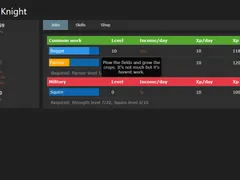
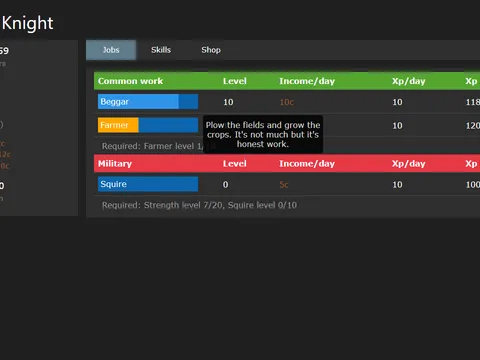
You start as a 14-year-old beggar with no coins and a short life ahead. Progress Knight unblocked is a text-based idle game about choosing jobs and skills wisely before time runs out. Classroom 7x hosts it on its own servers, so you can play it in Chrome on a Chromebook with no download and no sign-up.
About Progress Knight
Progress Knight was created by ihtasham42 and released into the public domain. It is an idle game, which means days tick by on their own while your character works and learns. At any moment you have a single job and a single skill in training. Your job earns money, and your skill gains experience in the background. Reaching level 10 in one job, plus certain skill levels, unlocks the next job on that path, from beggar up toward military or magic careers.
Money uses four units, c, s, g and p, and each one is worth 100 of the unit before it. The Shop sells homes that raise your happiness and items that speed up certain skills, but every purchase costs money each day. If your balance drops below zero, you lose them all. You begin with a 70-year lifespan. Later, an amulet lets you be reborn with permanent xp bonuses, and at age 200 a darker path opens.
How to Play Progress Knight
- Click a job row to start working it, and click a skill row to start training that skill.
- Watch your income and expenses, and keep the Net/day number above zero at all times.
- Visit the Shop once you have savings, and move to better homes or buy items that boost skills.
- Unlock new jobs by maxing earlier ones to level 10 and reaching the listed skill targets.
- Open the Amulet tab after age 65 and touch the eye to be reborn with xp bonuses.
Progress Knight Controls
| Input | Action |
|---|---|
| Click a progress bar | Choose your current job or skill |
| Click a tab | Move to the Jobs, Skills, Shop, Amulet or Settings tab |
| Click an item button | Move to a home or turn a shop item on or off |
| Pause button | Pause or resume time |
| Sidebar checkboxes | Turn on auto-promote or auto-learn |
| Tap (touch screens) | Use every button and tab with taps |
How to Play Progress Knight on PC & Chromebook
Progress Knight is a menu-based game, so a mouse on a laptop, desktop or Chromebook is all you need. The wide screen fits the job and skill tables, the sidebar with your stats and the tabs at the top. You can leave the tab open while you do other things, since days pass on their own, and the game saves itself every few seconds.
- Click a job and a skill to set what your character does each day.
- Check the sidebar for your age, balance and Net/day.
- Open the Shop tab when you can afford a home or an item.
- Use the Amulet tab to be reborn once your life nears its end.
Desktop tip: Export your save from Settings now and then and keep the text somewhere safe, in case your browser data gets cleared.
How to Play Progress Knight on Mobile
Progress Knight responds to taps, so you can pick jobs, switch tabs and shop on a phone or tablet. The layout was built for a wide screen, though, with several tables and a sidebar. On a phone you may need to scroll or zoom to see everything. A tablet turned sideways, or a Chromebook, gives a much clearer view of your progress.
- Turn your phone or tablet sideways for more room.
- Tap a job and a skill row to choose what your character does.
- Tap the tabs to visit the Shop, Amulet and Settings.
Mobile tip: Use Settings to export your save on one device and import it on another, so your life story follows you.
Tips and Tricks
- Train Strength early. Level 5 opens the military path, and it is also needed for jobs like Miner and Blacksmith.
- Buy the Book as one of your first items. It is cheap and speeds up skill xp, so every later skill trains faster.
- Add a new home or item only when your Net/day still stays clearly positive after paying for it.
- Do not rush your first rebirth. Your bonus depends on your highest levels, so a longer life pays off in the next one.
- Auto-learn trains skills for you, so mark Skip on any you do not need. That keeps the automation focused on the useful ones.
Game Info
| Game | Progress Knight |
|---|---|
| Developer | ihtasham42 |
| Genre | Clicker & Idle, Casual |
| Players | Single player |
| Works on | Chromebook, PC and Mac (touch screens work, mouse is more precise) |
| Price | Free, no sign-up |
| Hosting | Served from Classroom 7x's own servers |
| License | Unlicense (original source, license, credits) |
Progress Knight FAQ
What happens when my character gets too old?
Time stops and a red message says age has caught up with you. Your progress in that life is over. Go to the Amulet tab and touch the eye, and you begin again at 14 with xp bonuses.
Why did I lose my house and items?
Your balance fell below zero. If you spend more each day than you earn, you end up homeless again and all of your shop items turn off. Check Net/day before you upgrade anything.
Is my progress saved?
Yes. The game saves to your browser every few seconds. The Settings tab also lets you export the save as text and bring it back in with import, which is handy if you switch devices.











