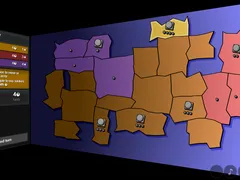

Compact Conflict unblocked is a quick turn-based strategy game where armies fight for land on a randomly made map. You win by owning the most regions when the turns run out. Classroom 7x serves it from its own servers, so it opens in Chrome with no download, and two to four friends can share one screen.
About Compact Conflict
Jakub Wasilewski wrote Compact Conflict for the js13kGames contest in 2014, where every entry had to fit in 13 kilobytes. Even so, it packs in a full strategy game. Up to four colors compete, and each one can be run by a person, run by the computer or switched off. The computer comes in four moods: Nice, Rude, Mean and Evil. You also choose a match length of 9, 12 or 15 turns, or no limit at all.
Temples are the heart of the game. Each one you hold adds a soldier every turn, and soldiers standing in temples earn faith. Faith buys more soldiers or one of four elemental upgrades. Water boosts your faith income, Fire protects attackers, Air grants extra moves, and Earth weakens invaders before a battle. Each element has two levels, but a temple can hold only one, and losing the temple means losing its blessing.
How to Play Compact Conflict
- On the setup screen, choose Human, AI or Off for each color, then pick a difficulty and match length.
- On your turn, click one of your regions, then click it again to change how many soldiers will move.
- Click a bordering region to march there, claiming empty land or starting a battle with enemy troops.
- Use your three moves each turn, keeping in mind that troops who just conquered a region must rest.
- Click a temple you own to spend faith on extra soldiers or an elemental upgrade.
- Press end turn, and keep expanding until the final turn decides who owns the most regions.
Compact Conflict Controls
| Input | Action |
|---|---|
| Click one of your regions | Select an army |
| Click the selected region again | Change how many soldiers move |
| Click a neighboring region | Move or attack |
| Click a temple, then a panel button | Buy a soldier or an upgrade |
| Side panel buttons | Undo or end your turn |
| Round icons, bottom right | Sound, rules and restart |
| Tap (touch screens) | Works the same as clicking for every action |
How to Play Compact Conflict on PC & Chromebook
Compact Conflict is played entirely with clicks, so a mouse or trackpad on a Chromebook or laptop is all you need. The map fills most of the screen and a side panel shows your moves, faith and buttons. A bigger screen helps you read the soldier counts on every region. With friends at the same computer, simply hand over the mouse when your turn ends.
- Set each color to Human, AI or Off, then choose difficulty and turns.
- Click your region, then click it again to cycle how many soldiers will go.
- Click a neighboring region to move in or attack.
- Spend faith at your temples, then click end turn.
Desktop tip: Open the rules from the round icon at the bottom right before your first match, so faith and temples make sense from turn one.
How to Play Compact Conflict on Mobile
Compact Conflict works on tablets and phones because every action is a tap. You tap regions to select and move troops, and tap temple buttons to buy upgrades. The map has many small regions, so a tablet or a phone held sideways gives the most comfortable view. It also makes a handy pass-and-play game for two to four people sharing one device.
- Turn your device sideways and set up the players on the first screen.
- Tap one of your regions, then tap it again to choose how many soldiers move.
- Tap a bordering region to march or attack.
- Tap a temple to buy soldiers or upgrades, then tap end turn.
Mobile tip: Pinch zoom can push the side panel off screen. Use fullscreen instead to make the whole map larger.
Tips and Tricks
- Rush for neutral temples in the opening turns. Each one creates a free soldier every turn, and that steady supply adds up fast.
- Bring a clearly bigger army before attacking. Even fights are close to a coin flip, but a large edge makes a win far more likely.
- Leave at least one soldier standing on each temple. Those soldiers earn faith every turn and make the temple harder to steal.
- Undo only works if no real battle happened, so double-check your target before you send troops into enemy land.
- In the final two turns, spread single soldiers into every empty or weak region you can reach, since land is all that counts.
Game Info
| Game | Compact Conflict |
|---|---|
| Developer | Jakub Wasilewski |
| Genre | Strategy, 2 Player |
| Players | Multiplayer |
| Works on | Chromebook, PC, Mac, tablet and phone |
| Price | Free, no sign-up |
| Hosting | Served from Classroom 7x's own servers |
| License | Zlib (original source, license, credits) |
Compact Conflict FAQ
How many people can play Compact Conflict?
Up to four. Each color can be set to Human, AI or Off, so you can play alone against the computer, face one friend, or fill all four seats with people taking turns on one device.
What decides the winner?
When the last turn ends, the side that owns the most regions wins, and a tie for first place is a draw. A match can also end early if only one player still holds any land at all.
Why can't I undo my last move?
Undo only takes back moves that did not involve a real fight. Once a battle has been decided by chance, the result is locked in, and the Undo button stays gray until you make another safe move.