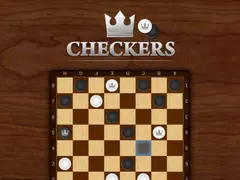
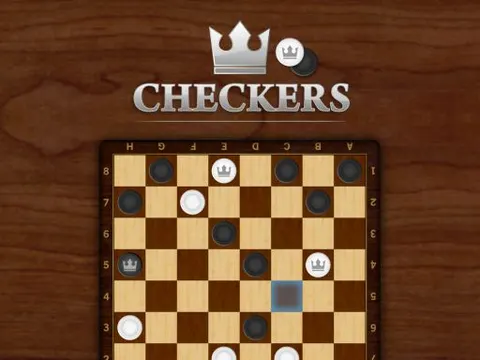
Checkers unblocked brings the timeless strategy board game to your screen, with no board to set up and no pieces to lose. Play a solo match against the computer, or take on a friend in a head-to-head game. Classroom 7x keeps it simple: click a piece, pick a highlighted square and start plotting your opponent's downfall.
About Checkers
Known as draughts in many countries, this is one of the oldest and most widely played strategy games around. Each side begins with 12 pieces arranged on the three rows closest to them. Pieces move one space diagonally forward, and you capture an opponent's piece by jumping over it into the empty square just beyond. When the landing squares line up, you can chain several jumps together in one turn and wipe out a whole group at once.
You win by capturing every enemy piece or by boxing your opponent in so they have no available moves left. Reach the far side of the board and a piece is crowned king, letting it move diagonally backward as well as forward. This version of Checkers makes moves easy to see, since clicking a piece highlights its available squares in blue. That keeps it friendly for beginners while still giving experienced players plenty of tactical depth to explore.
How to Play Checkers
- Choose single-player mode to face the computer, or the multiplayer option to play against a friend.
- Click one of your pieces to see its available moves highlighted as blue tiles on the board.
- Click a blue tile to move your piece one square diagonally forward to that spot.
- Jump over an opponent's piece into the empty square beyond it to capture that piece.
- Reach the far row to crown a king that can move both forward and backward.
- Capture all enemy pieces or leave your rival with no available moves to win the game.
Checkers Controls
| Input | Action |
|---|---|
| Click a piece | Select it and show its moves |
| Click a blue tile | Move the selected piece there |
Tips and Tricks
- Keep your back row filled for as long as you can. Those pieces make it much harder for your opponent to reach your side and crown kings.
- Control the center of the board. Pieces in the middle have more options and can support each other better than pieces stuck on the edges.
- Move pieces in pairs. A piece with a friendly piece directly behind it cannot be jumped from the front, because there is no empty landing square.
- Before every move, check whether it gives your opponent a jump. Offering one piece to set up a double capture is a common trap, so count carefully.
- Push for a king when the board opens up. Kings can move backward too, which makes them perfect for chasing down the last few enemy pieces.
Game Info
| Game | Checkers |
|---|---|
| Genre | Card & Board, 2 Player |
| Players | 1 or 2 players |
| Works on | Chromebook, PC and Mac (keyboard recommended) |
| Price | Free, no sign-up |
Checkers FAQ
How do you win at Checkers?
You win by capturing all of your opponent's pieces, or by positioning your own pieces so the other player has no available moves on their turn. Either way, the game ends and the victory is yours.
Can you play Checkers with a friend?
Yes. Besides the single-player mode against the computer, there is a multiplayer option for playing against a friend. You take turns clicking your pieces and the highlighted blue tiles to make each move.
Is checkers the same as draughts?
Yes, draughts is simply another name for checkers, commonly used in the UK and many other countries. The basics are the same: 12 pieces per side, diagonal moves and captures made by jumping over an opponent's piece.
Can I play Checkers on a school Chromebook?
Yes. Checkers runs in the Chrome browser on Chromebooks, Windows PCs and Macs with nothing to install. It is designed for a keyboard and mouse, so it plays best on a computer rather than a phone.
Is Checkers free to play?
Yes, Checkers is completely free on Classroom 7x. There is no download, no account and no sign-up. Press Play and the game loads right on this page.