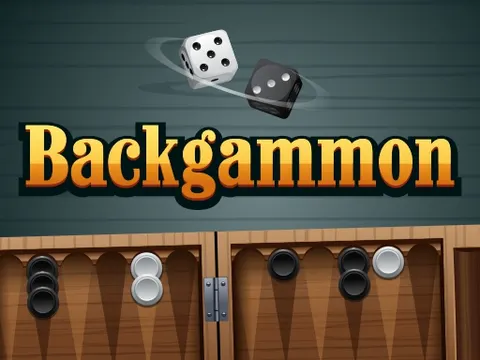
Backgammon unblocked gives you the full classic dice game in your browser, including the doubling cube and gammon scoring. Face a computer at Easy, Medium or Hard, or share the screen with a friend. Classroom 7x hosts the game itself, so you just open the page in Chrome and start rolling, with no download or account.
About Backgammon
Christopher Müller built this Backgammon as part of PaperGames, his open-source collection of board games. Each player has 15 checkers that move in opposite directions around 24 points. Two dice are rolled each turn, and each die moves a checker by its own number, so a double gives four moves. Points with two or more enemy checkers on them are closed to you. Landing on a single enemy checker hits it and sends it to the bar.
Its owner must bring a hit checker back into play through the opponent's home board before moving any other checker. Once all 15 of your checkers reach your home board, you can bear them off. The first player to remove every checker wins. A plain win is 1 point, a gammon is 2 and a backgammon is 3, and the doubling cube multiplies the result. A live pip count shows who is ahead.
How to Play Backgammon
- Open Menu, choose vs Computer or 2 Player (local), and press New game to set up the board.
- Press Roll dice, then click a point with your checker and click the point where it should go.
- Use each die as a separate move. If you roll a double, you get to move four times.
- Bring any checker on the bar back into play first by entering it in the other side's home board.
- Once all your checkers are home, select one and press Off to bear it off the board.
Backgammon Controls
| Input | Action |
|---|---|
| Click or tap Roll dice | Roll the dice |
| Click or tap a point, then the target | Move a checker (select the Bar to re-enter) |
| Off button | Bear off the selected checker |
| Double button | Offer a double before you roll |
| Undo / Resign / Moves buttons | Take back a move, give up, or show the move list |
| Tab, arrow keys + Enter | Play with the keyboard |
How to Play Backgammon on PC & Chromebook
Backgammon is a point-and-click game on a computer, so a mouse or touchpad is all you need. Click Roll dice, then click a point holding your checker and click where it should land. Keyboard users can tab to the buttons and use the arrow keys with Enter to pick points. Settings let you change text size, contrast and computer speed.
- Click Menu, choose a mode, and click New game.
- Click Roll dice to throw both dice for your turn.
- Click a point with your checker, then the target point, once for each die.
- Click Undo to take back a move, or Moves to see the full move list.
Desktop tip: Before you move, read the pip count line under the dice. It tells you at a glance whether you should race home or play a slower, blocking game.
How to Play Backgammon on Mobile
Every point and button in this Backgammon responds to a tap, so it plays well on phones and tablets. Tap Roll dice, tap a point with your checker, then tap where it should go. Two people can share one device by passing it after each turn. The board, dice and move list are saved in the browser, so you can pick up later.
- Tap Menu and choose vs Computer or 2 Player (local), then tap New game.
- Tap Roll dice to start your turn.
- Tap a point holding your checker, then tap the point where it should move.
- Tap Off to bear off once all your checkers are in your home board.
Mobile tip: Turn on a larger text size in Settings if the labels feel small. It makes the pip count and buttons easier to read on a phone.
Tips and Tricks
- Check the pip count under the dice before risky plays. If you are well ahead in the race, playing safe usually beats hitting.
- A lone checker sitting six or fewer points from an enemy checker is the easiest target, since one die is enough to hit it. Try not to leave one there.
- Build several held points next to each other. A wall of blocked points makes it very hard for a trapped checker to escape.
- Offer a double when you are far ahead. The computer refuses when it trails by 16 or more pips, so you collect the cube value at once.
- Switch to Hard when Medium stops being a challenge. Hard weighs the odds of every loose checker being hit, so it leaves you fewer openings.
Game Info
| Game | Backgammon |
|---|---|
| Developer | Christopher Müller |
| Genre | Card & Board, 2 Player |
| Players | 1 or 2 players |
| Works on | Chromebook, PC, Mac, tablet and phone |
| Price | Free, no sign-up |
| Hosting | Served from Classroom 7x's own servers |
| License | MIT (original source, license, credits) |
Backgammon FAQ
How does the doubling cube work here?
The Double button is ready before you roll whenever the cube is centered or on your side. The computer refuses only when it is behind by 16 pips or more, and it will not offer a double on its own. A friend answers in a pop-up.
What is a gammon?
A gammon is a 2-point win, scored when the loser has not borne off a single checker. When the losing side is also stuck with a checker on the bar or within the winner's home board, the win becomes a backgammon worth 3.
What if I have no legal move?
Your turn simply passes. The game also forces you to play as many dice as possible, and when just one die fits, it must be the larger one, so you cannot skip a move on purpose.