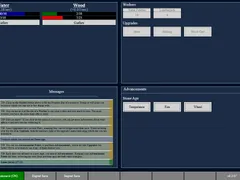
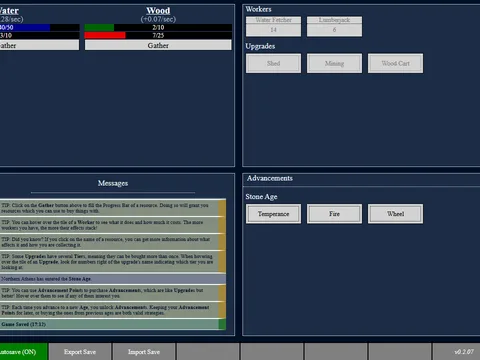
Realm of Ages Clicker unblocked starts you with nothing but a bucket of water and a Gather button. Click to fill progress bars, hire workers to do the clicking for you, and grow your realm through the ages. It is all text and buttons, with no flashy graphics. Classroom 7x hosts it on its own servers, and your progress autosaves in the browser.
About Realm of Ages Clicker
This game is a modified version of an open-source idle game by a developer credited only as Sam. Next to each resource you will find a Gather button with a red progress bar. One unit of water takes 10 clicks, wood takes 25 and stone takes 50, so gathering by hand gets slow quickly. That is where workers come in. Water fetchers, lumberjacks and buildings produce resources every second, though each one you buy costs more than the last.
Each resource also has a storage cap, so you will need storage upgrades as you grow. The most important purchases are age upgrades. Every new age earns you an Advancement Point for special research, like Fire or the Wheel, and unlocks new things, from iron to silver and diamond. Your realm moves from the Stone Age through later eras toward the Age of Revolution. Starting a colony resets your realm but keeps the points you earned.
How to Play Realm of Ages Clicker
- Buy the free Water upgrade first, then click Gather under water to start filling its progress bar.
- Hire Water Fetchers and other workers as soon as you can so resources keep coming in without clicks.
- Buy storage upgrades when a resource hits its cap, since gathering does nothing once storage is full.
- Save up for age upgrades, then spend each Advancement Point on special research that opens new options.
- Open the Prestige menu when progress slows to start a colony and keep your Prestige and Advancement Points.
Realm of Ages Clicker Controls
| Input | Action |
|---|---|
| Click Gather | Gather a resource |
| Click a tile | Buy a worker, building, upgrade or trade |
| Hover a tile or click a resource name | See costs and effects |
| Ctrl + click a tile | Sell a worker or building |
| Tap (touch screens) | Gather, buy and view resource details |
| Messages / Statistics / Achievements / Settings | Switch menu panels |
How to Play Realm of Ages Clicker on PC & Chromebook
Realm of Ages Clicker is a good fit for a Chromebook or laptop. The layout is wide, and hovering over a tile shows its full cost and effect before you buy. A mouse makes the early clicking faster, and the Ctrl key lets you sell workers or buildings you no longer need. Settings has eight color themes if you want a different look.
- Click the free Water upgrade, then click Gather to fill the bar.
- Hover over worker and building tiles to compare their costs.
- Click tiles to buy, or hold Ctrl and click to sell one.
- Check Statistics and Achievements to track how your realm is doing.
Desktop tip: Hover before every big purchase. The tooltip shows exactly what a tile costs and produces, so you avoid spending your stockpile on the wrong upgrade.
How to Play Realm of Ages Clicker on Mobile
You can play Realm of Ages Clicker on a phone or tablet, but it has some limits. Taps work for gathering and buying, and a tap on a resource name opens its details. However, you cannot sell without a Ctrl key, and the wide layout and hover tooltips are designed for bigger screens. A Chromebook or laptop gives the smoothest experience.
- Turn your device sideways to fit more of the wide layout.
- Tap Gather under a resource to fill its progress bar.
- Tap a tile to buy a worker, building or upgrade.
- Tap a resource name to see its details.
Mobile tip: Buy carefully on touch, since you cannot sell without a Ctrl key. Check the details first so you do not end up with workers you cannot afford to keep.
Tips and Tricks
- Stop clicking for water by hand as soon as you can afford Water Fetchers. Workers soon outpace even the fastest clicking.
- Check the storage bar above each resource. Once it is full, extra gathering is wasted, so raise the cap or spend first.
- Read the tier number in each upgrade's tooltip. Certain upgrades can be purchased more than once, and the tooltip tells you your current tier.
- Pick your leader with care. Each colony allows just one leader, and you unlock more historical figures to choose from as your realm advances.
- If a worker's upkeep becomes too costly, sell one by clicking its tile while holding Ctrl, instead of letting your resources drain.
Game Info
| Game | Realm of Ages Clicker |
|---|---|
| Developer | Sam |
| Genre | Clicker & Idle, Casual |
| Players | Single player |
| Works on | Chromebook, PC and Mac (touch screens work, mouse is more precise) |
| Price | Free, no sign-up |
| Hosting | Served from Classroom 7x's own servers |
| License | GPL-3.0 (original source, license, credits) |
Realm of Ages Clicker FAQ
Why does one click not give me a full resource?
Each click fills part of the red progress bar under the resource, and a full bar gives one unit. Water takes 10 clicks, wood 25 and stone 50, which is why workers become the faster choice.
What does starting a colony do?
Starting a colony is how this game handles prestige. Everything in your realm resets, except your Prestige Points and Advancement Points. You can spend Prestige Points on permanent skills, and those skills stay with you from one colony to the next.
Can I back up my progress?
Yes. The game autosaves in your browser, and Settings lets you export your save and import it later. That way a cleared browser does not have to mean starting your realm from scratch.











