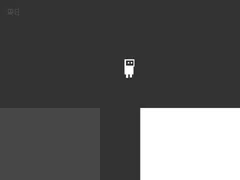
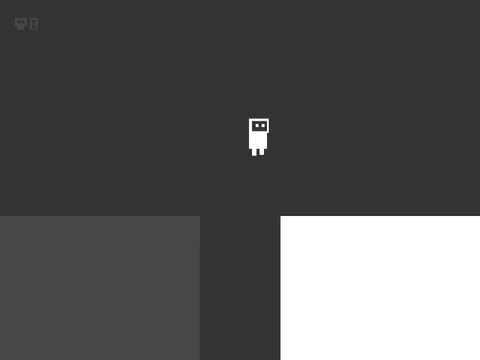
OnOff unblocked is a tidy puzzle platformer built around one key that changes the whole level. Press it, and solid platforms turn into ghosts while faint ones become solid. You can play it on Classroom 7x in Chrome with no download and no account required, and each level is short enough to retry many times.
About OnOff
OnOff was made by Daniel Marino and Brad Dunbar for the 2018 js13k contest, with crisp SVG shapes and a cheerful soundtrack. On every screen, your small robot is trying to reach a star. The world has two layers, one dark and one light, but just one of them is solid at any moment. You can walk straight through the other, which appears as a faint outline. Across 25 levels, simple jumps give way to tricky layered puzzles with spikes.
Three things break your robot apart: falling off the screen, touching spikes on the active layer, or standing in a spot where a block turns solid after a switch. The level restarts instantly, and you can try as many times as you like. A star counter tracks cleared levels, while a skull counter tracks falls. From the title menu you can also open a level editor with a help panel to build a stage and test it right away. Gamepads work too.
How to Play OnOff
- Choose Start Game on the title menu using the arrow keys and Enter.
- Move with A and D or the Left and Right arrows, and jump with W or Up.
- Press Space to swap which layer of platforms is solid and which is see-through.
- Flip layers in midair to land on platforms that were not there a moment ago.
- Reach the star to clear the level and load the next one.
OnOff Controls
| Input | Action |
|---|---|
| A / D or Left / Right arrows | Move left or right |
| W or Up arrow | Jump |
| Space | Switch the solid platform layer |
| Up / Down arrows + Enter | Choose a menu item |
| Escape | Leave a custom level |
| P / S + U, D, L or R / G | Editor: add a platform, add spikes, test the level |
| Mouse drag / double-click / Shift + click | Editor: move or resize, change layer, delete |
| Gamepad | D-pad moves, bottom button jumps, right button switches layers |
How to Play OnOff on PC & Chromebook
OnOff is a keyboard game at heart, which makes a Chromebook or laptop the right fit. Your left hand handles walking and jumping with W, A and D, while a thumb rests on Space for switching layers. The arrow keys work for movement as well. Music starts after your first key press or click, so a quiet title screen is normal.
- Use the arrow keys and Enter to choose Start Game.
- Walk with A and D or Left and Right, and jump with W or Up.
- Press Space to swap the solid layer.
- Press Escape to leave a custom level you built in the editor.
Desktop tip: If keys stop responding, click inside the game window once. The page may have lost focus to something else on the screen.
How to Play OnOff on Mobile
OnOff does not have on-screen buttons, so phones and tablets cannot control the robot. You need a keyboard, or a gamepad connected to a computer, to move, jump and flip layers. For the best experience, open Classroom 7x on a Chromebook, laptop or desktop. The levels are short, so it works nicely during a quick break at a computer.
- Switch to a Chromebook, laptop or desktop computer.
- Open OnOff in Chrome and press Enter on Start Game.
- Use W, A, D or the arrows to move and Space to flip layers.
Mobile tip: Have a gamepad? Connect it to your computer, and the D-pad and face buttons can replace the keyboard.
Tips and Tricks
- Jump first, then switch at the top of your arc. As long as no new block appears where your robot is, a midair flip is safe.
- Before moving, study the faint outlines. They are the other layer, and your path often weaves between both sets of platforms.
- Spikes belong to a layer too. A strip that would break your robot becomes harmless after a flip.
- Some floors are stacked from both layers. Switch once to fall through the floor you are on, and switch back to catch the floor below it.
- Your jump height is fixed and fairly short. Take off right at the edge to clear the widest gaps.
Game Info
| Game | OnOff |
|---|---|
| Developer | Daniel Marino and Brad Dunbar |
| Genre | Adventure, Puzzle |
| Players | Single player |
| Works on | Chromebook, PC and Mac (keyboard required) |
| Price | Free, no sign-up |
| Hosting | Served from Classroom 7x's own servers |
| License | MIT (original source, license, credits) |
OnOff FAQ
Why did my robot break when I switched layers?
A switch turns the other layer's blocks solid. When one of them appears where your robot is standing, the robot is crushed and you start the level over. Before switching, make sure the space around you is empty.
What do the star and skull numbers mean?
The star counts your cleared levels, and the skull counts every time your robot has broken apart. Choosing Start Game again resets the level count to zero.
Can I make my own levels?
Yes. The title menu has a level editor. Press P to add a platform, use S with a direction key to add spikes, and press G to test your stage. A help panel explains the rest.