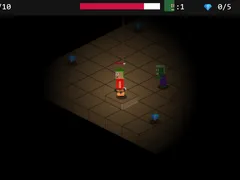
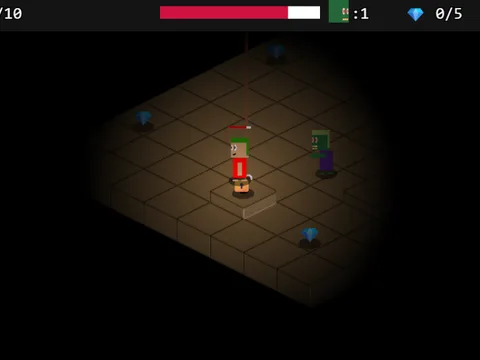
You fall through a manhole into pitch-black tunnels, and the only way home is up, one floor at a time. Escape the Catacombs unblocked is a short isometric escape game where a small circle of light is all you can see. Hunt for keys, fight off the undead and climb. Classroom 7x hosts it, so it opens in Chrome on a Chromebook without installing anything.
About Escape the Catacombs
The game started as Escape from Death Hole, an entry in the js13k 2022 contest, where every game must fit in 13 kilobytes. It was built on code from an earlier js13k game by Michael Ferron. All of the graphics are drawn in code, and the sound effects use a tiny sound library. Each floor is shown at an angle from above, and most of the room stays in shadow until you walk close to it.
Every floor holds a golden key and a padlock. Bring the key to the lock and a rope drops over the exit, ready to lift you to the next level. Undead arrive in waves, and each bite drains your red health bar. Swords let you fight back, but they wear down and break. Other trapped people also wander the halls. Clear ten floors and a final screen shows your time, diamonds collected, survivors and undead defeated.
How to Play Escape the Catacombs
- From the title screen, press Enter to drop into the first underground chamber.
- Walk around with the arrow keys or W A S D, exploring the dark until you find the golden key.
- Carry the key to the padlock and touch it to drop a rope over the exit tile.
- Once you are standing below the rope, the climb up to the next floor happens on its own.
- Pick up a sword and press Space to swing it when the undead get close.
Escape the Catacombs Controls
| Input | Action |
|---|---|
| Arrow keys or W / A / S / D | Move your character |
| Space or click | Jump, or swing your sword if you are holding one |
| Enter | Start the game, or retry a floor after being caught |
How to Play Escape the Catacombs on PC & Chromebook
Escape the Catacombs is a keyboard game, so a Chromebook or laptop is the way to play. You walk with the arrow keys or W A S D, and Space handles both jumping and sword swings. A mouse click also swings or jumps if that is easier for you. Enter starts the game and lets you retry a floor. Click the game once so it picks up your keys.
- Open the game and click once on the screen.
- Press Enter to drop into the catacombs.
- Move with the arrow keys or W A S D to find the key and padlock.
- Press Space to jump, or to swing a sword once you carry one.
Desktop tip: Use W A S D with your left hand and keep your right hand near Space or the mouse, so you can move and swing at the same time.
How to Play Escape the Catacombs on Mobile
Escape the Catacombs does not have touch controls. Moving your character needs keyboard keys, so a phone or tablet screen alone cannot play it. It works well on a school Chromebook, a laptop or a desktop computer instead. If you are on your phone right now, come back to this page when you have a keyboard nearby.
- Switch to a Chromebook, laptop or desktop computer.
- Open Classroom 7x and find Escape the Catacombs.
- Use the keyboard to move, jump and fight your way to the surface.
Mobile tip: A tablet paired with a Bluetooth keyboard may work, but a laptop or Chromebook gives the most reliable experience.
Tips and Tricks
- Look for a sword before anything else. Without one, Space only makes you jump, and you cannot fight back against a wave.
- Watch your blade get shorter as you swing. It breaks after twenty swings, so start looking for a new sword before that happens.
- Walk into another person carrying a sword to knock it loose. You can then pick it up and keep fighting.
- Leave pink hearts on the floor until you are hurt. They only refill health, so grabbing one at full strength wastes it.
- On deeper floors, collect goggles to widen your light for a while, and use the compass to sense where the undead are coming from.
Game Info
| Game | Escape the Catacombs |
|---|---|
| Developer | Santi Herranz, based on code by Michael Ferron |
| Genre | Adventure |
| Players | Single player |
| Works on | Chromebook, PC and Mac (keyboard required) |
| Price | Free, no sign-up |
| Hosting | Served from Classroom 7x's own servers |
| License | MIT (original source, license, credits) |
Escape the Catacombs FAQ
What are the diamonds for?
Diamonds do not unlock anything. They are a bonus to collect, and the final escape screen shows how many you picked up, along with your total time and how many undead you defeated.
What happens when my health runs out?
Your character turns into one of the undead. Press Enter to restart that same floor with a fresh character. You do not have to go back to the very first floor.
How many floors are there?
There are ten floors, counted from 0 up to 9. Climb out of floor 9 and you reach the surface, which ends the game and shows your results.