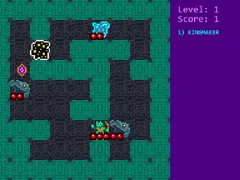
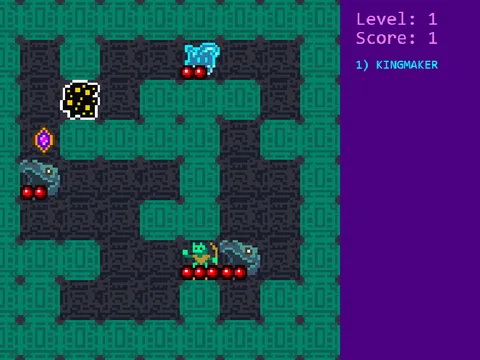
In Brough Dungeon unblocked, every step you take gives each monster on the floor a turn of its own. That turns a short walk across a tiny 9x9 room into a real puzzle. Grab gems, earn spells, and find the exit before the room fills up. Classroom 7x hosts the game on its own servers, so it runs in Chrome without downloads.
About Brough Dungeon
Jeremiah Reid made this game as the finished project of his open-source tutorial on building a compact roguelike in plain JavaScript. The pixel art and sound effects are his own work too. Each floor is a small grid with walls, monsters, three purple gems and one exit tile. Floors are built at random, so no two runs look the same. You begin with three hearts and one random spell, and the goal is to clear all six floors.
The game is strictly turn-based. Nothing moves until you do, so you can stop and think before every step. Walking into a monster attacks it and stuns it for a turn. There are five monster types, and each follows its own movement rule. Every third gem earns a new single-use spell, chosen from fifteen possibilities. New monsters keep arriving the longer you stay. A score table on the title screen tracks runs and winning streaks.
How to Play Brough Dungeon
- On the title screen, hitting any key begins a run with three hearts and one spell.
- Move one square at a time with W, A, S and D, and watch how monsters respond.
- Walk into a monster to hit it for one damage and stun it for a turn.
- Collect gems for points, and pick up every third gem to unlock another spell slot.
- Cast a spell with its number key, then reach the exit tile to drop to the next floor and regain a heart.
Brough Dungeon Controls
| Input | Action |
|---|---|
| W / A / S / D | Move one square, or attack a monster next to you |
| 1 to 9 | Cast the spell in that slot |
| Any key | Start a run, or return to the title screen after losing |
How to Play Brough Dungeon on PC & Chromebook
Brough Dungeon is made for a keyboard, so a Chromebook or laptop is the right place to play it. You move with W, A, S and D and cast spells with the number row, which keeps both hands close together. Because the game waits for you between turns, there is no rush. Click the game area once so it catches your key presses.
- Open the game and click on the dungeon window.
- Begin a run by hitting any key while the title screen is showing.
- Use W, A, S and D to move and attack one square at a time.
- Press a number key from 1 to 9 to cast the spell in that slot.
Desktop tip: Read the spell names on the right side before casting. Each spell works only once, so make sure you press the right number.
How to Play Brough Dungeon on Mobile
Brough Dungeon needs a physical keyboard. It reads only letter and number keys, and there are no on-screen buttons, so tapping a phone or tablet screen will not move your character. The good news is that it runs nicely on a school Chromebook or any laptop. Save it for a time when you have a keyboard in front of you.
- Open Classroom 7x on a Chromebook, laptop or desktop computer.
- Search for Brough Dungeon and start the game there.
- If you only have a tablet, connect a Bluetooth keyboard before playing.
Mobile tip: Bookmark this page on your phone as a reminder, then open it later on a computer with a keyboard.
Tips and Tricks
- Wait for monsters to step next to you instead of walking toward them. The side that hits first stuns the other, so let them come into range.
- Study how each monster moves. Some act twice, some only every other turn, one tunnels through walls, and one wanders without a plan.
- Cast the quake spell when enemies are tucked against walls. It deals more damage to monsters that have more walls around them.
- Keep an escape spell for emergencies. A teleport or dash can pull you out of a corner that would otherwise cost your last heart.
- Leave a floor soon after the last gem. Monsters spawn faster over time, so lingering usually means more danger and no reward.
Game Info
| Game | Brough Dungeon |
|---|---|
| Developer | Jeremiah Reid |
| Genre | Adventure |
| Players | Single player |
| Works on | Chromebook, PC and Mac (keyboard required) |
| Price | Free, no sign-up |
| Hosting | Served from Classroom 7x's own servers |
| License | MIT (original source, license, credits) |
Brough Dungeon FAQ
How many floors do I need to clear?
Six. Reach the exit on the sixth floor and the run counts as a win. You also heal one heart each time you go down, up to a maximum of six hearts.
What does the swirl on the floor mean?
A swirl shows a new monster arriving. It waits two turns before it can act, which gives you a short window to move away or prepare to strike it first.
How does the score table work?
Each gem is worth a point. If you win a run, your next game continues the same streak, and the TOTAL column adds those scores together. Losing ends the streak. The table is saved in your browser.