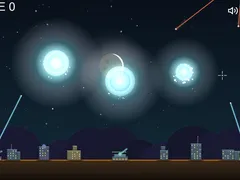
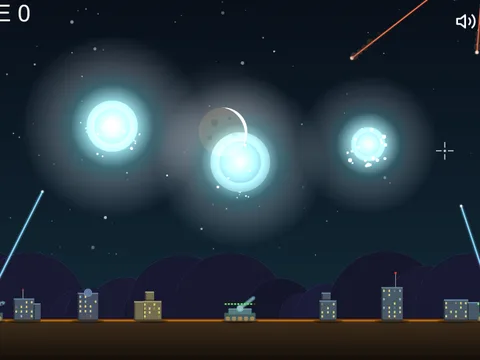
Missiles are falling and only your blasts stand between them and the cities below. City Shield unblocked is a night-sky defense game where you pick the exact spot in the sky where each of your shots explodes. Classroom 7x serves the game from its own servers, so it starts in Chrome on a Chromebook without a download or an account.
About City Shield
Frank Force wrote City Shield for his open-source LittleJS Arcade, and the skyline, cannons and sound effects all come from code rather than files. Six small cities line the ground, with three cannons placed between them. When you click or tap the sky, the closest cannon that still has shots fires there. The shot climbs, then swells into a glowing ball that destroys anything flying into it. Because your shots take time to rise, you have to aim where a missile is going.
Each cannon holds 10 shots per wave and reloads at the start of the next one. Wave one has 10 missiles. Each wave after that brings 3 extra, and they fly faster too. Some missiles target your cannons, and a hit knocks that cannon out for good. Bombers and satellites appear from wave 2, splitting missiles from wave 3, and dodging smart bombs from wave 5. The game ends when every city has been destroyed.
How to Play City Shield
- Press PLAY, then look at the incoming missiles and decide which ones threaten your cities first.
- Click or tap a point in the sky a little ahead of a missile so your blast is ready when it arrives.
- Watch which cannon fires, since the closest one with shots left always takes the turn.
- Try to catch several missiles inside one blast to save ammo for the rest of the wave.
- Survive each wave to earn bonus points for every unused shot and every city still standing.
City Shield Controls
| Input | Action |
|---|---|
| Left click | Fire a blast at that spot in the sky |
| Tap (touch screens) | Fire a blast where you tap |
| Esc | Pause the game, with a restart option |
| R | Restart the game |
| Click / tap menu buttons | Use PLAY, OPTIONS and HELP |
How to Play City Shield on PC & Chromebook
City Shield is a mouse game at heart, so a laptop, desktop or Chromebook with a mouse feels great. You click any point in the sky and the nearest loaded cannon fires there. The keyboard only handles pausing and restarting. A plugged-in mouse makes fast, accurate clicks easier than a trackpad when later waves fill the sky.
- Click PLAY on the menu, or HELP if you want a quick rules refresher.
- Click in the sky just ahead of each falling missile to set off a blast.
- Watch your ammo and cities between waves to plan your next shots.
- Press Esc to pause or R to start a new game.
Desktop tip: Keep the pointer in the middle of the sky between shots. It is quicker to reach either side from there.
How to Play City Shield on Mobile
City Shield works well on tablets and phones because every shot is a single tap. Tap anywhere in the night sky and the nearest cannon fires a blast there. The menu buttons respond to taps too. The playfield is wide, so turning a phone sideways gives you a much better view of all six cities and the missiles heading their way.
- Turn your phone sideways, then tap PLAY.
- Tap the sky just ahead of a missile to set off a blast.
- Use quick taps to deal with groups, and keep an eye on which cities remain.
Mobile tip: Use the tip of your finger for each tap. A wide press can land a shot lower than you meant.
Tips and Tricks
- Aim slightly below a falling missile rather than right on it. Your blast needs a moment to grow to full size.
- Take out splitting missiles while they are still high. One early hit stops what could become two or three threats.
- Protect the middle cannon above all. Its shots fly the fastest, so losing it makes later waves much tougher.
- A city that is already in ruins cannot be damaged further, so let missiles aimed at it fall and keep your shots for other targets.
- Avoid spraying shots at the start of a wave. Every unused shot adds to your bonus when the wave is over.
Game Info
| Game | City Shield |
|---|---|
| Developer | Frank Force |
| Genre | Arcade, Shooting |
| Players | Single player |
| Works on | Chromebook, PC, Mac, tablet and phone |
| Price | Free, no sign-up |
| Hosting | Served from Classroom 7x's own servers |
| License | MIT (original source, license, credits) |
City Shield FAQ
How do the points work?
Missiles are worth 25 points, aircraft 100, and smart bombs 125. The wave multiplier scales those values. It goes up by one every second wave and stops at six, and end-of-wave bonuses use it as well.
Can a lost city come back?
Yes. You get a bonus city for every 10,000 points. A ruined city comes back immediately, and when all six are still standing, the bonus is saved for the next city that gets hit.
Why did one of my cannons stop firing?
Either it ran out of its 10 shots for the wave, or a missile destroyed it. An empty cannon reloads when the next wave begins, but a destroyed one stays gone for the rest of the game.