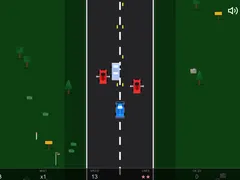
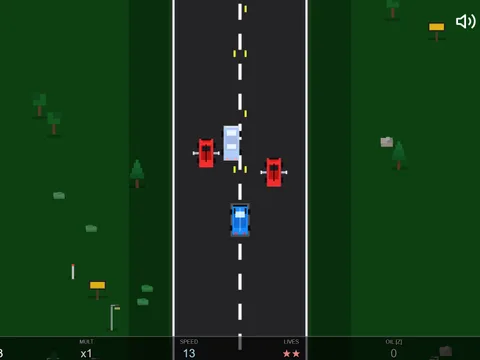
The road keeps bending, the traffic keeps coming, and some of those cars want to run you off the highway. Highway Pursuit unblocked puts you behind the wheel of a blue sports car with twin guns on the hood. Shoot the bad drivers, leave the regular ones alone, and see how far you get. Classroom 7x serves it from its own servers.
About Highway Pursuit
Frank Force created this top-down driving shooter for LittleJS Arcade, his open-source set of small games. The cars, road and scenery are drawn in code, and sounds are generated while you play. The road is built as you drive, mixing curves with straight stretches, so each run is different. Your score rises with distance, and destroying hostile cars adds bonuses. Each run begins with three lives, and every 10,000 points grants one more, to a maximum of five.
Traffic comes in five kinds. Two of them are enemies that need three hits apiece: red cars with side blades and yellow cars with roof guns. The yellow ones shoot back. A chunky light blue car is armored, so bullets bounce off it. Blue sedans and brown wagons are civilians, and hitting one costs points and resets your multiplier. Kills also earn oil slicks and smoke screens, which you can store and use when the chase gets crowded.
How to Play Highway Pursuit
- Hit Play, and your car rolls forward until it reaches cruising speed.
- Steer with the arrow keys or A and D, and change speed with Up and Down or W and S.
- Hold Space to fire your twin guns at red blade cars and yellow gunner cars.
- Keep your shots away from blue sedans and brown wagons, because destroying them costs points.
- Press Z to drop an oil slick behind you or X to release a smoke screen when you have them.
Highway Pursuit Controls
| Input | Action |
|---|---|
| Left / Right arrows or A / D | Steer |
| Up / Down arrows or W / S | Speed up or slow down |
| Space or left mouse button | Fire the twin guns |
| Move the mouse | Steer by following the pointer |
| Z / X | Drop an oil slick / release a smoke screen |
| R / Escape | Restart the run / open the pause menu |
| On-screen stick and buttons (touch) | Steer, change speed and fire on a touch screen |
How to Play Highway Pursuit on PC & Chromebook
Highway Pursuit has the most options on a Chromebook or laptop. Arrow keys or W A S D handle steering and speed, Space fires, and Z and X launch your special weapons. You can also steer with the mouse, since the car follows the pointer, and hold the left button to shoot. Escape opens the pause menu, and R starts a fresh run.
- Open the game and click once on the screen so it takes your keys.
- Use W A S D or the arrow keys to steer and change speed.
- Hold Space to shoot hostile cars as they come into range.
- Press Z for oil, X for smoke, and Escape to pause.
Desktop tip: Keep your left hand on W A S D and your right thumb near Space. Your left fingers can then reach Z and X without letting go of steering.
How to Play Highway Pursuit on Mobile
Highway Pursuit can be played on a phone or tablet with an on-screen stick and buttons. You can steer, speed up, slow down and fire with your thumbs. However, touch controls do not include the oil slick or smoke screen, so you will be missing two useful weapons. For the full game, a Chromebook or laptop keyboard works better.
- Open the game and turn your device sideways.
- Steer by moving the on-screen stick to either side.
- Hold the fire button to shoot, and use the speed buttons to adjust pace.
- Tap the menu icon in the corner to pause or restart.
Mobile tip: Without oil or smoke on touch, your guns are your only defense, so leave some space behind slower cars and fire in steady bursts.
Tips and Tricks
- Fire in short bursts when civilians are nearby. Your guns only shoot straight ahead, so a sedan drifting into your lane will catch stray bullets.
- Push the armored light blue car sideways with your bumper and keep pressing. Staying in contact builds the shove until it slides off the road.
- Drop oil when a hostile car is closing in from behind. The slick sits behind you for a few seconds and wrecks anything that drives over it.
- Release smoke when you are surrounded. Cars inside the cloud swerve around, stop chasing you, and gunners lose their aim.
- Protect a high multiplier. Every kill at x3 is worth triple, so one careless shot at a civilian costs far more than the penalty.
Game Info
| Game | Highway Pursuit |
|---|---|
| Developer | Frank Force |
| Genre | Racing, Shooting |
| Players | Single player |
| Works on | Chromebook, PC and Mac (touch screens work, mouse is more precise) |
| Price | Free, no sign-up |
| Hosting | Served from Classroom 7x's own servers |
| License | MIT (original source, license, credits) |
Highway Pursuit FAQ
How do I earn oil slicks and smoke screens?
None at the start. You earn an oil slick for each fourth enemy car destroyed and a smoke screen for each sixth. Up to five of each can be stored, and the counters appear in the bar at the bottom.
How does the score multiplier work?
Your multiplier reaches x2 after three enemy cars are destroyed and x3 after seven. Striking a civilian car resets it to x1 right away, so careful aim pays off.
What costs me a life?
You lose a life when an enemy bullet hits you or when you collide with any car other than the armored one. After the last life is gone the run ends, and R starts a new one.