
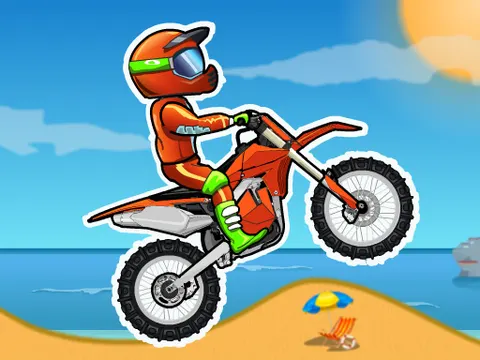
Moto X3M unblocked hands you a dirt bike, a helmet and a stopwatch that never stops ticking. Each track is stuffed with ramps, loops, spikes and explosive traps, and your job is to stay upright and reach the finish line as fast as you can. This is the original game that launched the whole series, and you can start riding it on Classroom 7x in seconds.
About Moto X3M
Created by MadPuffers, Moto X3M packs 25 levels of short, punchy off-road racing into one game. Every course is built from ramps, loops, spikes, spinning blades and explosives, and the layouts get meaner the further you go. Checkpoints sit along each track, so a bad landing only sends you back a short distance instead of all the way to the start. That keeps the action moving and makes it tempting to try one more run, then another, until a tricky section finally clicks.
The clock is the real rival here. Faster finishes earn more stars, which gives every level a reason to be replayed even after you have beaten it. The physics are easy to pick up but surprisingly deep: lean too far back and the bike flips over, lean too far forward and the front wheel slams into the dirt. Learning how much speed each jump needs, and when to hold back, is what separates a messy finish from a top-rated run.
How to Play Moto X3M
- Hold the up arrow to accelerate and build enough speed to clear the first ramp.
- Tap the left and right arrows to lean your rider and keep the bike level in the air.
- Use the down arrow to brake or ease off before drops, spikes and explosive obstacles.
- Press the spacebar after a crash to respawn at the last checkpoint you passed.
- Reach the finish line quickly to earn a better rating and open up the next level.
Moto X3M Controls
| Input | Action |
|---|---|
| Up arrow | Accelerate |
| Down arrow | Brake and reverse |
| Left / Right arrows | Lean back or forward to balance |
| Spacebar | Respawn at the last checkpoint |
Tips and Tricks
- Use short taps on the left and right arrows rather than holding them. Small corrections in the air keep the bike level without over-rotating.
- On big drops, lean back slightly so the rear wheel touches down first. It absorbs the impact far better than a nose-first landing.
- When a section keeps beating you, ride it slowly once to learn where the hazards are, then come back at full speed.
- Hit the spacebar as soon as you know a run is ruined. Jumping back to the checkpoint saves time compared with fighting a doomed landing.
- Only try flips on long jumps where you have plenty of airtime. A half-finished rotation usually ends in a crash.
Game Info
| Game | Moto X3M |
|---|---|
| Developer | MadPuffers |
| Genre | Racing, Skill |
| Players | Single player |
| Works on | Chromebook, PC and Mac (keyboard recommended) |
| Price | Free, no sign-up |
Moto X3M FAQ
How many levels are in Moto X3M?
The original game has 25 levels. Each one is its own off-road course with a fresh mix of ramps, loops and traps, and the difficulty climbs steadily as you work your way through them.
What does the spacebar do?
Pressing the spacebar sends you back to the last checkpoint you crossed. It is the fastest way to recover from a crash or a bad landing without restarting the entire level from the beginning.
Why does my bike keep flipping over?
Flips usually come from leaning too hard or landing with the bike tilted. Use quick, light taps on the left and right arrows to level out before touching down, and avoid hitting ramps faster than the jump needs.
Can I play Moto X3M on a school Chromebook?
Yes. Moto X3M runs in the Chrome browser on Chromebooks, Windows PCs and Macs with nothing to install. It is designed for a keyboard and mouse, so it plays best on a computer rather than a phone.
Is Moto X3M free to play?
Yes, Moto X3M is completely free on Classroom 7x. There is no download, no account and no sign-up. Press Play and the game loads right on this page.