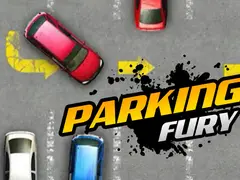
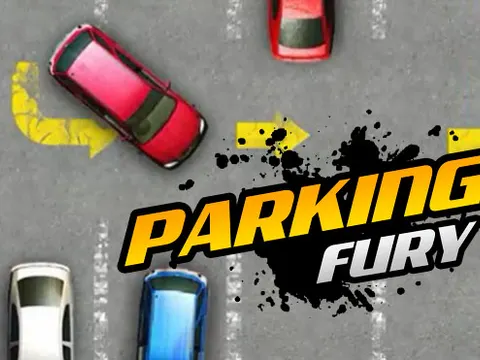
Parking Fury unblocked is the original entry in a series built around one deceptively simple task: get the car into its space. Navigate tight lanes, nudge around parked vehicles and avoid every bump along the way. It is quick to start on Classroom 7x and makes a great warm-up for anyone who enjoys careful, steady driving.
About Parking Fury
Parking Fury keeps things focused. There are no races or rivals, just you, a car and a parking lot full of things you should not hit. Each level asks you to drive through the lot and stop in an open space, and the real challenge is doing it cleanly. Clip another vehicle or anything else in the lot and you pay the price, so slow, controlled movements beat fast driving every time. It is as much a puzzle as a driving game, since you need to plan your path before you hit the gas.
Steering into a tight spot sounds easy until you are squeezing between rows of parked cars with very little room on either side. Your turning angle matters, and backing up to straighten out is often the smartest move you can make. As the first game in the series, this entry sticks to classic lot parking, which makes it a natural starting point before moving on to the sequels. If a layout gives you trouble, just try again with a smoother line and a lighter touch on the keys.
How to Play Parking Fury
- Press the up arrow to drive forward and the down arrow to slow down or reverse.
- Steer with the left and right arrow keys to guide your car through the lanes of the lot.
- Find the empty parking space and line your car up with it before pulling in.
- Avoid touching other cars or obstacles, since any collision costs you.
- Stop fully inside the space to complete the level and move on to the next one.
Parking Fury Controls
| Input | Action |
|---|---|
| Up arrow | Drive forward |
| Down arrow | Brake and reverse |
| Left / Right arrows | Steer |
Tips and Tricks
- Tap the keys rather than holding them down. Short bursts of speed give you far more control in tight lanes than flooring it.
- Swing wide before a sharp turn. Starting from the outside of the lane gives your car room to clear the corners of parked vehicles.
- Use reverse to straighten up. Backing out a little and trying again is better than forcing a crooked angle into the space.
- Plan your full route before moving. Knowing where the open spot is lets you choose the path with the most room to maneuver.
Game Info
| Game | Parking Fury |
|---|---|
| Genre | Racing, Puzzle |
| Players | Single player |
| Works on | Chromebook, PC and Mac (keyboard recommended) |
| Price | Free, no sign-up |
Parking Fury FAQ
What happens if you hit another car?
Collisions count against you, so touching another vehicle or an obstacle costs you. The safest approach is to drive slowly and correct your angle early, since even a light scrape can ruin an otherwise clean parking job.
Is this the first game in the series?
Yes. This is the original installment, focused on driving through a parking lot and settling into an open space. Later entries build on the same idea, so it is a good place to learn the basic driving feel.
Is it better to drive fast or slow?
Slow is almost always better. Speed makes it harder to correct mistakes, and any bump with another car or obstacle counts against you. Gentle taps on the arrow keys let you creep into position and make tiny adjustments.
Can I play Parking Fury on a school Chromebook?
Yes. Parking Fury runs in the Chrome browser on Chromebooks, Windows PCs and Macs with nothing to install. It is designed for a keyboard and mouse, so it plays best on a computer rather than a phone.
Is Parking Fury free to play?
Yes, Parking Fury is completely free on Classroom 7x. There is no download, no account and no sign-up. Press Play and the game loads right on this page.