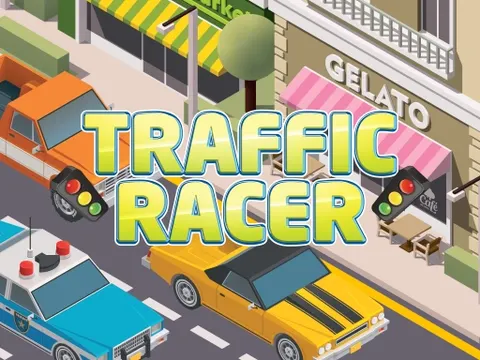
Traffic Racer unblocked hands you the keys to a bright yellow sports car and a crowded Miami highway full of cars, trucks and buses. Slip between lanes, scoop up coins and cash, and keep your fuel topped up as you push toward the next checkpoint. Start a drive on Classroom 7x and see how long you can keep the momentum going.
About Traffic Racer
The setting is a busy city highway, and the traffic does not care that you are in a hurry. Your job is to thread the sports car through gaps between slower vehicles while keeping an eye on the road ahead. Checkpoints along the route mark your progress, so there is constant pressure to stay quick without crashing. The more confidently you weave, the more ground you cover, and each near miss makes the next stretch feel even more intense.
Pickups add strategy to the speed. Coins and wads of money add to your cash, fuel keeps your tank from running dry, and boost lines give you a burst of extra speed when you drive over them. Deciding which items are worth a risky lane change is part of the fun. The controls work on both keyboards and touch screens, so you can play on a computer or tap your way through traffic on a phone or tablet.
How to Play Traffic Racer
- Press W or the Up arrow to speed up, and S or the Down arrow to slow down.
- Steer between lanes with A and D or the Left and Right arrows to pass slower traffic.
- Collect coins, wads of money and fuel as you drive along the Miami highway.
- Drive over boost lines for extra speed when the lane ahead looks clear.
- Pass checkpoints as you go and avoid crashing into the cars, trucks and buses around you.
- On a phone or tablet, use the touch controls to steer and drive.
Traffic Racer Controls
| Input | Action |
|---|---|
| W / Up arrow | Accelerate |
| S / Down arrow | Brake |
| A / D or Left / Right arrows | Steer between lanes |
| Touch controls | Drive on phones and tablets |
Tips and Tricks
- Only hit boost lines when you can see open road ahead. Extra speed in heavy traffic leaves almost no time to react.
- Keep an eye on your fuel and grab refills before you truly need them, even if it means skipping a coin or two.
- Watch larger vehicles like trucks and buses closely. They take up more space, so plan your lane changes around them early.
- Change lanes in smooth, single moves instead of zigzagging. Fewer sudden swerves means fewer surprise collisions.
- Tap the brake to wait for a gap rather than forcing your way through a wall of traffic.
Game Info
| Game | Traffic Racer |
|---|---|
| Genre | Racing |
| Players | Single player |
| Works on | Chromebook, PC, Mac, tablet and phone |
| Price | Free, no sign-up |
Traffic Racer FAQ
Where does Traffic Racer take place?
You drive on a busy highway in the city of Miami. The road is packed with other vehicles, including cars, trucks and buses, so you will spend the whole drive weaving between lanes to keep moving.
What can you collect while driving?
Look for coins, wads of money, fuel and boost lines on the road. Money adds to your cash, fuel keeps you going, and boost lines give your sports car a burst of speed when you drive over them.
What car do you drive?
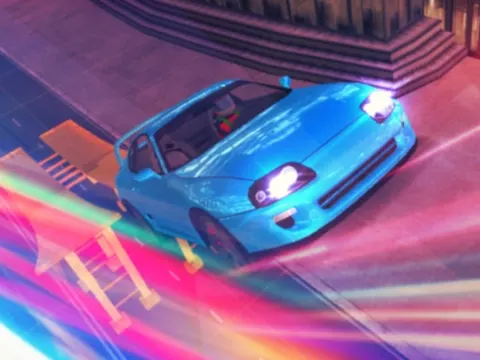
You get behind the wheel of a big yellow sports car. It is quick enough to make every lane change feel exciting, and driving over boost lines lets you push it even faster through the traffic.
Can I play Traffic Racer on a school Chromebook?
Yes. Traffic Racer runs in the Chrome browser, so it works on Chromebooks, Windows PCs and Macs, and it also supports touch screens on tablets and phones. Nothing needs to be installed.
Is Traffic Racer free to play?
Yes, Traffic Racer is completely free on Classroom 7x. There is no download, no account and no sign-up. Press Play and the game loads right on this page.