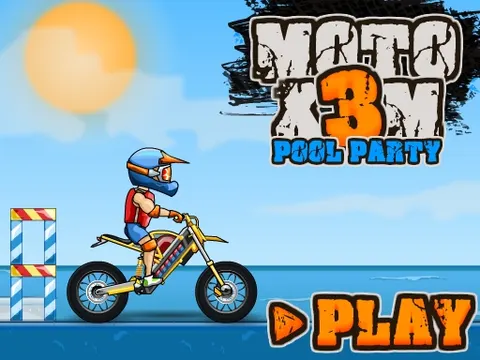
Moto X3M Pool Party unblocked takes the series' trademark stunt racing and throws it into a summer pool-party setting. You still balance a dirt bike over ramps, gaps and hazards while racing the timer, only now the backdrop is all sunshine and splashes. Jump into this fifth entry on Classroom 7x and ride it straight from your browser.
About Moto X3M Pool Party
Billed as the fifth game in the series, this MadPuffers edition keeps the fast, physics-driven racing that fans know and wraps it in a bright summer theme. The goal has not changed: get your rider from the start line to the finish as quickly as possible without crashing. Along the way, the tracks throw tricky jumps, awkward landings and dangerous obstacles at you, and the level structure rewards players who learn each course well enough to ride it smoothly at full speed.
What sets this entry apart is its atmosphere. Instead of gritty dirt circuits, you are racing through a sunny, poolside world that feels more like a vacation than a motocross event. The danger is still very real, though, and high speed is both your best friend and your biggest risk. Fans who have finished the earlier games will find the same responsive arrow-key controls, while newcomers can learn everything they need within the first couple of levels.
How to Play Moto X3M Pool Party
- Press the up arrow to accelerate and carry enough speed into each ramp and jump.
- Lean your rider with the left and right arrows to control rotation while airborne.
- Tap the down arrow to brake when a landing zone or hazard needs a slower approach.
- Line up your landings so both wheels touch down together and the bike stays upright.
- Finish each course as quickly as you can, then replay levels to improve your time.
Moto X3M Pool Party Controls
| Input | Action |
|---|---|
| Up arrow | Gas |
| Down arrow | Brake |
| Left / Right arrows | Tilt the bike back and forward |
Tips and Tricks
- Learn each track at a moderate pace first. Once you know where the hazards sit, push the throttle harder on the next attempt.
- Watch the bike's angle as you leave a ramp. Correcting early in the jump is much easier than scrambling right before landing.
- Avoid holding a lean arrow for too long. Overcorrecting is the most common reason the rider ends up flat on his back.
- Brake briefly before steep drops so you do not overshoot the landing and slam into whatever sits beyond it.
Game Info
| Game | Moto X3M Pool Party |
|---|---|
| Developer | MadPuffers |
| Genre | Racing, Skill |
| Players | Single player |
| Works on | Chromebook, PC and Mac (keyboard recommended) |
| Price | Free, no sign-up |
Moto X3M Pool Party FAQ
Which Moto X3M game is Pool Party?
It is billed as the fifth game in the series, sometimes listed as Moto X3M 5. It follows the original formula of timed stunt racing but moves the action to a summer, pool-party themed world.
What keys do you use in Moto X3M Pool Party?
Everything runs on the arrow keys. Up accelerates, down brakes, and left and right tilt the bike so you can balance in mid-air and line up clean landings on the other side of each jump.
How can you get faster times?
Smooth riding beats raw speed. Learn where each hazard is, avoid crashes that cost time, and keep the bike level so you land cleanly and keep your momentum. Replaying a level you know well is the easiest way to improve.
Can I play Moto X3M Pool Party on a school Chromebook?
Yes. Moto X3M Pool Party runs in the Chrome browser on Chromebooks, Windows PCs and Macs with nothing to install. It is designed for a keyboard and mouse, so it plays best on a computer rather than a phone.
Is Moto X3M Pool Party free to play?
Yes, Moto X3M Pool Party is completely free on Classroom 7x. There is no download, no account and no sign-up. Press Play and the game loads right on this page.