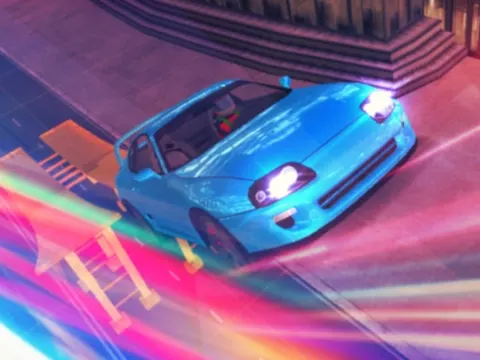
Supra Drift & Stunt unblocked puts you behind the wheel of a legendary drift car in a nighttime city inspired by Tokyo. Throw the car sideways around corners, hit the boost, and slow time down to admire your best moves. Cruise the streets on Classroom 7x and see how high you can push your score.
About Supra Drift & Stunt
This game is all about style behind the wheel. You roam freely around a stylish nighttime city modeled after Tokyo, and the goal is to earn the highest score possible through slick driving. Long, controlled drifts are the heart of the experience, and the 3D streets give you plenty of corners and open stretches to practice on. There is no finish line to rush toward, so you can explore at your own pace and find the spots that suit your driving.
Several handy features make Supra Drift & Stunt more than a simple driving sim. Press F for a speed boost, G for slow motion, and R to record your driving. You can even change your car's color with Y whenever you want a fresh look. These extras make it easy to set up dramatic stunts, capture your best moments and personalize your ride, which keeps sessions fun even after you have mastered the basics of drifting.
How to Play Supra Drift & Stunt
- Use the arrow keys to accelerate, brake and steer your Supra around the city.
- Turn sharply at speed to kick the car into a drift, then hold it through the corner.
- Press F to boost when you have open road and need extra speed for a stunt.
- Press G to switch on slow motion, and press R whenever you want to record your driving.
- Change your car's color with Y, then keep drifting to push your score as high as possible.
Supra Drift & Stunt Controls
| Input | Action |
|---|---|
| Arrow keys | Drive and steer |
| F | Boost |
| G | Slow motion |
| R | Record |
| Y | Change car color |
Tips and Tricks
- Start drifts with a quick steering input as you enter a turn, then use small corrections to keep the slide going without spinning out.
- Save the F boost for long, open streets. Boosting into a tight corner usually sends the car into a wall instead of a clean drift.
- Turn on slow motion with G while practicing. Watching a drift unfold slowly helps you see exactly when the rear of the car starts to slide.
- Explore the city before chasing points. Knowing where the wide corners and long straights are lets you plan high-scoring routes.
- Keep R in mind for your best runs, so you can record a great drift or stunt the moment it happens.
Game Info
| Game | Supra Drift & Stunt |
|---|---|
| Genre | Racing |
| Players | Single player |
| Works on | Chromebook, PC and Mac (keyboard recommended) |
| Price | Free, no sign-up |
Supra Drift & Stunt FAQ
What are the controls in Supra Drift & Stunt?
Drive and steer with the arrow keys. Press F to boost, G for slow motion, R to record and Y to change the color of your car. The extra keys are optional, so you can focus on driving first and add them later.
Where does the game take place?
You drive around a night city inspired by Tokyo. The streets are open for you to roam, giving you plenty of corners and straightaways to practice drifts and stunts while you work on your score.
Can you change the color of your car?
Yes. Press the Y key to change your Supra's color. It is a quick way to personalize your ride, and it pairs well with the record feature when you want to capture a stylish drift.
Can I play Supra Drift & Stunt on a school Chromebook?
Yes. Supra Drift & Stunt runs in the Chrome browser on Chromebooks, Windows PCs and Macs with nothing to install. It is designed for a keyboard and mouse, so it plays best on a computer rather than a phone.
Is Supra Drift & Stunt free to play?
Yes, Supra Drift & Stunt is completely free on Classroom 7x. There is no download, no account and no sign-up. Press Play and the game loads right on this page.