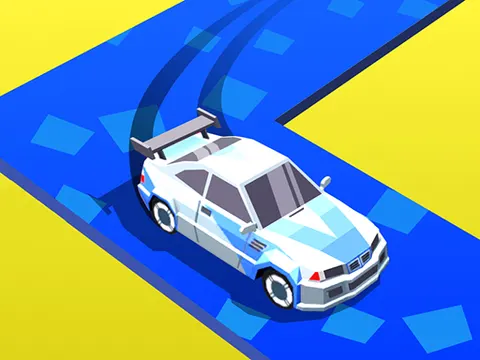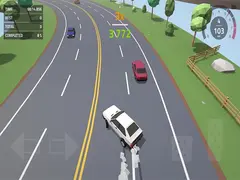
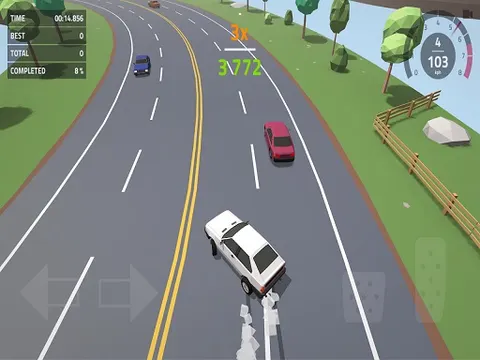
In Polygon Drift unblocked, everyday traffic becomes your personal drift course. You race along busy roads among ordinary cars, sliding through gaps that look far too tight, and one bump is all it takes to end the ride. With a sharp low-poly style and an endless format, it is a natural fit for quick sessions on Classroom 7x.
About Polygon Drift
Plenty of drift games hand you an empty track. This one fills the road with regular traffic and asks you to drift and race right through it. That twist changes everything, because you are not just chasing a clean slide, you are reading the cars around you and threading between them at speed. Any collision with another vehicle or an obstacle sends you back to the start, so every run is a balance between stylish driving and simply staying alive.
Polygon Drift includes six racing cars, and each one has its own performance and handling, so switching rides genuinely changes how a run feels. There are also two tracks with different weather conditions, adding variety to your sessions. The stylized polygon graphics keep the world clean and easy to read, which helps when you need to spot a gap in traffic in a split second. Arcade-style controls are quick to pick up, letting you focus on timing and nerve rather than complicated handling.
How to Play Polygon Drift
- Pick one of the six cars, keeping in mind that each has different performance and handling.
- Choose one of the two tracks, each of which comes with its own weather conditions.
- Use the arrow keys to steer and control your speed as you weave through regular traffic.
- Slide around other vehicles and obstacles carefully, because any collision ends your run immediately.
- Keep going for as long as you can, then try to top your best run on the next attempt.
Polygon Drift Controls
| Input | Action |
|---|---|
| Arrow keys | Steer and control your speed |
| Mouse | Choose cars and tracks in the menus |
Tips and Tricks
- Try every car early. Since performance and handling differ, one model may suit your driving style far better than the first one you pick.
- Look for gaps two or three cars ahead. Committing to a lane early is safer than squeezing through at the last moment.
- Keep your drifts short and controlled in heavy traffic. A long, wide slide looks great but leaves almost no room for error.
- Get comfortable on one track before switching, since the different weather conditions can change how the road looks and feels.
Game Info
| Game | Polygon Drift |
|---|---|
| Genre | Racing |
| Players | Single player |
| Works on | Chromebook, PC and Mac (keyboard recommended) |
| Price | Free, no sign-up |
Polygon Drift FAQ
How many cars are in Polygon Drift?
There are six racing cars to choose from. Each one has its own performance and handling, so it is worth testing a few to find the car that feels best for weaving through traffic.
What happens when you crash?
Any collision with another car or an obstacle ends your ride, and you have to start over. That is what makes every run tense, since a single mistake wipes out all your progress.
How many tracks can you drive on?
The game offers two tracks, each with different weather conditions. Both are filled with regular road traffic, so the challenge of drifting between vehicles stays the same while the setting changes.
Can I play Polygon Drift on a school Chromebook?
Yes. Polygon Drift runs in the Chrome browser on Chromebooks, Windows PCs and Macs with nothing to install. It is designed for a keyboard and mouse, so it plays best on a computer rather than a phone.
Is Polygon Drift free to play?
Yes, Polygon Drift is completely free on Classroom 7x. There is no download, no account and no sign-up. Press Play and the game loads right on this page.