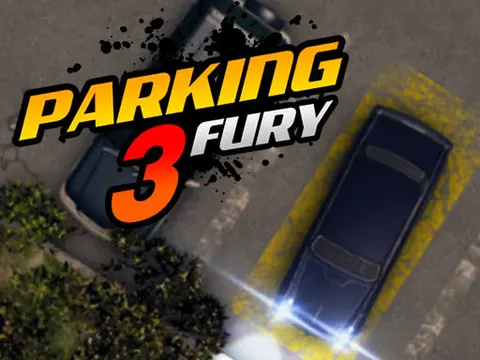
Find the empty spot, dodge every obstacle and keep the other cars spotless: that is the job in Parking Fury 3 unblocked. Thread your vehicle through the lot, watch every corner of your bumper and settle neatly into place. It is ready to go on Classroom 7x whenever you want a calm but precise driving challenge.
About Parking Fury 3
As the third game in the series, Parking Fury 3 sticks to the formula of the earlier entries. You get behind the wheel, find an empty parking spot and guide your vehicle into it without touching anything along the way. The tension comes from how tightly everything is packed. Other cars and obstacles sit close together, and any damage counts against you, which turns every turn of the wheel into a real decision, especially when the open spot sits at an awkward angle.
What separates a good parker from a great one is patience. Rushing through a level usually ends with a bumper tap, while slow and steady inputs let you fix small mistakes before they become crashes. If you have played the earlier games, the keyboard controls will feel familiar right away, but this installment still rewards practice and careful planning. It is a satisfying pick for players who prefer precision over speed, and every clean park feels like a small win.
How to Play Parking Fury 3
- Use the arrow keys to drive forward, reverse and steer your vehicle around the lot.
- Look for the empty parking spot that marks the goal of the level.
- Plan a path that avoids other cars and every obstacle between you and the space.
- Drive slowly and make small corrections so you do not damage any vehicles.
- Settle your vehicle fully into the empty spot to complete the level.
Parking Fury 3 Controls
| Input | Action |
|---|---|
| Up / Down arrows | Accelerate and reverse |
| Left / Right arrows | Steer |
Tips and Tricks
- Stop and scan the lot before you start. Knowing where the obstacles and the empty spot are helps you pick the safest route.
- Approach the space with your vehicle already straight. Lining up early is much easier than straightening out between two parked cars.
- Use reverse freely. Backing up a short distance to fix your angle is far better than forcing a turn and clipping something.
- Keep your speed low near other vehicles. Even a light bump damages a car, so creeping forward gives you time to react.
- Watch the sides and rear of your vehicle, not just the front. The back end can easily clip an obstacle during a tight turn.
Game Info
| Game | Parking Fury 3 |
|---|---|
| Genre | Racing, Puzzle |
| Players | Single player |
| Works on | Chromebook, PC and Mac (keyboard recommended) |
| Price | Free, no sign-up |
Parking Fury 3 FAQ
What counts as a mistake?
Hitting another car or any obstacle counts against you. The goal is to reach the empty spot without damaging anything, so slow, careful driving and small steering corrections are your best friends.
Do I need to play the earlier games first?
No. The goal is easy to understand right away: drive to the empty spot without hitting anything. Playing the earlier entries can help you get used to the steering, but you can start here without missing anything important.
How do you drive the car?
The game is played with the keyboard, using the arrow keys to accelerate, reverse and steer. Tap the keys gently in tight spaces so your vehicle stays under control and you can make small adjustments.
Can I play Parking Fury 3 on a school Chromebook?
Yes. Parking Fury 3 runs in the Chrome browser on Chromebooks, Windows PCs and Macs with nothing to install. It is designed for a keyboard and mouse, so it plays best on a computer rather than a phone.
Is Parking Fury 3 free to play?
Yes, Parking Fury 3 is completely free on Classroom 7x. There is no download, no account and no sign-up. Press Play and the game loads right on this page.