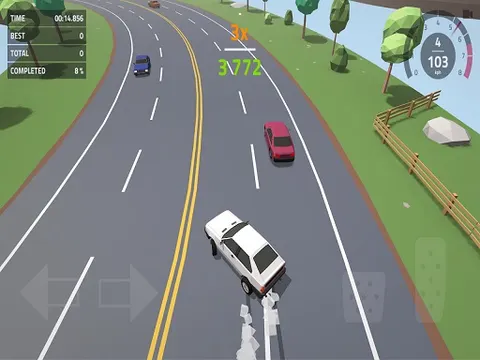
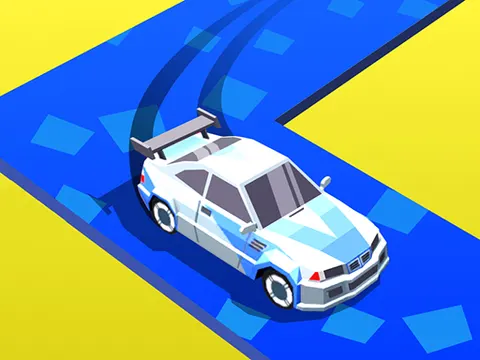
Drift Race 3D unblocked strips racing down to a single input and still manages to be tricky. Hold to swing right, let go to swing left, and slide your car through corner after corner without leaving the road. Fire it up on Classroom 7x and see whether you can out-drift every rival on the way to the finish line.
About Drift Race 3D
There is no gas pedal or brake to worry about here. Your only job is steering, and the whole control scheme fits in one sentence. Pressing and holding sends your car drifting right, while releasing lets it drift back to the left. That sounds easy until the road starts twisting and you realize you are always turning one way or the other, constantly correcting your line to keep the car where it belongs.
Rhythm is everything. Good players learn to pulse their input with short holds and releases, carving smooth arcs that keep the car on the road through every bend. Stay on track and you can drift past the other racers on your way to the finish, earning bragging rights as the drift king. Drift Race 3D packs a lot of tension into very simple controls, which makes it perfect for quick runs when you only have a few minutes.
How to Play Drift Race 3D
- Press and hold the mouse button, or hold your finger on the screen, to steer your car to the right.
- Release to let the car swing back toward the left.
- Alternate holding and releasing to drift smoothly through each bend in the road.
- Keep your car on the road through every turn, because staying on track is the whole challenge.
- Pass the other racers and reach the finish line first to prove you are the drift king.
Drift Race 3D Controls
| Input | Action |
|---|---|
| Hold mouse button | Turn right |
| Release mouse button | Turn left |
| Tap and hold / release | Steer on touch screens |
Tips and Tricks
- Use short, frequent holds instead of long ones. A long hold swings the car too far right, and correcting that overshoot can send you off the road.
- Look ahead to the next bend rather than at your car. Starting a turn slightly early makes it much easier to hold a clean line.
- Find a steady rhythm on gentler sections. Alternating hold and release at an even pace keeps the car centered while you wait for the next curve.
- Stay calm when a rival is close. Focus on keeping your car on the road first, since a risky pass that ends in a crash costs far more than patience.
Game Info
| Game | Drift Race 3D |
|---|---|
| Genre | Racing |
| Players | Single player |
| Works on | Chromebook, PC and Mac (keyboard recommended) |
| Price | Free, no sign-up |
Drift Race 3D FAQ
How do you steer in Drift Race 3D?
Steering uses a single input. Hold down the mouse button or press and hold on a touch screen to turn right, then release to turn left. Switching between the two at the right moments lets you drift through every corner.
Why does my car keep turning left?
Letting go of the button always steers left, so the car drifts that way whenever you are not holding. To travel straighter, alternate quick holds and releases so the right and left turns balance each other out.
What is the goal of Drift Race 3D?
Keep your car on the road, drift through the turns and beat the other racers to the finish line. Master the timing and you can earn the title of drift king, the best racer on the track.
Can I play Drift Race 3D on a school Chromebook?
Yes. Drift Race 3D runs in the Chrome browser on Chromebooks, Windows PCs and Macs with nothing to install. It is designed for a keyboard and mouse, so it plays best on a computer rather than a phone.
Is Drift Race 3D free to play?
Yes, Drift Race 3D is completely free on Classroom 7x. There is no download, no account and no sign-up. Press Play and the game loads right on this page.